Connect to Alipay social login
1
Create a mobile app on the Alipay open platform
2
Fill in the Alipay application configuration in GenAuth
3
Create an application in GenAuth
4
Start developing access
Create a mobile app on Alipay Open Platform
Go to Alipay Open Platform (opens new window) to register an Alipay open account;
Go to Developer Center Console (opens new window) and follow the instructions to create a mobile app.
Please make sure that your app has the Get Member Information capability, otherwise you will not be able to log in using Alipay.
- After creating the app, you need to obtain the following app information:
- AppID (Application ID): You can get it in Admin Center - My Application List (opens new window).
- AlipayPID (Alipay main account ID, usually a number starting with 2088): You can get it on the Account Center - Main Account Management (opens new window) page.
- AppPrivateKey (application private key): You can generate a pair of application public and private keys in the Alipay Online Key Generator (opens new window):
The key format must be PKCS1.
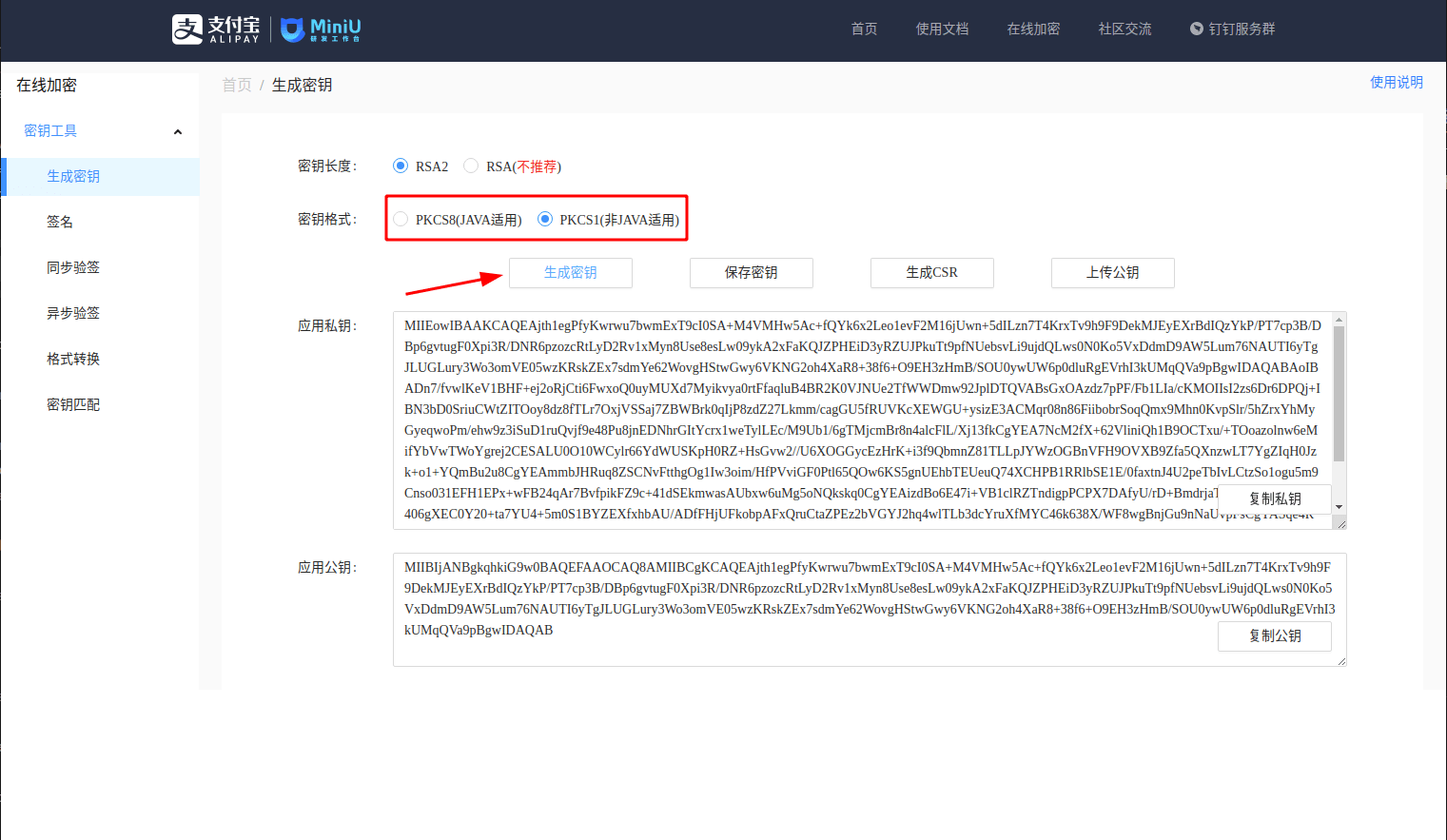
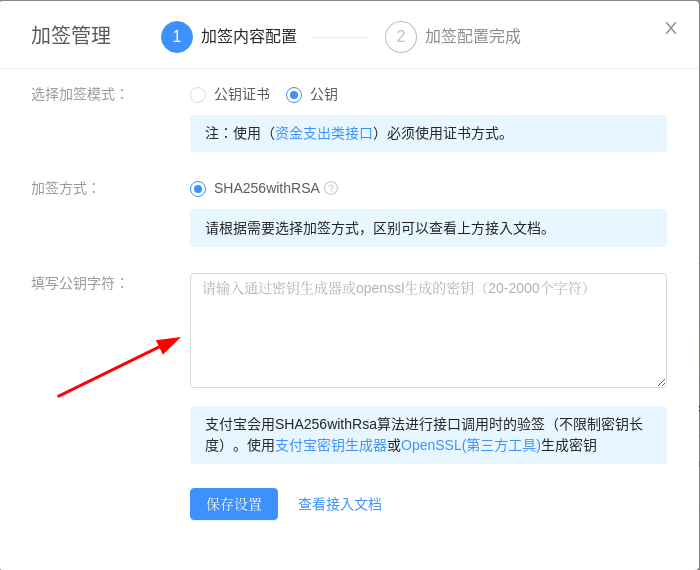
After generation, fill the "application public key" into the "interface signing method" configuration of your Alipay application. Save the "application private key" for the next step.