GenAuth DocsDocuments
Concepts
User Guide
Development Integration
AgentAuth
Metadata
Development Integration
Multi-tenant (beta)
Console Documentation
Multi-tenant Console
Tenant Console
Saas Application Demo
Concepts
User Guide
Development Integration
AgentAuth
Metadata
Development Integration
Multi-tenant (beta)
Console Documentation
Multi-tenant Console
Tenant Console
Saas Application Demo
Old version
User Guide
  • Quick Start

  • Authentication

    • Overview
    • Username Password Authentication
    • SMS Code Authentication
    • Social Login Authentication
    • QR Code Login

    • Authentication in Mini Programs
    • Implement Single Sign-On (SSO)
    • Mobile SSO
    • Multi-factor Authentication
    • Extend Authentication Process

    • Customize Login UI
  • Access Control

  • Authorization

  • Adaptive MFA

  • User Account Management

  • User Directory Management

  • Applications

  • Become a Federation Authentication Identity Provider

  • Connect External Identity Providers (IdP)

  • WeChat Ecosystem Full Scenario Capabilities

  • Migrate Users to GenAuth

  • Security Settings

  • Branding

  • Automation

  • Audit Logs

  • Setting

  • FAQ

  1. User Guide
  2. /
  3. Authentication
  4. /
  5. Multi-factor Authentication

¶ Multi-factor Authentication Overview

Update time: 2025-07-23 07:34:21
Edit

For information about the GenAuth user pool version that supports the various benefits of the "Multi-factor Authentication" feature, please check the Official Website "Pricing" page (opens new window). If your version does not support this benefit and you want to try it out, you can activate the trial period. For an introduction to the trial period and how to activate it, please check the Trial Period.

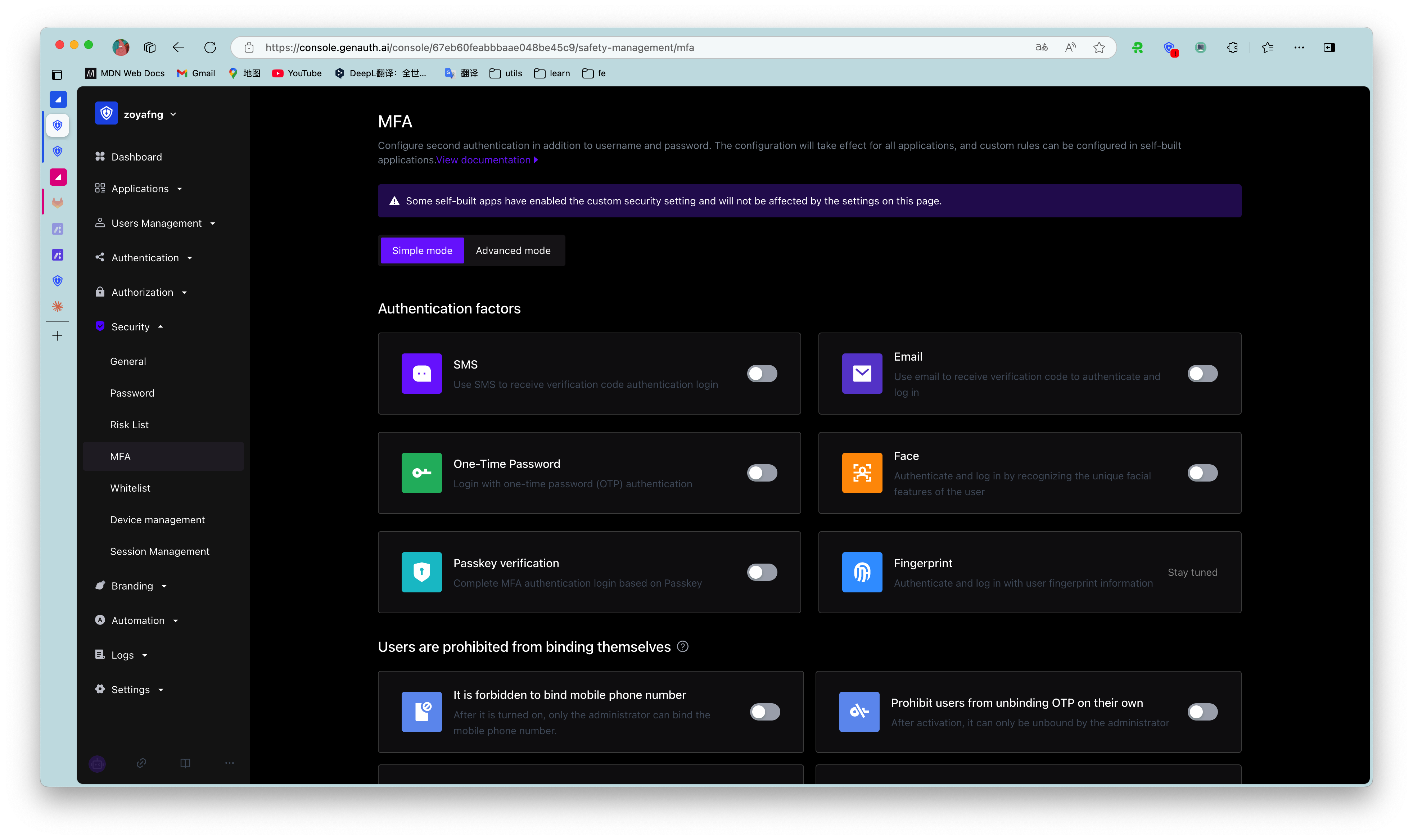
Multi-factor Authentication (MFA) is a very simple security practice that can add an extra layer of protection beyond the username and password. After enabling MFA, when a user logs in, in addition to providing a username and password (the first authentication), a second authentication is required. Multi-factor authentication combined will provide higher security protection for your account and resources. You can learn about What is Multi-factor Authentication here.

You can learn the following MFA authentication information in this section:

  • MFA based on SMS verification code
  • MFA based on email verification code
  • MFA based on one-time password with timestamp algorithm
  • MFA based on face recognition
  • Access MFA through SDK
  • MFA policy configuration
Previous article: Mobile SSO Next article: Extend Authentication Process

User identity management

Integrated third-party login
Customized authentication process

Enterprise internal management

Single sign-on
Multi-factor authentication
Permission management

Developer

Development Documentation
GitHub (opens new window)

Company

official@genauth.ai
16th Floor, Building B, Beichen Century Center, Chaoyang District, Beijing (Total)
Room 406, 4th Floor, Block B, No. 200, Tianfu Fifth Street, High-tech Zone, Chengdu (Branch)

© Beijing Steamory Technology Co., Ltd.