GenAuth DocsDocuments
Concepts
User Guide
Development Integration
AgentAuth
Metadata
Development Integration
Multi-tenant (beta)
Console Documentation
Multi-tenant Console
Tenant Console
Saas Application Demo
Concepts
User Guide
Development Integration
AgentAuth
Metadata
Development Integration
Multi-tenant (beta)
Console Documentation
Multi-tenant Console
Tenant Console
Saas Application Demo
Old version
User Guide
  • Quick Start

  • Authentication

    • Overview
    • Username Password Authentication
    • SMS Code Authentication
    • Social Login Authentication
    • QR Code Login

    • Authentication in Mini Programs
    • Implement Single Sign-On (SSO)
    • Mobile SSO
    • Multi-factor Authentication
    • Extend Authentication Process

    • Customize Login UI
  • Access Control

  • Authorization

  • Adaptive MFA

  • User Account Management

  • User Directory Management

  • Applications

  • Become a Federation Authentication Identity Provider

  • Connect External Identity Providers (IdP)

  • WeChat Ecosystem Full Scenario Capabilities

  • Migrate Users to GenAuth

  • Security Settings

  • Branding

  • Automation

  • Audit Logs

  • Setting

  • FAQ

  1. User Guide
  2. /
  3. Authentication
  4. /
  5. Mobile SSO

¶ Implementing Single Sign-On on Mobile

Update time: 2025-07-23 07:34:21
Edit

Mobile Application Single Sign-On (Single Sign On) is similar to traditional Web-side SSO, which means that in multiple application systems, users only need to log in once to access all mutually trusted application systems.

GenAuth currently supports two forms of mobile terminal single sign-on:

  1. Automatically detect the login status of associated applications on the same device
  2. Invoke associated apps to exchange user information

¶ Automatic detection method

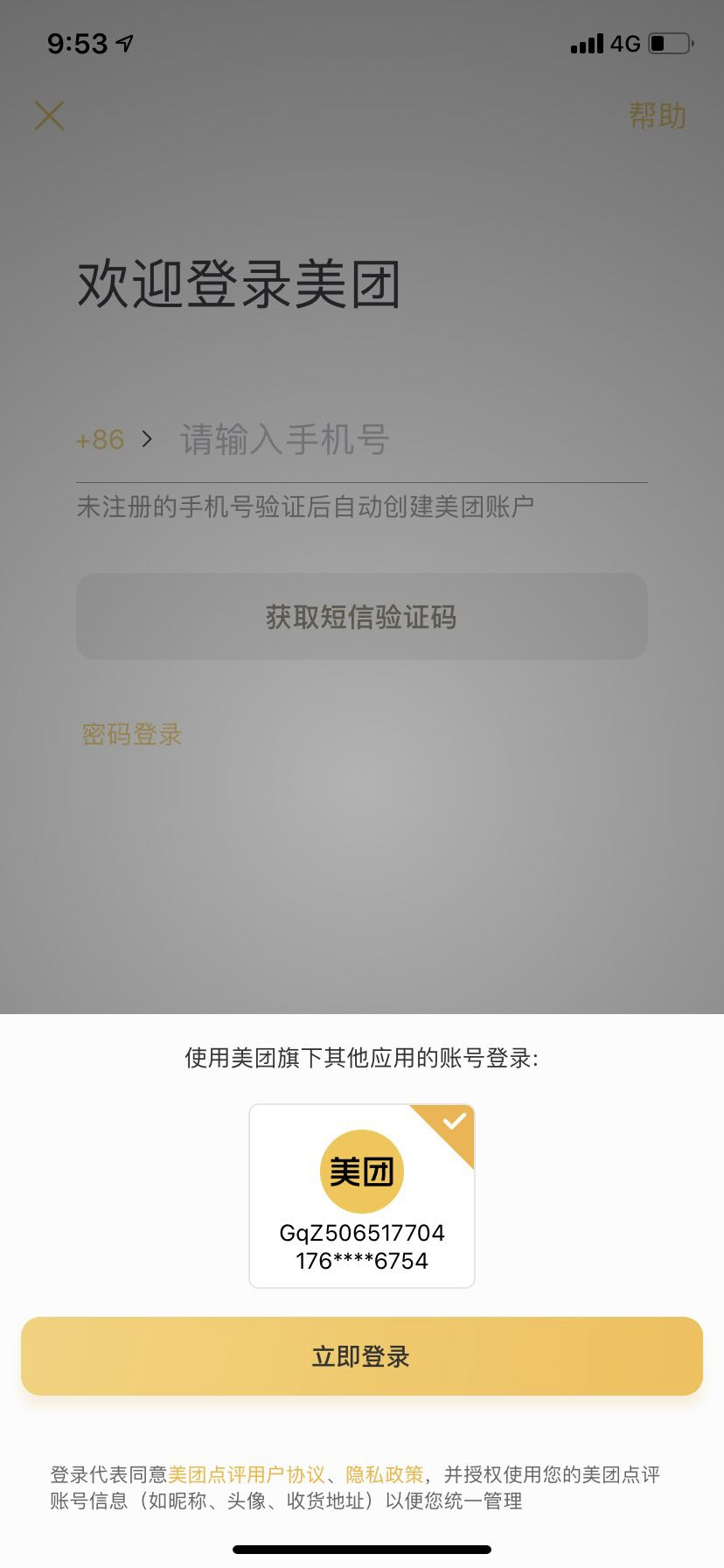
The automatic detection method, similar to the Meituan App, can detect the relevant user as long as one of all mutually trusted systems on the same device is in the login state, and prompt the user whether to use the account to log in, thereby achieving single sign-on.

As shown below:
You can view the demonstration in this video:

For specific access methods, please see: Automatic detection and login on mobile terminals.

¶ App-awakening method

App-awakening method refers to calling application B in application A, and the user agrees to authorize login in application B, and then jumps to application A, and application A obtains user information in some way. This mode is under development.

Previous article: Implement Single Sign-On (SSO) Next article: Multi-factor Authentication
  • Automatic detection method
  • App-awakening method

User identity management

Integrated third-party login
Customized authentication process

Enterprise internal management

Single sign-on
Multi-factor authentication
Permission management

Developer

Development Documentation
GitHub (opens new window)

Company

official@genauth.ai
16th Floor, Building B, Beichen Century Center, Chaoyang District, Beijing (Total)
Room 406, 4th Floor, Block B, No. 200, Tianfu Fifth Street, High-tech Zone, Chengdu (Branch)

© Beijing Steamory Technology Co., Ltd.