GenAuth DocsDocuments
Concepts
User Guide
Development Integration
AgentAuth
Metadata
Development Integration
Multi-tenant (beta)
Console Documentation
Multi-tenant Console
Tenant Console
Saas Application Demo
Concepts
User Guide
Development Integration
AgentAuth
Metadata
Development Integration
Multi-tenant (beta)
Console Documentation
Multi-tenant Console
Tenant Console
Saas Application Demo
Old version
User Guide
  • Quick Start

  • Authentication

    • Overview
    • Username Password Authentication
    • SMS Code Authentication
    • Social Login Authentication
    • QR Code Login

    • Authentication in Mini Programs
    • Implement Single Sign-On (SSO)
    • Mobile SSO
    • Multi-factor Authentication
    • Extend Authentication Process

    • Customize Login UI
  • Access Control

  • Authorization

  • Adaptive MFA

  • User Account Management

  • User Directory Management

  • Applications

  • Become a Federation Authentication Identity Provider

  • Connect External Identity Providers (IdP)

  • WeChat Ecosystem Full Scenario Capabilities

  • Migrate Users to GenAuth

  • Security Settings

  • Branding

  • Automation

  • Audit Logs

  • Setting

  • FAQ

  1. User Guide
  2. /
  3. Authentication
  4. /
  5. Username Password Authentication

¶ Use account and password authentication

Update time: 2025-07-23 07:34:21
Edit

In GenAuth, account and password are divided into the following three forms:

  • Email + password login
  • User name + password login
  • Mobile phone number + password login

When providing users with account and password authentication methods, as an IT system administrator or developer, you also need to implement the following functions:

  • Reset password: You can retrieve your password through the email verification code or mobile phone number verification code.
  • Change password: You can reset your password through the existing password.

To use GenAuth to implement these functions, we provide three different access methods:

  1. [Use GenAuth to host the login page](#Use hosted login page), without a single line of code, you can experience it through sample-sso.genauth.ai.
  2. [Use the embedded login component provided by GenAuth](#Use the embedded login component), which can be integrated into your web and mobile projects. You don't need to implement the login form UI yourself.
  3. Use API & SDK, GenAuth provides two forms of APIs in RESTFul and GraphQL, as well as SDKs in more than 10 languages ​​or frameworks, based on which you can customize the UI and authentication process.

¶ Use the hosted login page

¶ Registration

After the user successfully registers, the system will send a welcome email to the user's mailbox:
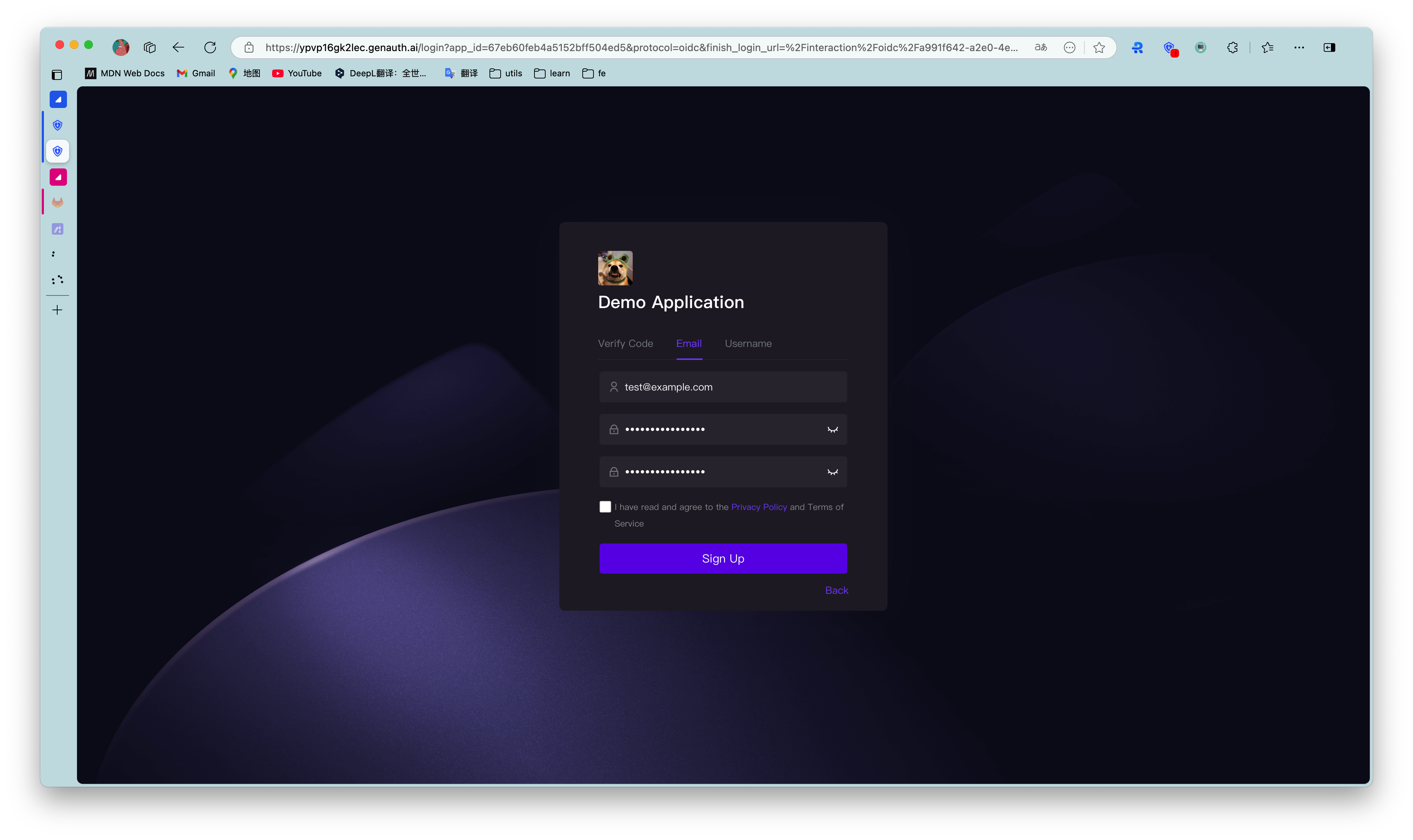
You can also turn off the option to send a welcome email when registering in the console Settings - Security Information - User Pool Security Configuration, and you can also modify the default welcome email template in the console Settings - Message Service.

After the user successfully registers, GenAuth will send a verification email to the user's email:
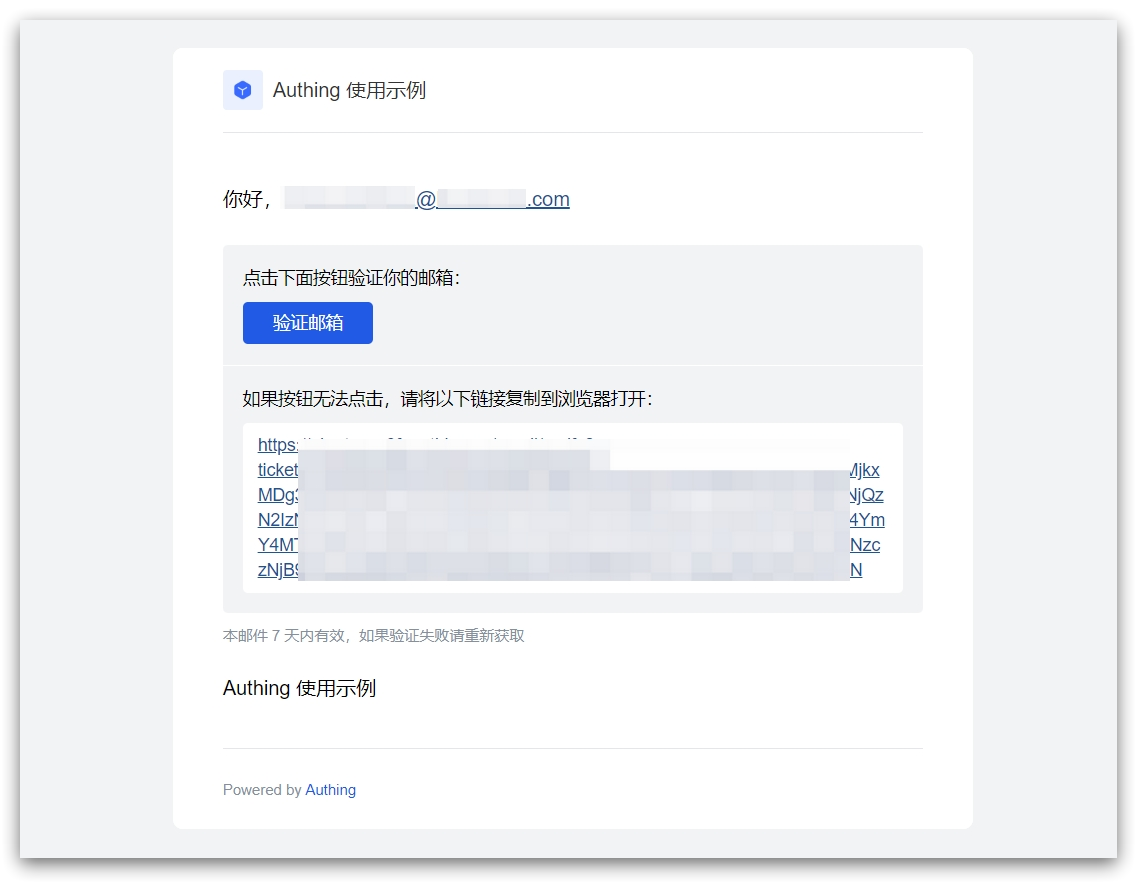
The user clicks the verification button to verify the email.

¶ Login
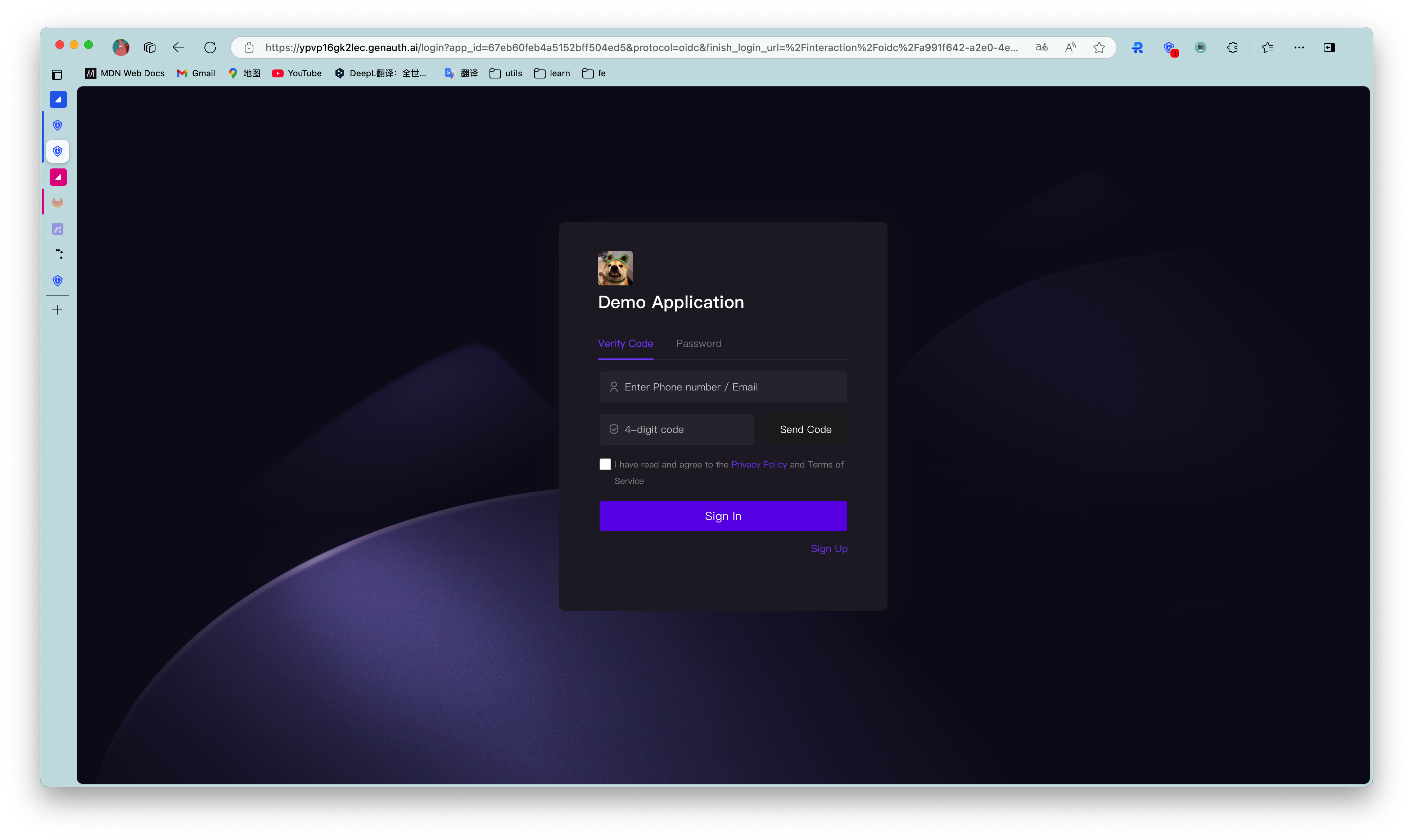
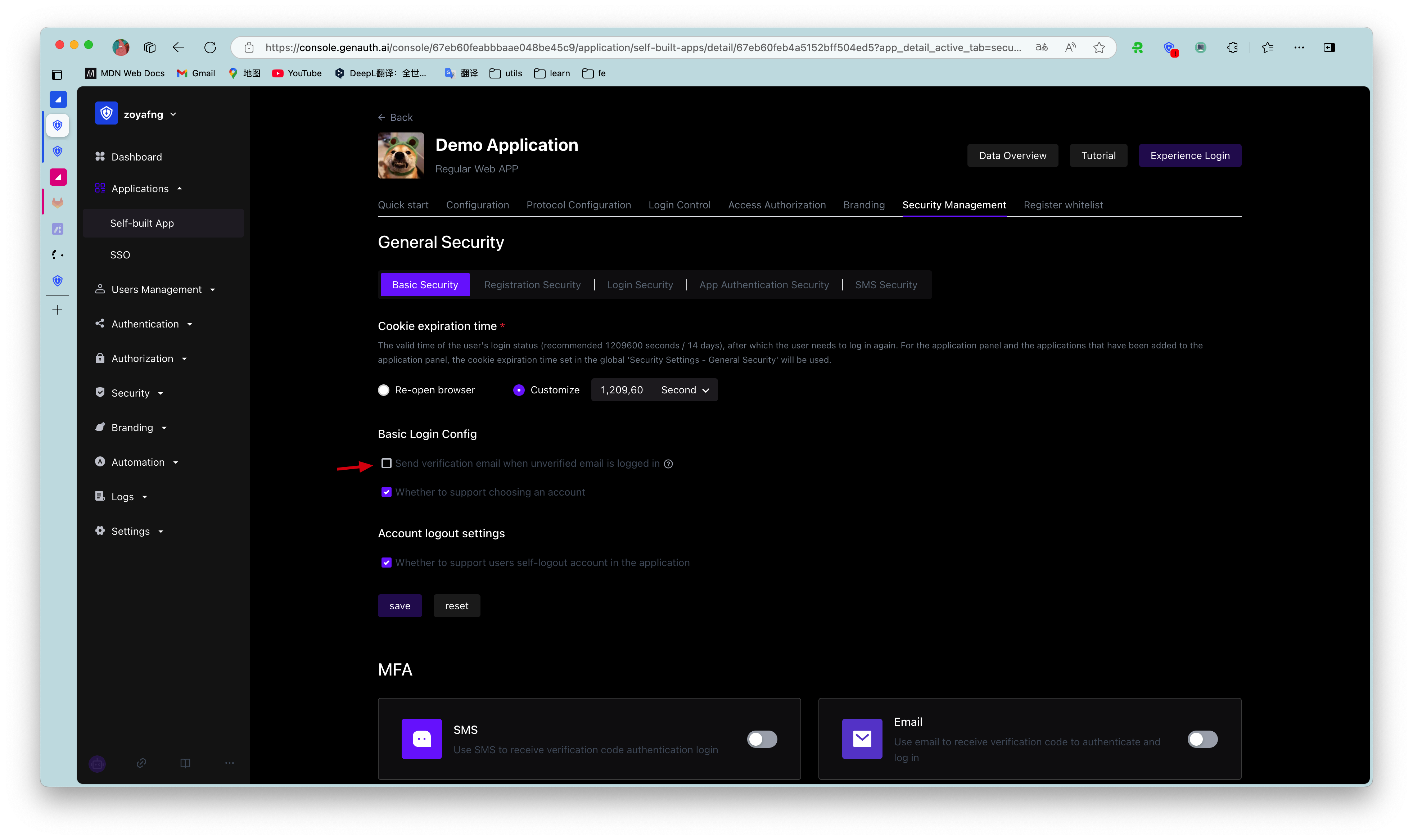
By default, accounts with unverified emails can log in. You can also modify this configuration in the application details:
After the user successfully logs in, the callback link you configured will be called back. You can get the user information here. For details, please see Use GenAuth Hosted Login Page to Complete Authentication.

¶ Reset Password

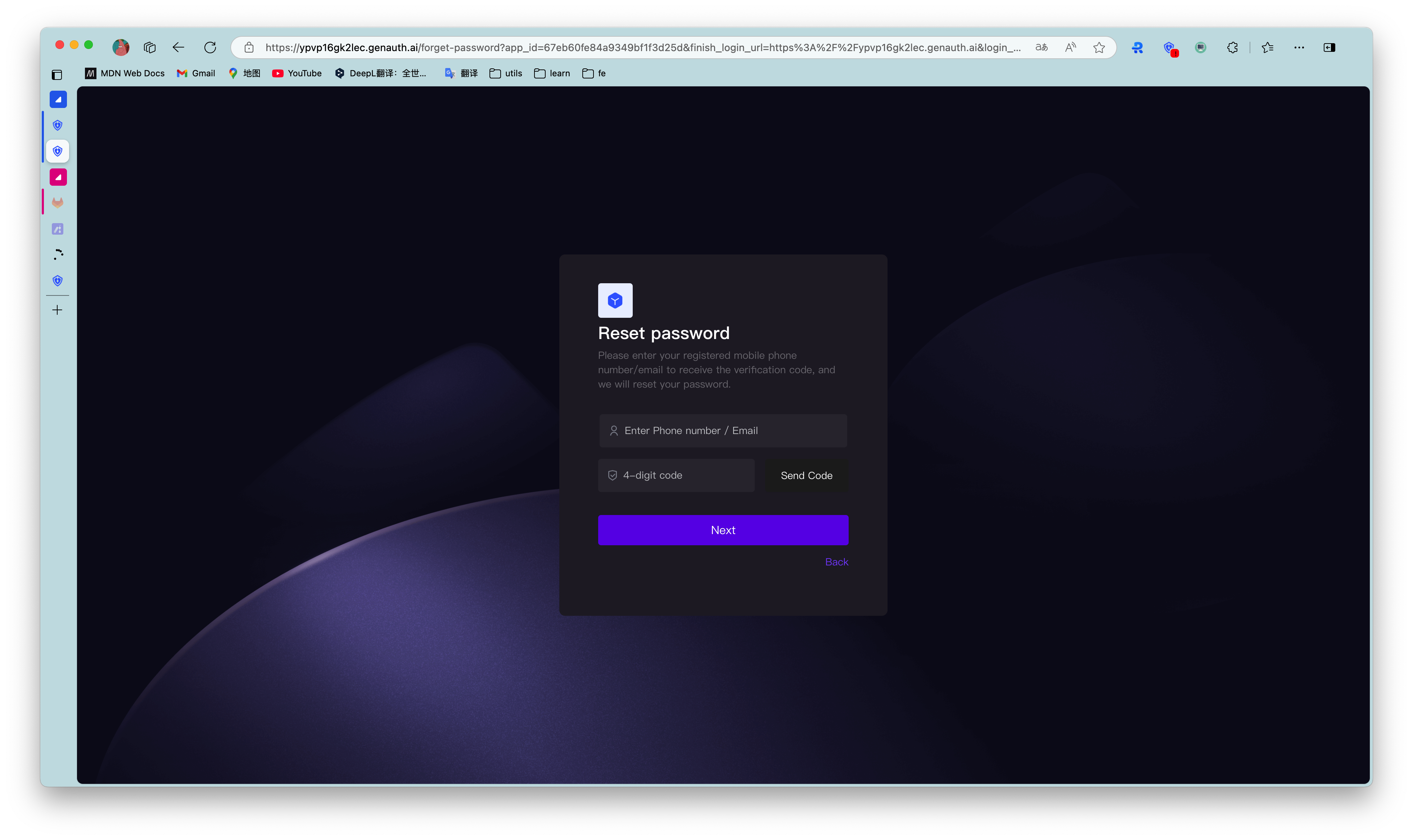
You can reset your password using the bound mobile phone number or email address.
¶ Change password

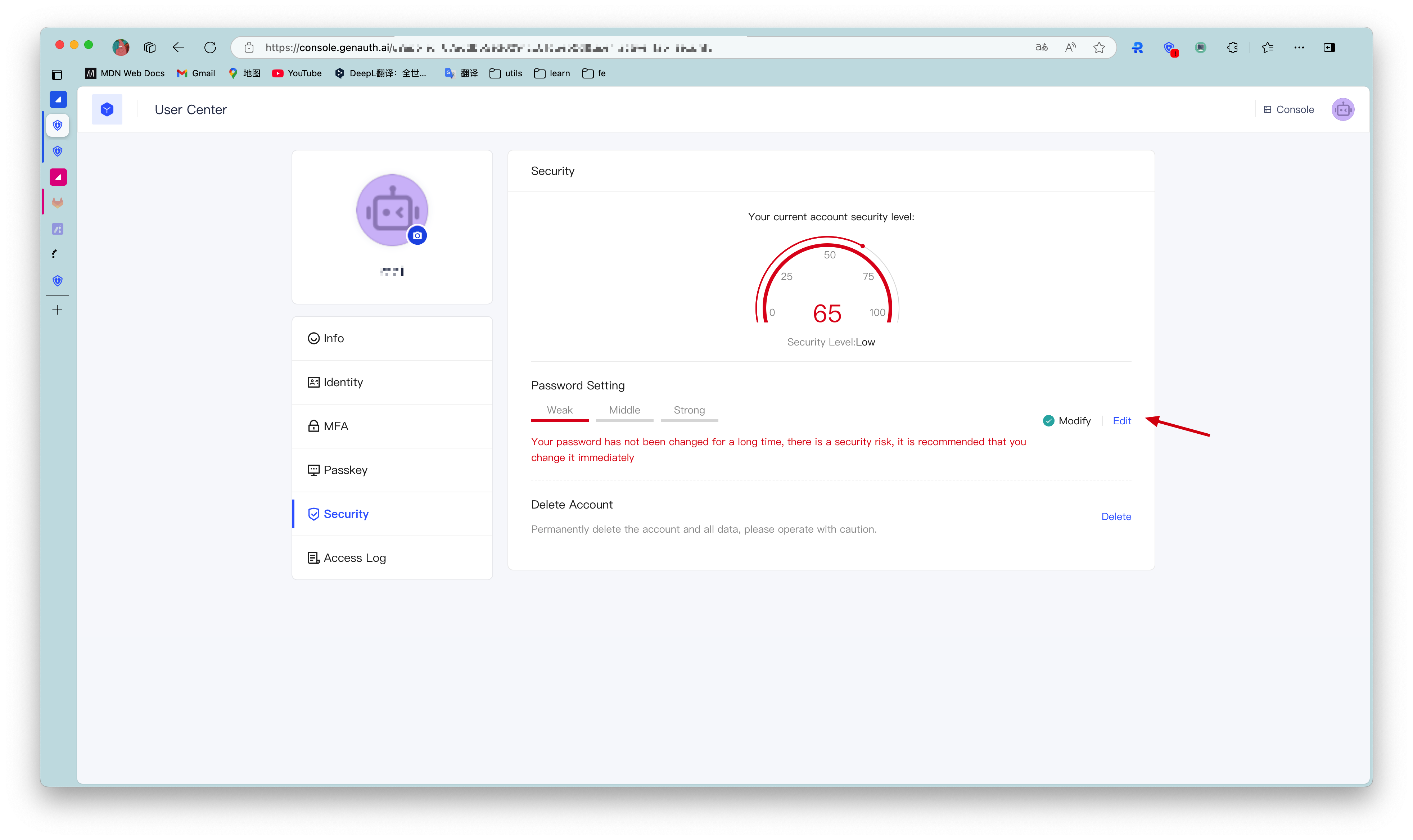
Users can change their passwords in the personal center:
¶ Use embedded login component

The embedded login component and the online hosted login page are basically the same in style and interaction. The difference is that the online hosted login page is fully managed and maintained by GenAuth and is completely independent of your application, while the embedded login component can be embedded in your application.

For detailed usage, please see: Use the embedded login component to complete authentication .

¶ Using the API & SDK

¶ Register

Select a language
Java
Loading...

Use the UserPool ID and AppID to initialize the AuthenticationClient of the Java SDK:

import cn.genauth.core.auth.AuthenticationClient;
// Initialize with AppId and appHost
AuthenticationClientOptions options = new AuthenticationClientOptions();
options.setAppId(GEN_AUTH_APP_ID);
options.setAppHost(GEN_AUTH_APP_HOST);
AuthenticationClient client = new AuthenticationClient(options);

Use the registerByEmail method:

String email = "test@example.com";
String password = "123456";
User user = authenticationClient.registerByEmail(new RegisterByEmailInput(email, password)).execute();

¶ Login

Select a language
Java
Loading...

Use the UserPool ID and AppID to initialize the AuthenticationClient of the Java SDK:

import cn.genauth.core.auth.AuthenticationClient;
// Initialize with AppId and appHost
AuthenticationClientOptions options = new AuthenticationClientOptions();
options.setAppId(GEN_AUTH_APP_ID);
options.setAppHost(GEN_AUTH_APP_HOST);
AuthenticationClient client = new AuthenticationClient(options);

Use the loginByEmail method:

String email = "test@example.com";
String password = "123456";
User user = authenticationClient.loginByEmail(new LoginByEmailInput(email, password)).execute();

¶ Reset password

Select a language
Java
Loading...

Use the UserPool ID and AppID to initialize the AuthenticationClient of the Java SDK:

import cn.genauth.core.auth.AuthenticationClient;
// Initialize with AppId and appHost
AuthenticationClientOptions options = new AuthenticationClientOptions();
options.setAppId(GEN_AUTH_APP_ID);
options.setAppHost(GEN_AUTH_APP_HOST);
AuthenticationClient client = new AuthenticationClient(options);

Reset password using mobile phone verification code:

String phone = "phone number";
String code = "1234";
String password = "123456";
authenticationClient.resetPasswordByPhoneCode(phone, code, password).execute();

Reset your password using the verification code sent via email:

String email = "test@example.com";
String code = "1234";
String password = "123456";
authenticationClient.resetPasswordByEmailCode(email, code, password).execute();

¶ Change password

Select a language
Java
Loading...

Use the UserPool ID and AppID to initialize the AuthenticationClient of the Java SDK:

import cn.genauth.core.auth.AuthenticationClient;
// Initialize with AppId and appHost
AuthenticationClientOptions options = new AuthenticationClientOptions();
options.setAppId(GEN_AUTH_APP_ID);
options.setAppHost(GEN_AUTH_APP_HOST);
AuthenticationClient client = new AuthenticationClient(options);

If the user has not set a password before (for example, by registering by mobile phone number, social login, etc.), there is no need to enter the original password.

String newPassword = "123456";
User user = authenticationClient.updatePassword(newPassword).execute();

or:

String oldPassword = "111111";
String newPassword = "123456";
User user = authenticationClient.updatePassword(newPassword, oldPassword).execute();
Previous article: Overview Next article: SMS Code Authentication
  • Use the hosted login page
  • Use embedded login component
  • Using the API & SDK

User identity management

Integrated third-party login
Customized authentication process

Enterprise internal management

Single sign-on
Multi-factor authentication
Permission management

Developer

Development Documentation
GitHub (opens new window)

Company

official@genauth.ai
16th Floor, Building B, Beichen Century Center, Chaoyang District, Beijing (Total)
Room 406, 4th Floor, Block B, No. 200, Tianfu Fifth Street, High-tech Zone, Chengdu (Branch)

© Beijing Steamory Technology Co., Ltd.