GenAuth DocsDocuments
Concepts
User Guide
Development Integration
AgentAuth
Metadata
Development Integration
Multi-tenant (beta)
Console Documentation
Multi-tenant Console
Tenant Console
Saas Application Demo
Concepts
User Guide
Development Integration
AgentAuth
Metadata
Development Integration
Multi-tenant (beta)
Console Documentation
Multi-tenant Console
Tenant Console
Saas Application Demo
Old version

Access QQ social login

1

Create a website application on QQ Open Platform

2

Fill in QQ website application configuration in GenAuth

3

Create an application in GenAuth

4

Start developing access

Create a website application on QQ Open Platform

Go to QQ Connect Center (opens new window) to create a website application:

Click on your personal QQ avatar on the upper left of the page to complete the registration and initiate the review, then click "Website Application" and "Create Application" to create a website application that uses QQ login. If you encounter any problems during the process, please refer to the QQ official "Documentation" at the top of the page.
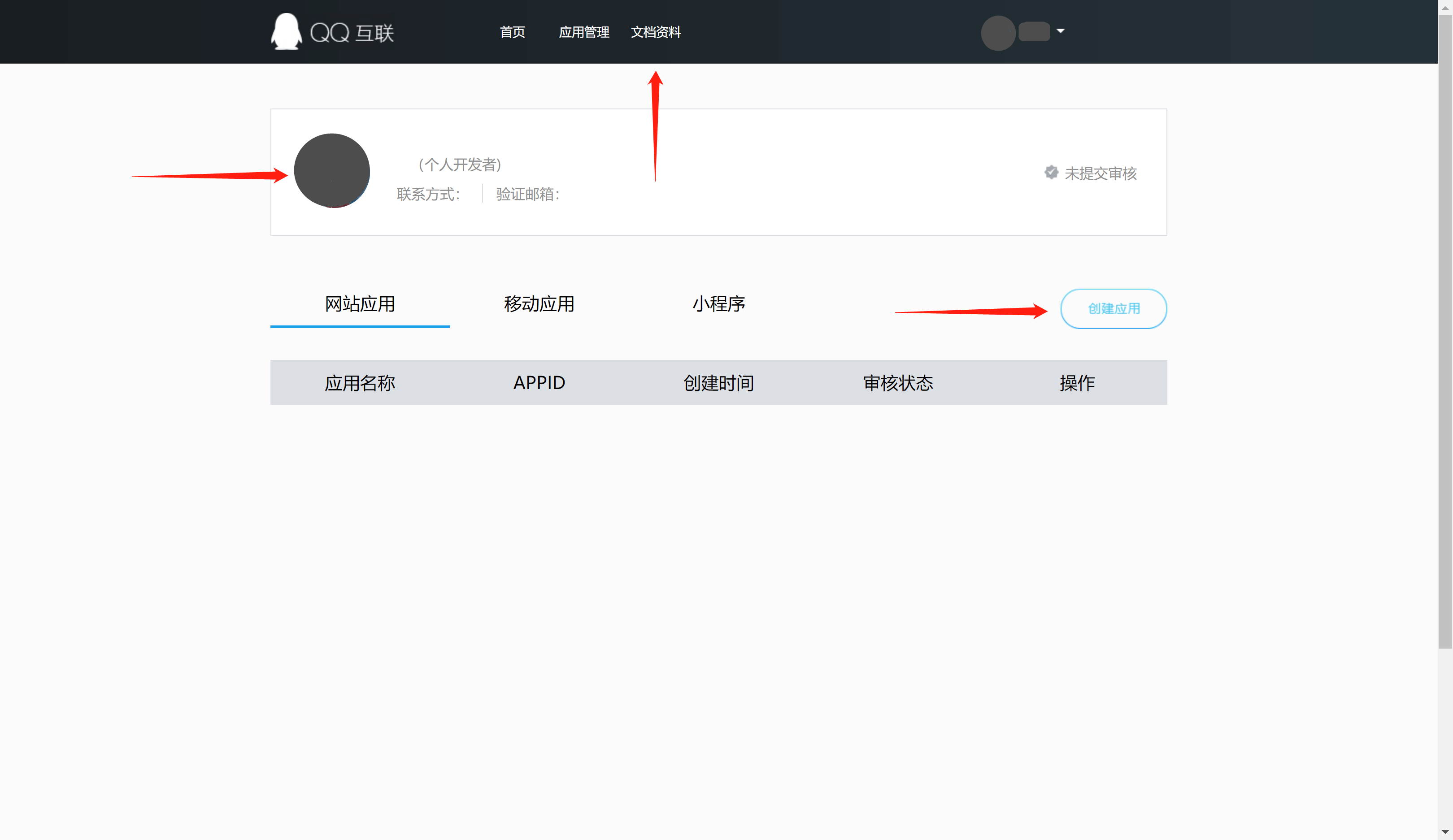
During the application creation process, you need to configure the allowed callback address, please use the following settings: https://core.genauth.ai/connection/social/qq/:userPoolId/callback

Please replace :userPoolId with your user pool ID

Back to list

User identity management

Integrated third-party login
Customized authentication process

Enterprise internal management

Single sign-on
Multi-factor authentication
Permission management

Developer

Development Documentation
GitHub (opens new window)

Company

official@genauth.ai
16th Floor, Building B, Beichen Century Center, Chaoyang District, Beijing (Total)
Room 406, 4th Floor, Block B, No. 200, Tianfu Fifth Street, High-tech Zone, Chengdu (Branch)

© Beijing Steamory Technology Co., Ltd.