GenAuth DocsDocuments
Concepts
User Guide
Development Integration
AgentAuth
Metadata
Development Integration
Multi-tenant (beta)
Console Documentation
Multi-tenant Console
Tenant Console
Saas Application Demo
Concepts
User Guide
Development Integration
AgentAuth
Metadata
Development Integration
Multi-tenant (beta)
Console Documentation
Multi-tenant Console
Tenant Console
Saas Application Demo
Old version
User Guide
  • Quick Start

  • Authentication

  • Access Control

  • Authorization

  • Adaptive MFA

  • User Account Management

  • User Directory Management

  • Applications

  • Become a Federation Authentication Identity Provider

  • Connect External Identity Providers (IdP)

  • WeChat Ecosystem Full Scenario Capabilities

  • Migrate Users to GenAuth

  • Security Settings

  • Branding

  • Automation

  • Audit Logs

  • Setting

  • FAQ

¶ Use a custom database to authenticate users

Update time: 2025-07-23 07:34:21
Edit

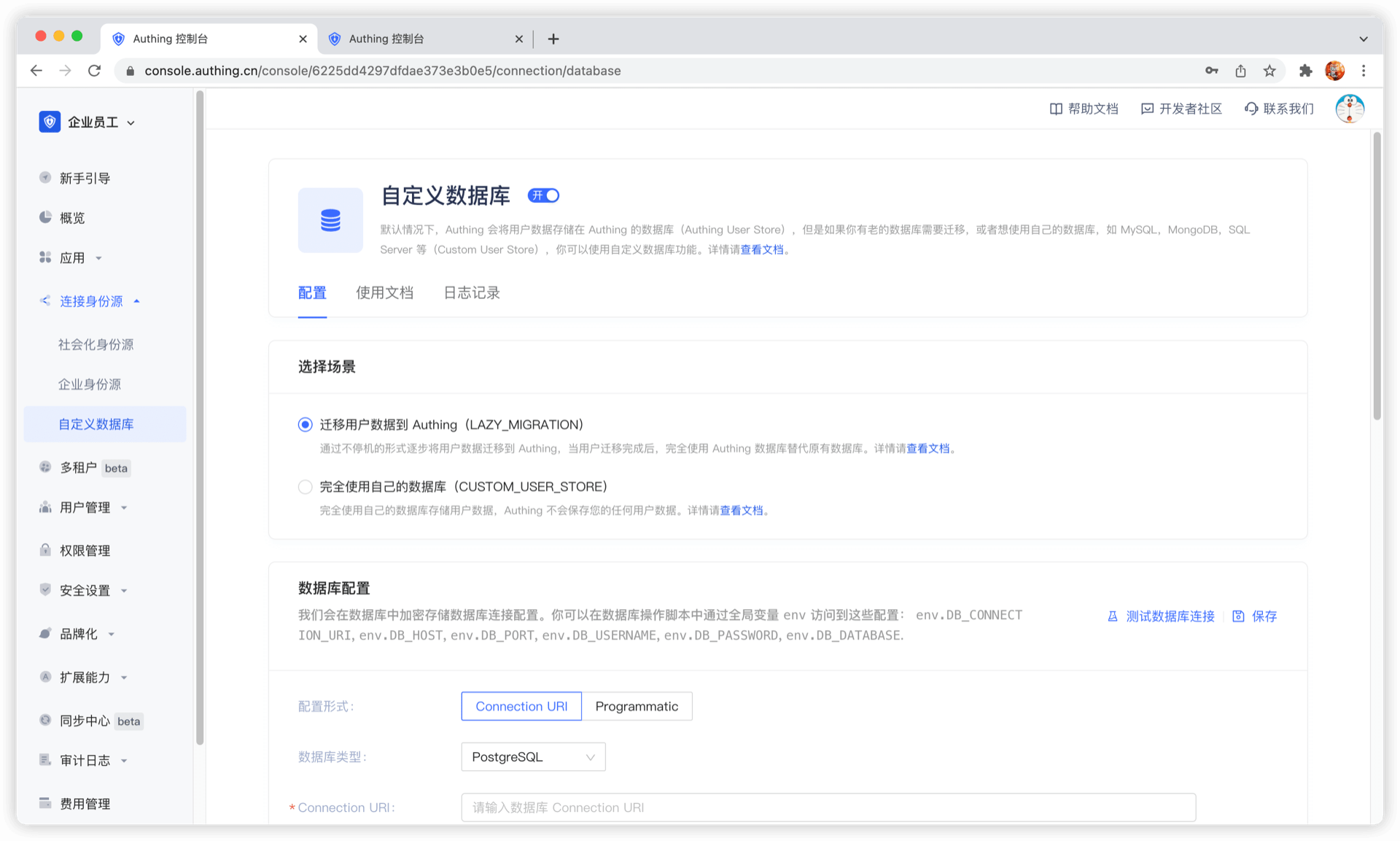
Using a custom database can meet the needs of the following scenarios:

  • Use your own database to save user data: Use your own database to save user data. In this mode, GenAuth will not store any of your user information.
  • Lazy migration of users to GenAuth: This mode of migrating users is called lazy migration. In simple terms, the principle is as follows: At the beginning, all the original user data is in your database. When the user tries to log in to GenAuth for the first time, GenAuth will search and verify the user in your database through the custom database script you configured. If successful, the user will be migrated to GenAuth; when the user logs in for the second time, it will be verified using the GenAuth database; when all users have logged in at least once, it means that the migration task is completed.

You can configure a custom database by going to the GenAuth console (opens new window) Connect Identity Source - Custom Database page to enable a custom database connection. For details, see Using a Custom Database.
User identity management

Integrated third-party login
Customized authentication process

Enterprise internal management

Single sign-on
Multi-factor authentication
Permission management

Developer

Development Documentation
GitHub (opens new window)

Company

official@genauth.ai
16th Floor, Building B, Beichen Century Center, Chaoyang District, Beijing (Total)
Room 406, 4th Floor, Block B, No. 200, Tianfu Fifth Street, High-tech Zone, Chengdu (Branch)

© Beijing Steamory Technology Co., Ltd.