GenAuth DocsDocuments
Concepts
User Guide
Development Integration
AgentAuth
Metadata
Development Integration
Multi-tenant (beta)
Console Documentation
Multi-tenant Console
Tenant Console
Saas Application Demo
Concepts
User Guide
Development Integration
AgentAuth
Metadata
Development Integration
Multi-tenant (beta)
Console Documentation
Multi-tenant Console
Tenant Console
Saas Application Demo
Old version

使用 SAML2 登录华为云控制台

1

在 GenAuth 中创建应用

从 GenAuth 应用市场中获取并创建应用
2

配置华为云

在华为云创建身份提供商和用户,并开启用户 SSO
3

配置 GenAuth 用户

创建 GenAuth 用户并关联华为云用户
4

配置完成

使用 GenAuth IdP 登录华为云
在 GenAuth 中创建应用

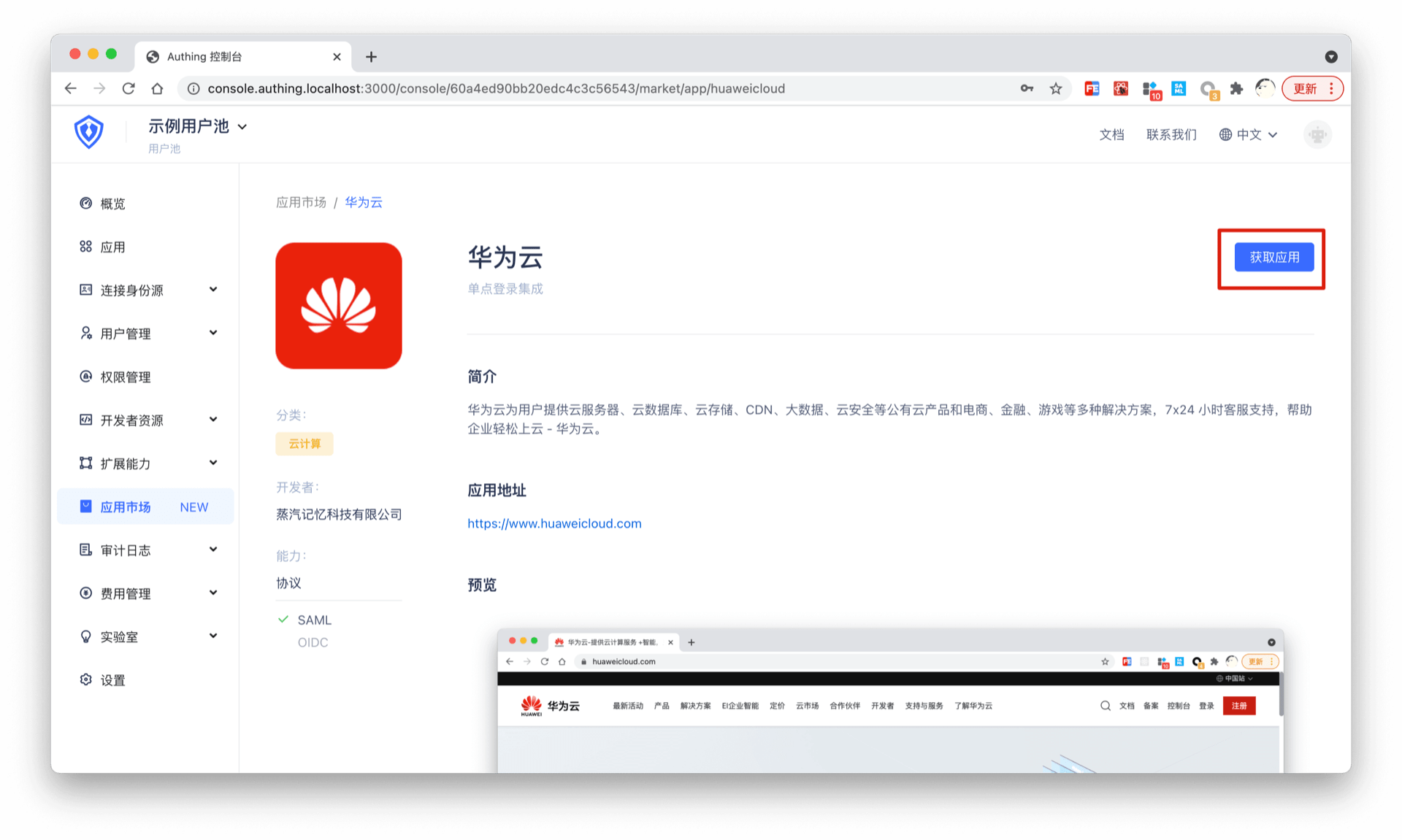
进入控制台 (opens new window) > 单点登录 SSO > 添加应用 ,找到华为云,点击进入详情,然后点击获取应用。
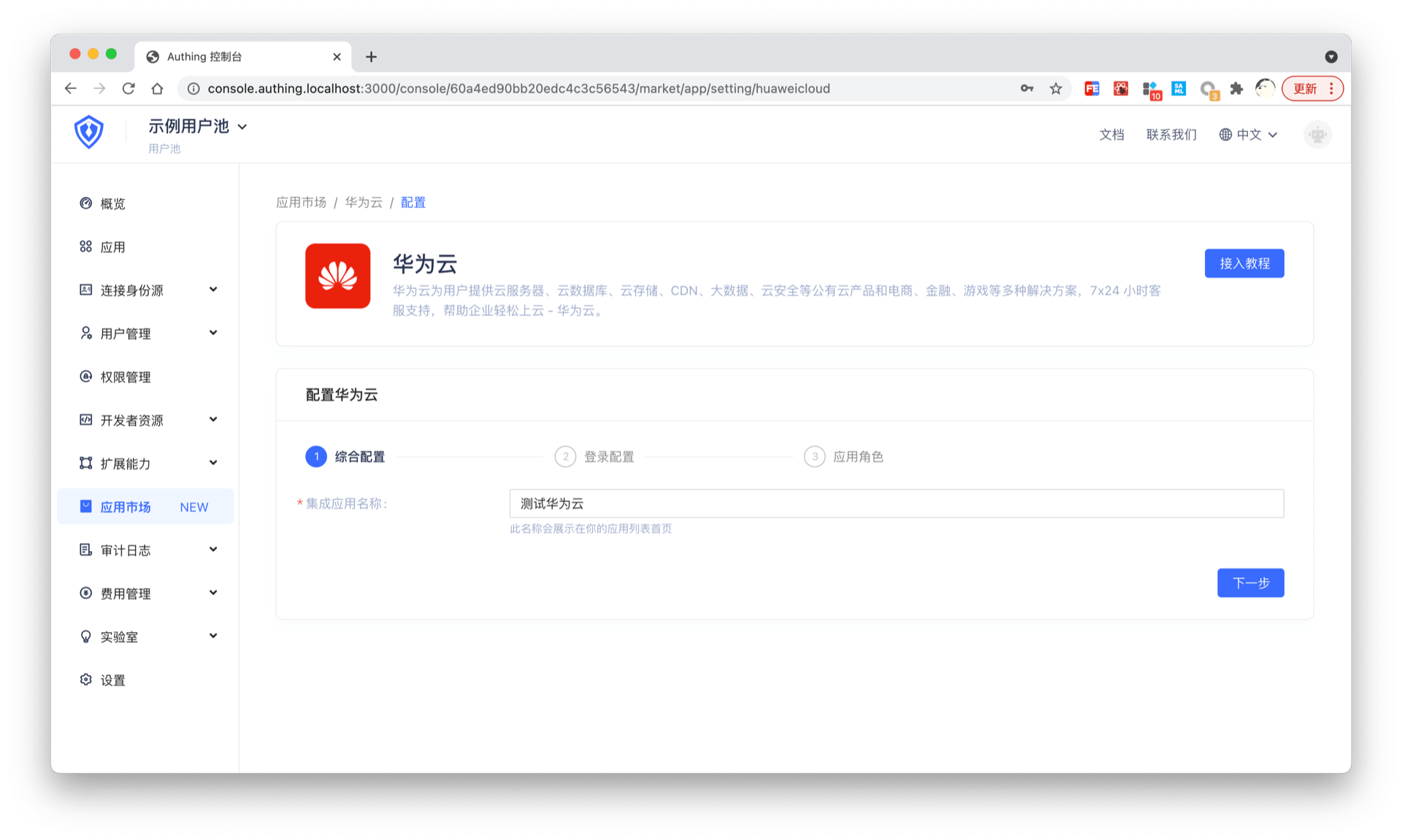
填写应用名称,点击下一步,应用即创建完成。
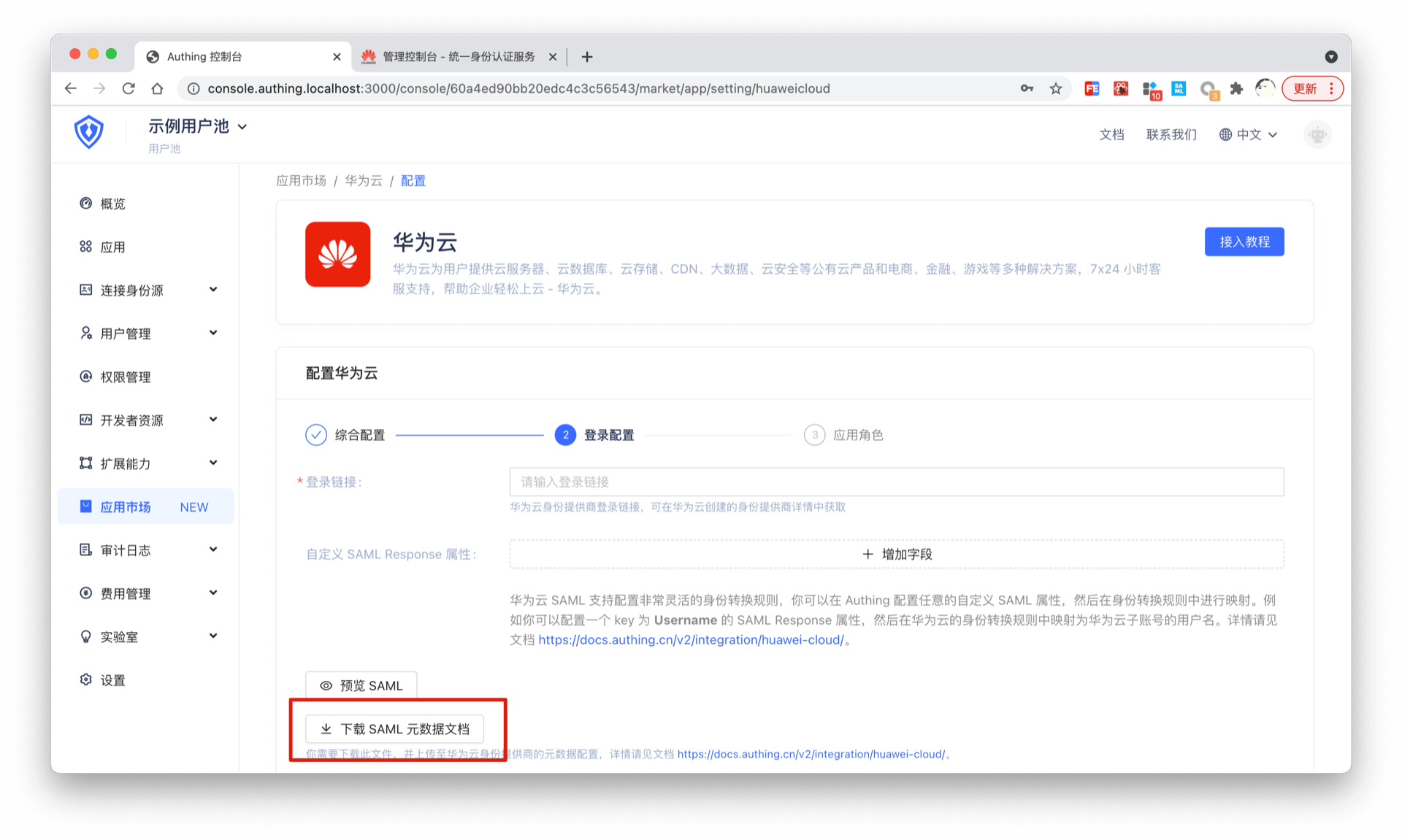
点击下载 SAML 元数据文档。
Back to list

User identity management

Integrated third-party login
Customized authentication process

Enterprise internal management

Single sign-on
Multi-factor authentication
Permission management

Developer

Development Documentation
GitHub (opens new window)

Company

official@genauth.ai
16th Floor, Building B, Beichen Century Center, Chaoyang District, Beijing (Total)
Room 406, 4th Floor, Block B, No. 200, Tianfu Fifth Street, High-tech Zone, Chengdu (Branch)

© Beijing Steamory Technology Co., Ltd.