GenAuth DocsDocuments
Concepts
User Guide
Development Integration
AgentAuth
Metadata
Development Integration
Multi-tenant (beta)
Console Documentation
Multi-tenant Console
Tenant Console
Saas Application Demo
Concepts
User Guide
Development Integration
AgentAuth
Metadata
Development Integration
Multi-tenant (beta)
Console Documentation
Multi-tenant Console
Tenant Console
Saas Application Demo
Old version
Metadata
  • Metadata Overview
  • Metadata Features

    • Feature 1: Data Object Management Entry
    • Feature 2: Field Management
    • Feature 3: Operation Management
    • Feature 4: Detail Page Management
    • Feature 5: Domain Model

¶ Function 1: Data object management function entry

¶ Function description

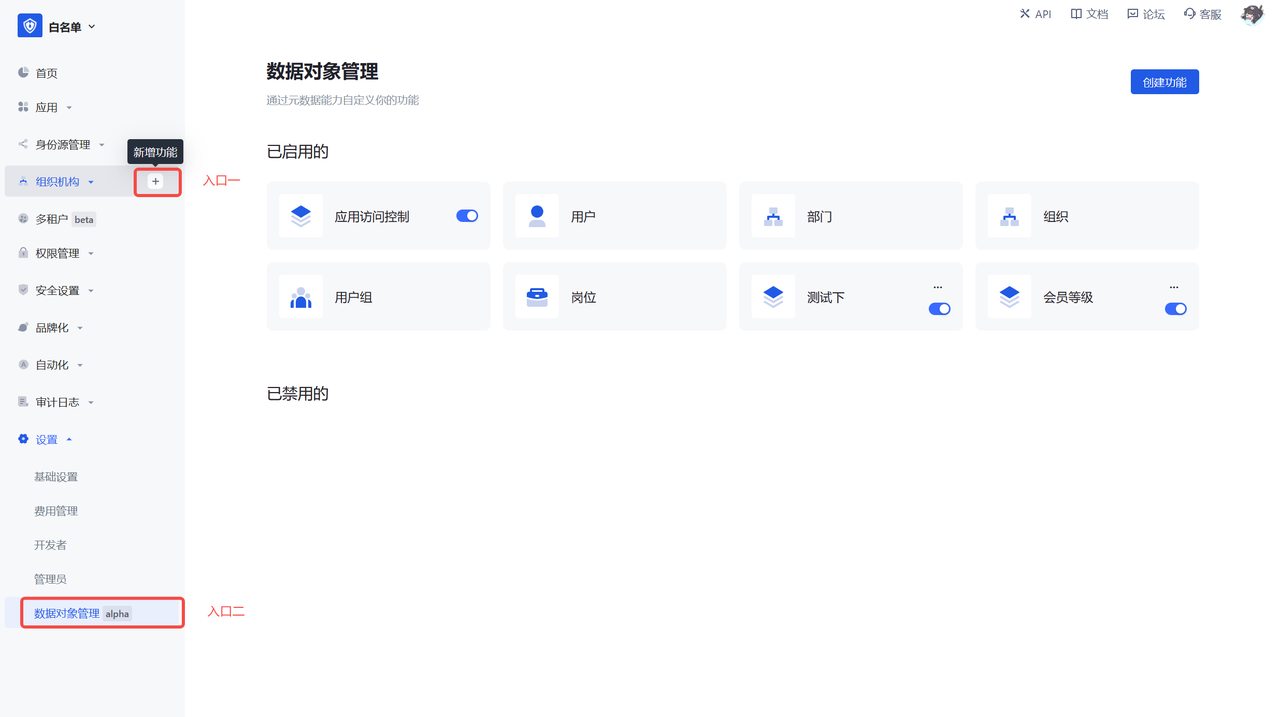
  • Entry 1: Click the Create function on each first-level menu in hover state. The new menu produced will be created under the selected first-level menu by default.
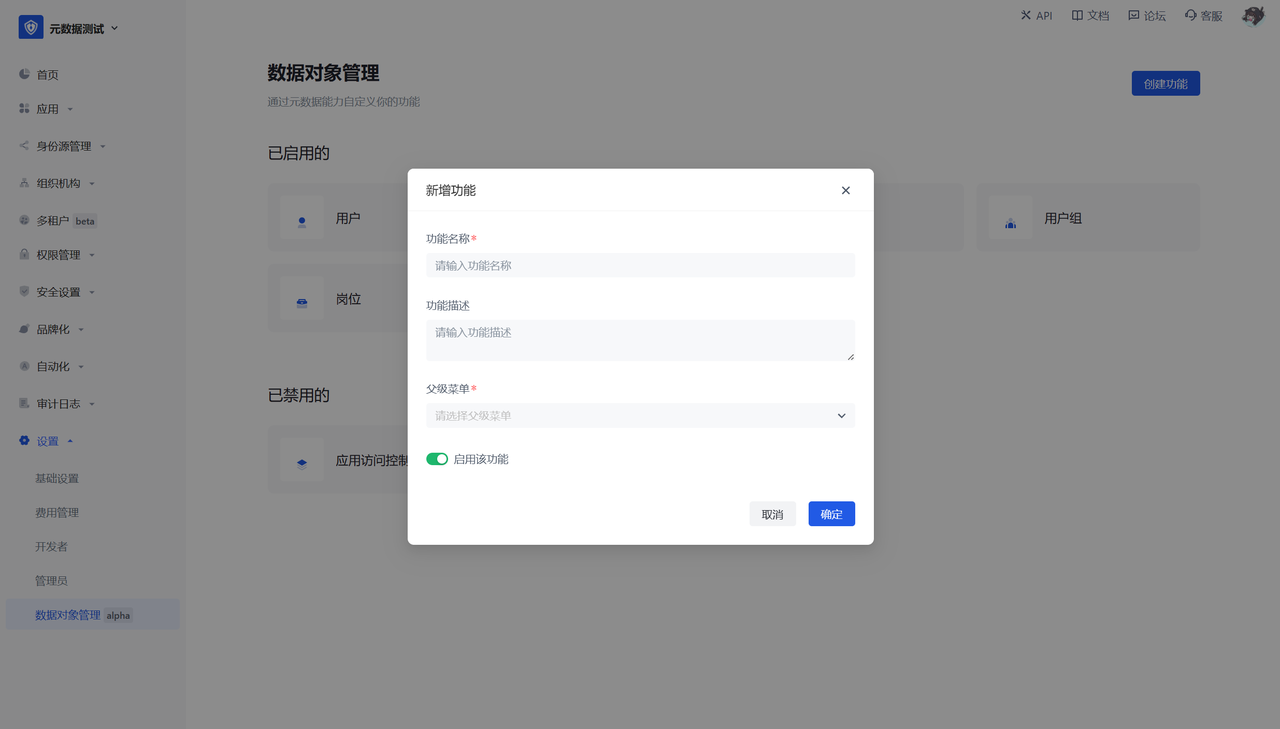
  • Entry 2: Settings - Data object management, click Create function, and configure the basic information of the data object.
¶ User perspective

After this step is configured and enabled, a second-level menu will be generated under the selected first-level menu, and the default fields and operations will be displayed.

Previous article: Metadata Overview Next article: Feature 2: Field Management
  • Function description
  • User perspective

User identity management

Integrated third-party login
Customized authentication process

Enterprise internal management

Single sign-on
Multi-factor authentication
Permission management

Developer

Development Documentation
GitHub (opens new window)

Company

official@genauth.ai
16th Floor, Building B, Beichen Century Center, Chaoyang District, Beijing (Total)
Room 406, 4th Floor, Block B, No. 200, Tianfu Fifth Street, High-tech Zone, Chengdu (Branch)

© Beijing Steamory Technology Co., Ltd.