GenAuth DocsDocuments
Concepts
User Guide
Development Integration
AgentAuth
Metadata
Development Integration
Multi-tenant (beta)
Console Documentation
Multi-tenant Console
Tenant Console
Saas Application Demo
Concepts
User Guide
Development Integration
AgentAuth
Metadata
Development Integration
Multi-tenant (beta)
Console Documentation
Multi-tenant Console
Tenant Console
Saas Application Demo
Old version
User Guide
  • Quick Start

  • Authentication

  • Access Control

  • Authorization

  • Adaptive MFA

  • User Account Management

    • User Field Definitions
    • Admin Create Account
    • Manage User Accounts
    • Link Accounts
    • View Login History
    • View User Geolocation
    • Enhance Account Security
    • Manage Login Sessions
    • Control Application Access
    • User Group Management
    • Invitation Management
  • User Directory Management

  • Applications

  • Become a Federation Authentication Identity Provider

  • Connect External Identity Providers (IdP)

  • WeChat Ecosystem Full Scenario Capabilities

  • Migrate Users to GenAuth

  • Security Settings

  • Branding

  • Automation

  • Audit Logs

  • Setting

  • FAQ

  1. User Guide
  2. /
  3. User Account Management
  4. /
  5. Admin Create Account

¶ Administrator creates account

Update time: 2025-07-23 07:34:21
Edit

The differences and similarities between administrator creates account and user registers account:

  • Administrator creates account and is not subject to "prohibit registration" configuration restrictions;
  • Administrator creates account and is not subject to "registration whitelist" restrictions;
  • Administrator creates mobile phone account and does not need verification code, but user registers by himself;
  • The phoneVerified field of the mobile phone account created by administrator is false, while the field of the user registers by himself is true;
  • Neither administrator creates account nor user registers by himself and cannot create duplicate email, mobile phone number, username.

Administrator can create user through [console](#Use console to create user) or [SDK](#Use -sdk- to create user).

¶ Use console to create user

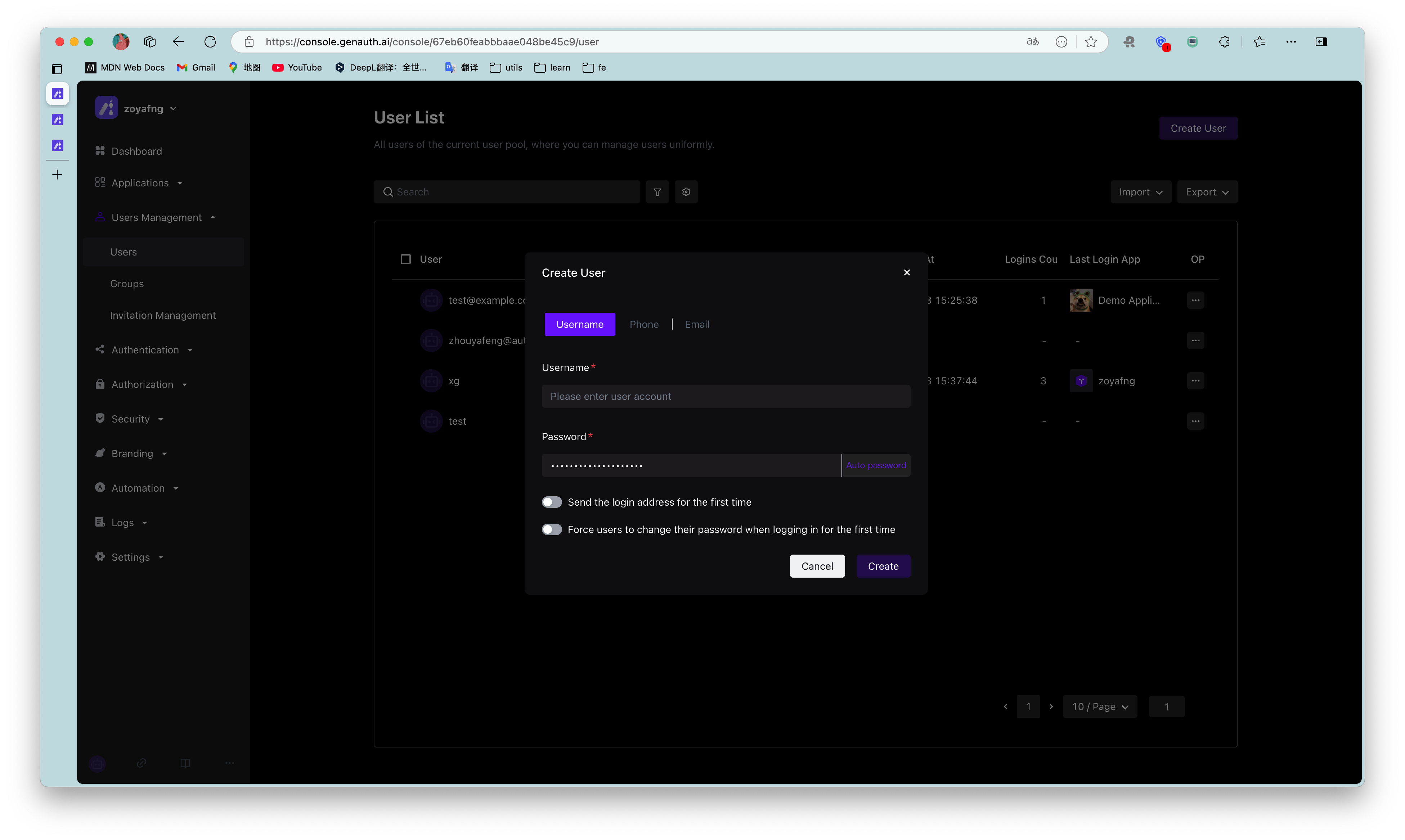
You can manually create account in User Management - User List of console:

You can create account by email and mobile phone number.
¶ Create a user using SDK

Select language
Java
Loading...

Initialize the Java SDK ManagementClient using User Pool ID (userPoolId) and User Pool Secret (secret):

import cn.genauth.core.mgmt.ManagementClient;

public class ManagementClientTest {
    public static void main(String[] args){
        ManagementClientOptions options = new ManagementClientOptions();
        options.setAccessKeyId(GEN_AUTH_USERPOOL_ID);
        options.setAccessKeySecret(GEN_AUTH_USERPOOL_SECRET);
        ManagementClient client = new ManagementClient(options);
    }
}

Use the create method of UsersManagementClient to create a user:

String email = "test@example.com";
String password = "123456";
User user = managementClient.users().create(new CreateUserInput().withEmail(email).withPassword(password)).execute();
Previous article: User Field Definitions Next article: Manage User Accounts
  • Use console to create user
  • Create a user using SDK

User identity management

Integrated third-party login
Customized authentication process

Enterprise internal management

Single sign-on
Multi-factor authentication
Permission management

Developer

Development Documentation
GitHub (opens new window)

Company

official@genauth.ai
16th Floor, Building B, Beichen Century Center, Chaoyang District, Beijing (Total)
Room 406, 4th Floor, Block B, No. 200, Tianfu Fifth Street, High-tech Zone, Chengdu (Branch)

© Beijing Steamory Technology Co., Ltd.