GenAuth DocsDocuments
Concepts
User Guide
Development Integration
AgentAuth
Metadata
Development Integration
Multi-tenant (beta)
Console Documentation
Multi-tenant Console
Tenant Console
Saas Application Demo
Concepts
User Guide
Development Integration
AgentAuth
Metadata
Development Integration
Multi-tenant (beta)
Console Documentation
Multi-tenant Console
Tenant Console
Saas Application Demo
Old version
  • Single Page Web Application

  • Mobile and Client Applications

    • Android

      • Quick Start
      • Hosted Pages
      • Components

        • Tutorial

          • 入门示例
          • 基础登录示例
          • 复杂登录示例
          • 完善登录界面
          • 基础注册示例
          • 复杂注册示例
          • 登录注册转场
          • 手机号码重置密码
          • 邮箱地址重置密码
          • 动态重置密码
        • Basic Components

        • Social Components

      • APIs

      • Social Login

      • Typical Scenarios

      • Private Deployment
      • Version History
    • C#

    • Flutter

    • iOS

    • React Native
  • Standard Web Application

  • Framework Integration

  • Others

  1. Development Integration
  2. /
  3. Mobile and Client Applications
  4. /
  5. Android
  6. /
  7. Components
  8. /
  9. Tutorial

  10. /
  11. 邮箱地址重置密码

¶ 邮箱地址重置密码

Update time: 2025-07-23 07:34:21
Edit

阅读此教程之前,确保已经完成了 开发准备

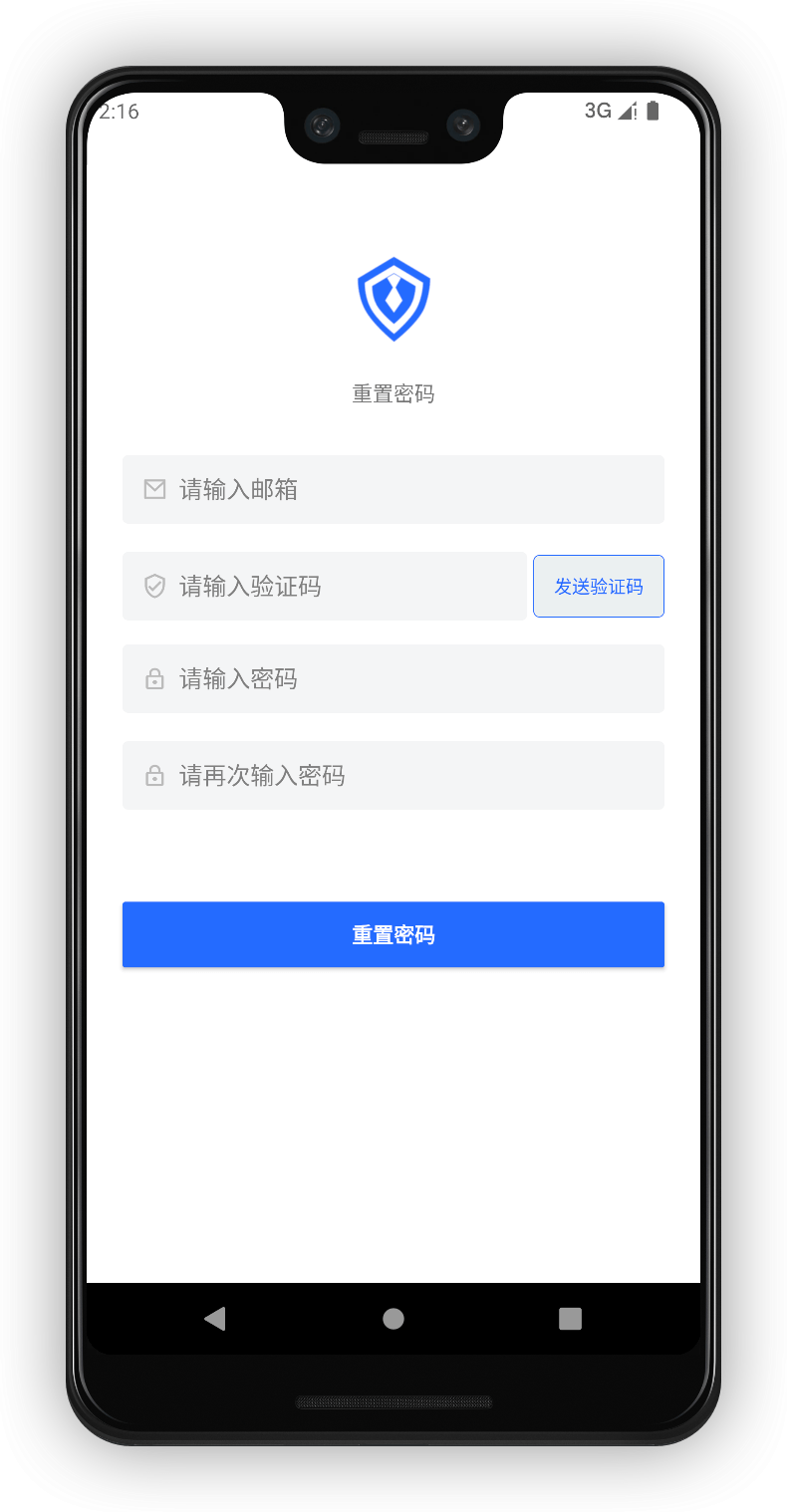
将上一个 手机号码重置密码 教程的全部控件复制粘贴过来

修改 PhoneNumberEditText 的类型为 EmailEditText

修改 GetVerifyCodeButton 的类型为 GetEmailCodeButton
¶ 运行

drawing
Previous article: 手机号码重置密码 Next article: 动态重置密码
  • 运行

User identity management

Integrated third-party login
Customized authentication process

Enterprise internal management

Single sign-on
Multi-factor authentication
Permission management

Developer

Development Documentation
GitHub (opens new window)

Company

official@genauth.ai
16th Floor, Building B, Beichen Century Center, Chaoyang District, Beijing (Total)
Room 406, 4th Floor, Block B, No. 200, Tianfu Fifth Street, High-tech Zone, Chengdu (Branch)

© Beijing Steamory Technology Co., Ltd.