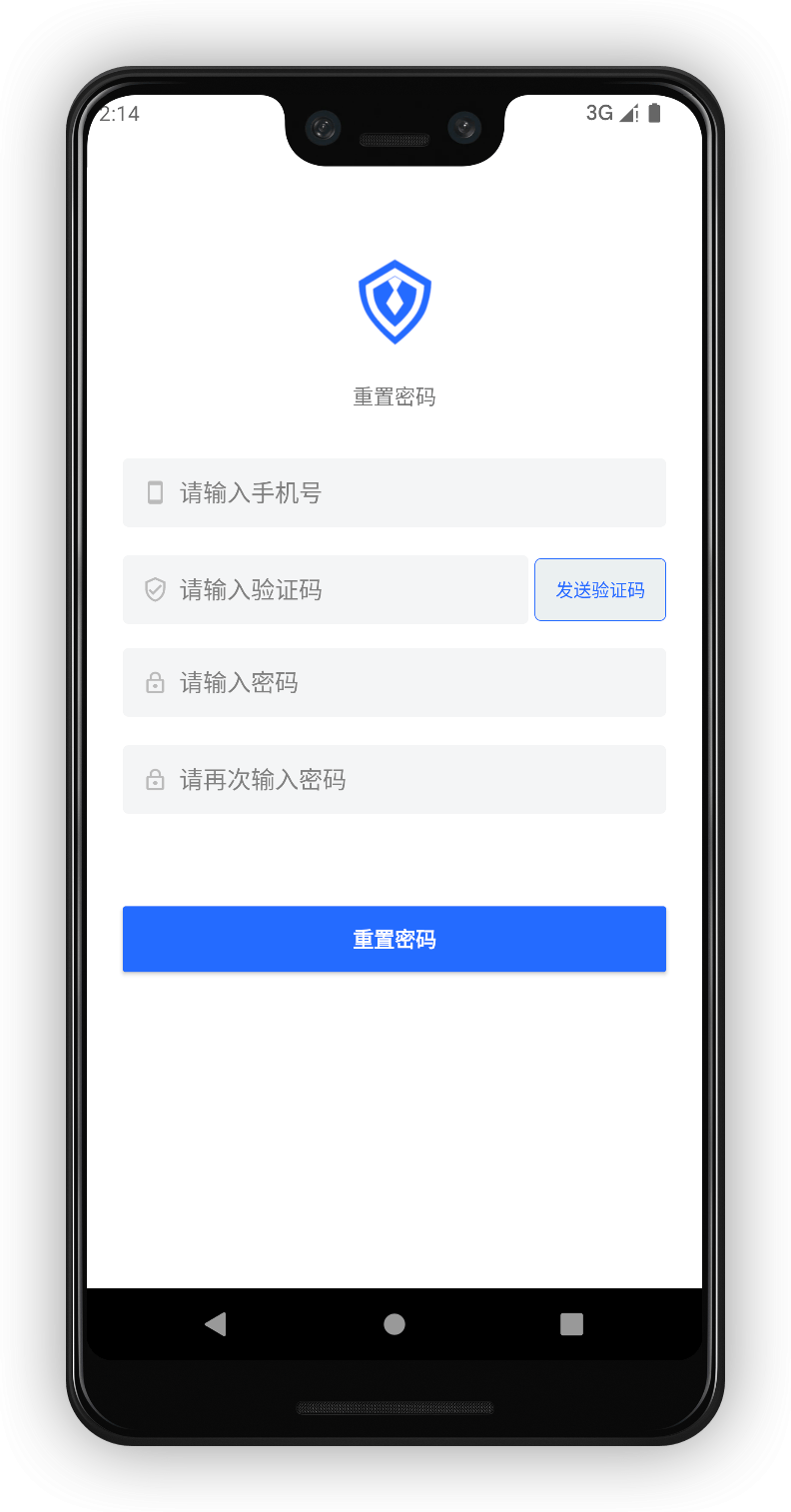
¶ 手机号码重置密码
Update time: 2025-07-23 07:34:21
阅读此教程之前,确保已经完成了 开发准备
由于很多超组件在之前的教程已经讲解,这里就不再赘述。
依次放置以下超组件: AppLogo、AppName、PhoneNumberEditText、VerifyCodeEditText、GetVerifyCodeButton、PasswordEditText、PasswordConfirmEditText、ErrorTextView
¶ 放置 ResetPasswordButton 超组件
在放置一个 ResetPasswordButton
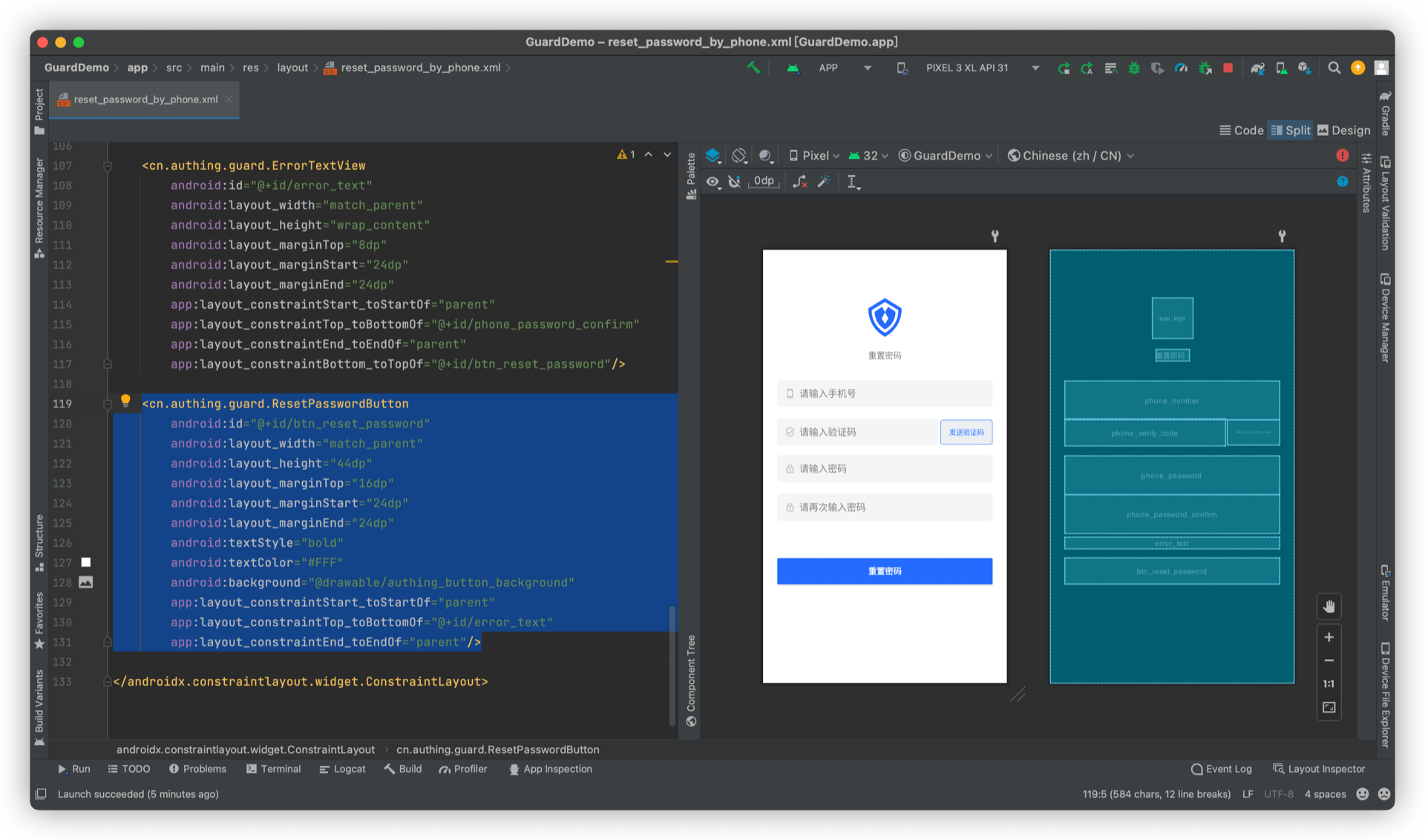
¶ 完整示例代码
<?xml version="1.0" encoding="utf-8"?>
<androidx.constraintlayout.widget.ConstraintLayout
    xmlns:android="http://schemas.android.com/apk/res/android"
    xmlns:app="http://schemas.android.com/apk/res-auto"
    android:layout_width="match_parent"
    android:layout_height="match_parent">

    <cn.authing.guard.AppLogo
        android:id="@+id/app_logo"
        android:layout_width="68dp"
        android:layout_height="68dp"
        android:layout_marginTop="80dp"
        app:layout_constraintStart_toStartOf="parent"
        app:layout_constraintEnd_toEndOf="parent"
        app:layout_constraintTop_toTopOf="parent"
        app:layout_constraintBottom_toTopOf="@+id/title"
        app:layout_constraintVertical_chainStyle="packed"
        android:src="@drawable/ic_authing_default_logo"/>

    <TextView
        android:id="@+id/title"
        android:layout_width="wrap_content"
        android:layout_height="wrap_content"
        android:text="重置密码"
        android:layout_marginTop="20dp"
        app:layout_constraintStart_toStartOf="parent"
        app:layout_constraintTop_toBottomOf="@+id/app_logo"
        app:layout_constraintBottom_toTopOf="@+id/phone_number"
        app:layout_constraintEnd_toEndOf="parent"/>

    <cn.authing.guard.PhoneNumberEditText
        android:id="@+id/phone_number"
        android:layout_width="match_parent"
        android:layout_height="wrap_content"
        app:errorEnabled="true"
        app:leftIconDrawable="@drawable/ic_authing_cellphone"
        android:background="@drawable/authing_edit_text_layout_background"
        android:layout_marginTop="32dp"
        android:layout_marginStart="24dp"
        android:layout_marginEnd="24dp"
        app:layout_constraintStart_toStartOf="parent"
        app:layout_constraintTop_toBottomOf="@+id/title"
        app:layout_constraintBottom_toTopOf="@+id/phone_verify_code"
        app:layout_constraintEnd_toEndOf="parent"/>

    <cn.authing.guard.VerifyCodeEditText
        android:id="@+id/phone_verify_code"
        android:layout_width="0dp"
        android:layout_height="wrap_content"
        android:layout_weight="1"
        android:background="@drawable/authing_edit_text_layout_background"
        app:errorEnabled="false"
        android:layout_marginStart="24dp"
        app:leftIconDrawable="@drawable/ic_authing_shield_check"
        app:layout_constraintStart_toStartOf="parent"
        app:layout_constraintTop_toBottomOf="@+id/phone_number"
        app:layout_constraintBottom_toTopOf="@+id/phone_password"
        app:layout_constraintEnd_toStartOf="@+id/get_phone_verify_code"/>

    <cn.authing.guard.GetVerifyCodeButton
        android:id="@+id/get_phone_verify_code"
        android:stateListAnimator="@null"
        android:background="@drawable/authing_get_code_button_background"
        android:layout_width="wrap_content"
        android:layout_height="42dp"
        android:paddingStart="4dp"
        android:paddingEnd="4dp"
        android:layout_marginStart="4dp"
        android:layout_marginEnd="24dp"
        android:textColor="@color/button_text"
        app:layout_constraintStart_toEndOf="@+id/phone_verify_code"
        app:layout_constraintTop_toTopOf="@+id/phone_verify_code"
        app:layout_constraintBottom_toBottomOf="@+id/phone_verify_code"
        app:layout_constraintEnd_toEndOf="parent"/>

    <cn.authing.guard.PasswordEditText
        android:id="@+id/phone_password"
        android:layout_width="match_parent"
        android:layout_height="wrap_content"
        android:background="@drawable/authing_edit_text_layout_background"
        app:leftIconDrawable="@drawable/ic_authing_password"
        app:clearAllEnabled="false"
        app:errorEnabled="true"
        android:layout_marginTop="16dp"
        android:layout_marginStart="24dp"
        android:layout_marginEnd="24dp"
        app:layout_constraintStart_toEndOf="parent"
        app:layout_constraintTop_toBottomOf="@+id/phone_verify_code"
        app:layout_constraintBottom_toTopOf="@+id/phone_password_confirm"
        app:layout_constraintEnd_toEndOf="parent"/>

    <cn.authing.guard.PasswordConfirmEditText
        android:id="@+id/phone_password_confirm"
        android:layout_width="match_parent"
        android:layout_height="wrap_content"
        android:background="@drawable/authing_edit_text_layout_background"
        app:leftIconDrawable="@drawable/ic_authing_password"
        app:clearAllEnabled="false"
        app:errorEnabled="true"
        android:layout_marginStart="24dp"
        android:layout_marginEnd="24dp"
        app:layout_constraintStart_toEndOf="parent"
        app:layout_constraintTop_toBottomOf="@+id/phone_password"
        app:layout_constraintBottom_toTopOf="@+id/error_text"
        app:layout_constraintEnd_toEndOf="parent"/>

    <cn.authing.guard.ErrorTextView
        android:id="@+id/error_text"
        android:layout_width="match_parent"
        android:layout_height="wrap_content"
        android:layout_marginTop="8dp"
        android:layout_marginStart="24dp"
        android:layout_marginEnd="24dp"
        app:layout_constraintStart_toStartOf="parent"
        app:layout_constraintTop_toBottomOf="@+id/phone_password_confirm"
        app:layout_constraintEnd_toEndOf="parent"
        app:layout_constraintBottom_toTopOf="@+id/btn_reset_password"/>

    <cn.authing.guard.ResetPasswordButton
        android:id="@+id/btn_reset_password"
        android:layout_width="match_parent"
        android:layout_height="44dp"
        android:layout_marginTop="16dp"
        android:layout_marginStart="24dp"
        android:layout_marginEnd="24dp"
        android:textStyle="bold"
        android:textColor="#FFF"
        android:background="@drawable/authing_button_background"
        app:layout_constraintStart_toStartOf="parent"
        app:layout_constraintTop_toBottomOf="@+id/error_text"
        app:layout_constraintEnd_toEndOf="parent"/>

</androidx.constraintlayout.widget.ConstraintLayout>
¶ 运行