
¶ 微信登录
集成微信需要三个主要步骤:
- 在微信开放平台进行配置
- 在 GenAuth 管理控制台进行配置
- 集成 GenAuth iOS 微信登录
¶ STEP 1:在 微信开放平台 (opens new window) 进行配置
使用微信登录需要开发人员在微信开放平台认证,认证主体需要是个体商户,企事业单位,不支持个人开发人员,当前认证费用为 300 RMB
- 获取 AppID 和 AppSecret
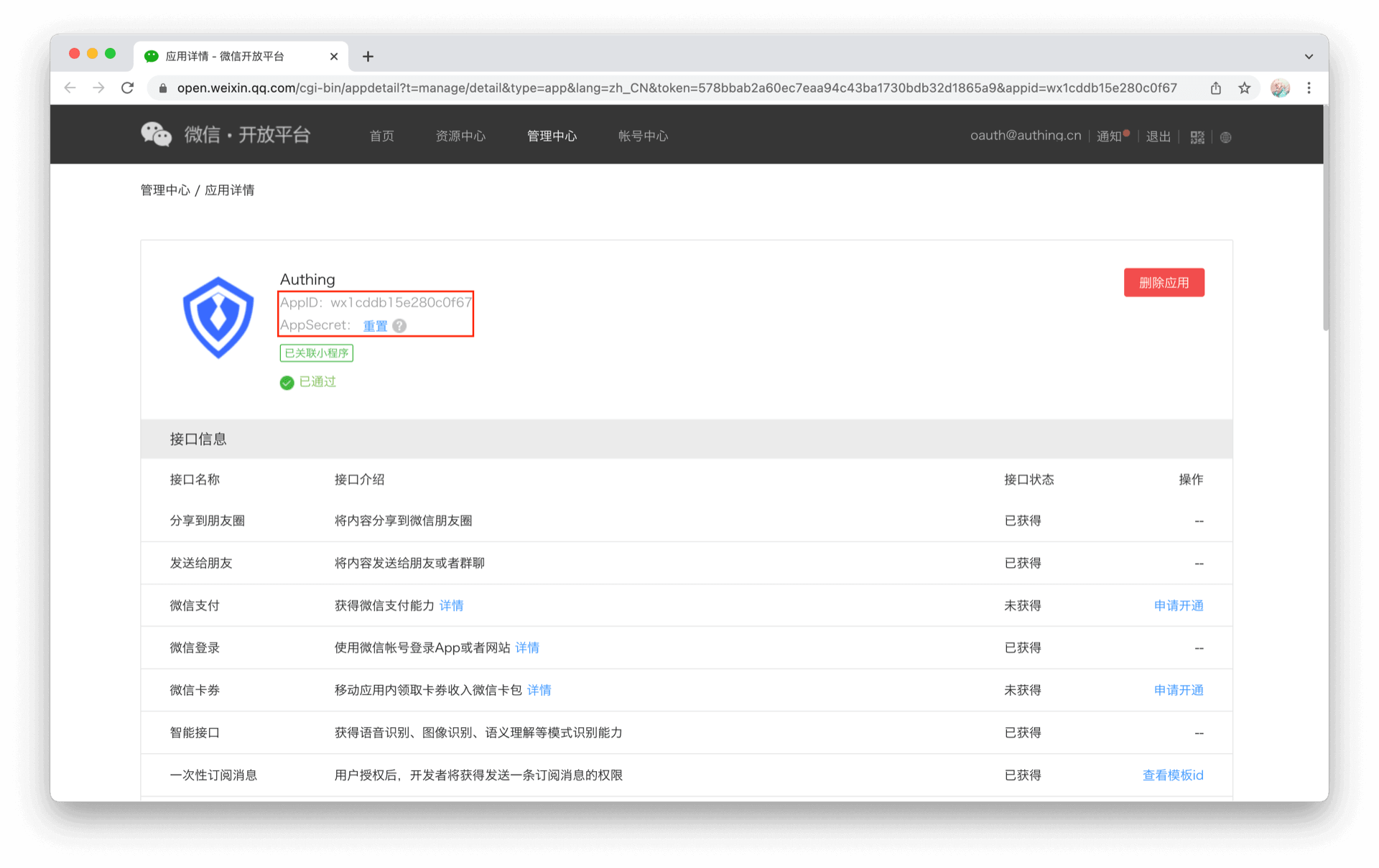
- 设置 iOS 应用信息
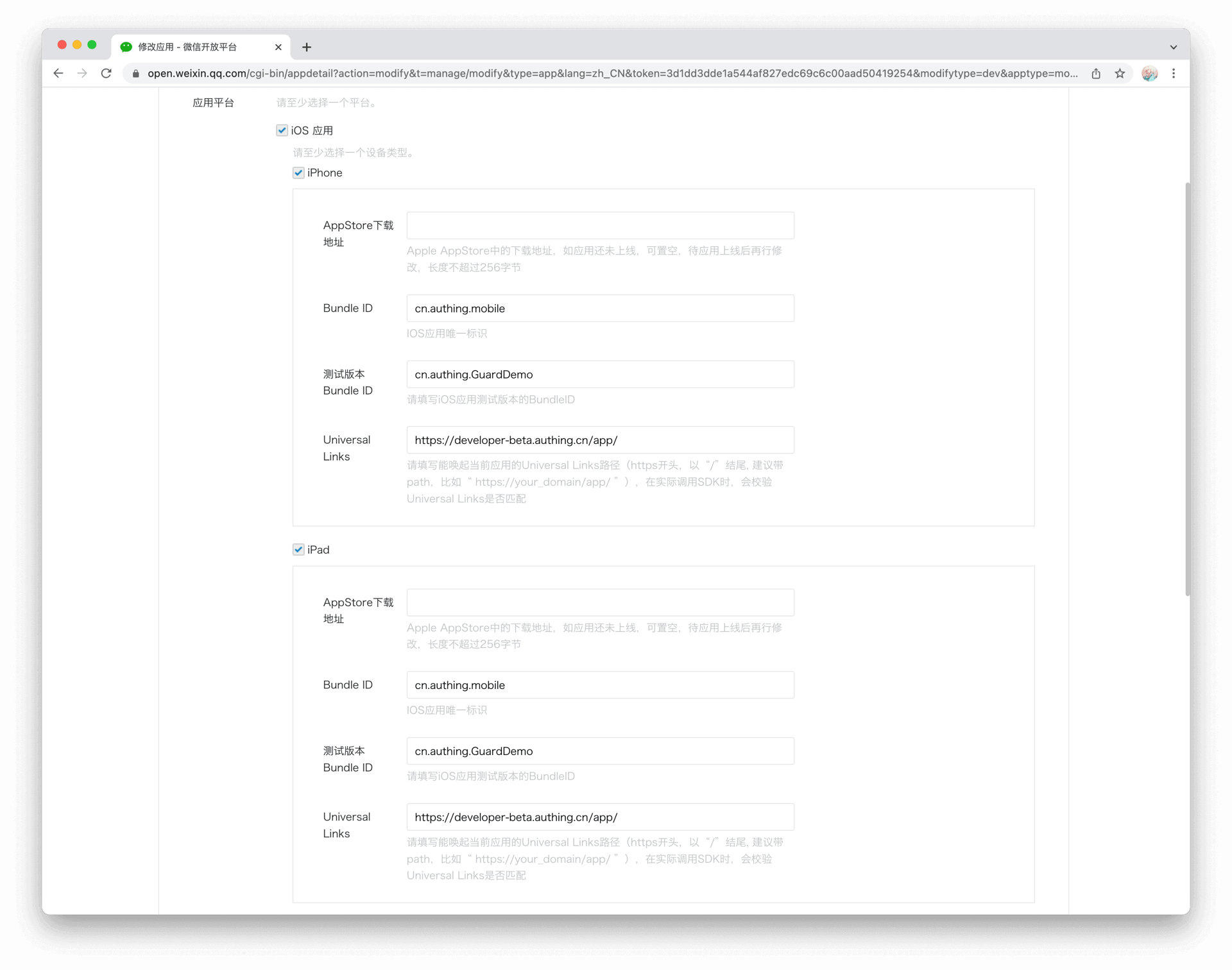
微信要求通过 Universal Links (opens new window) 的方式回调
¶ STEP 2:在 GenAuth 管理控制台的操作步骤
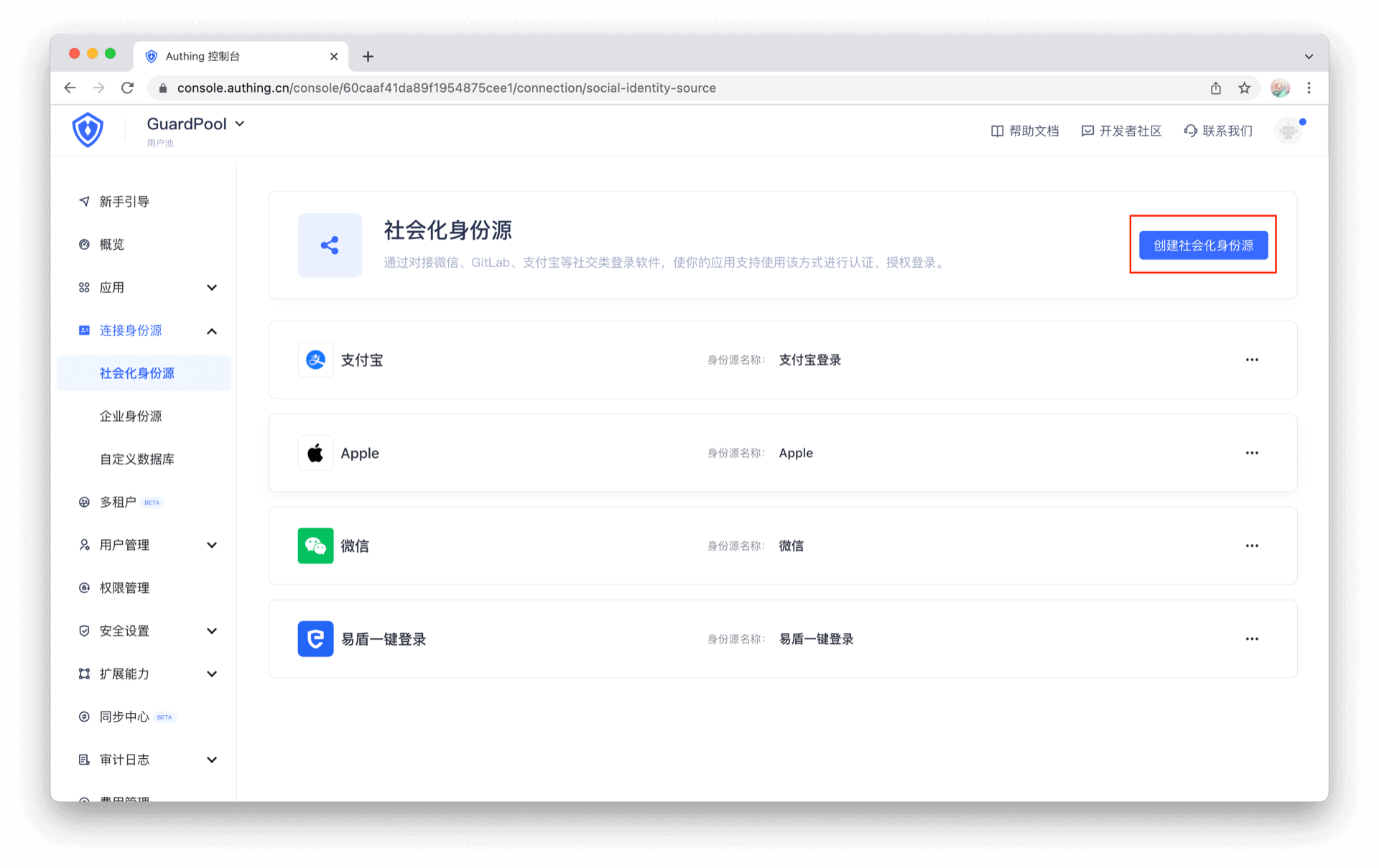
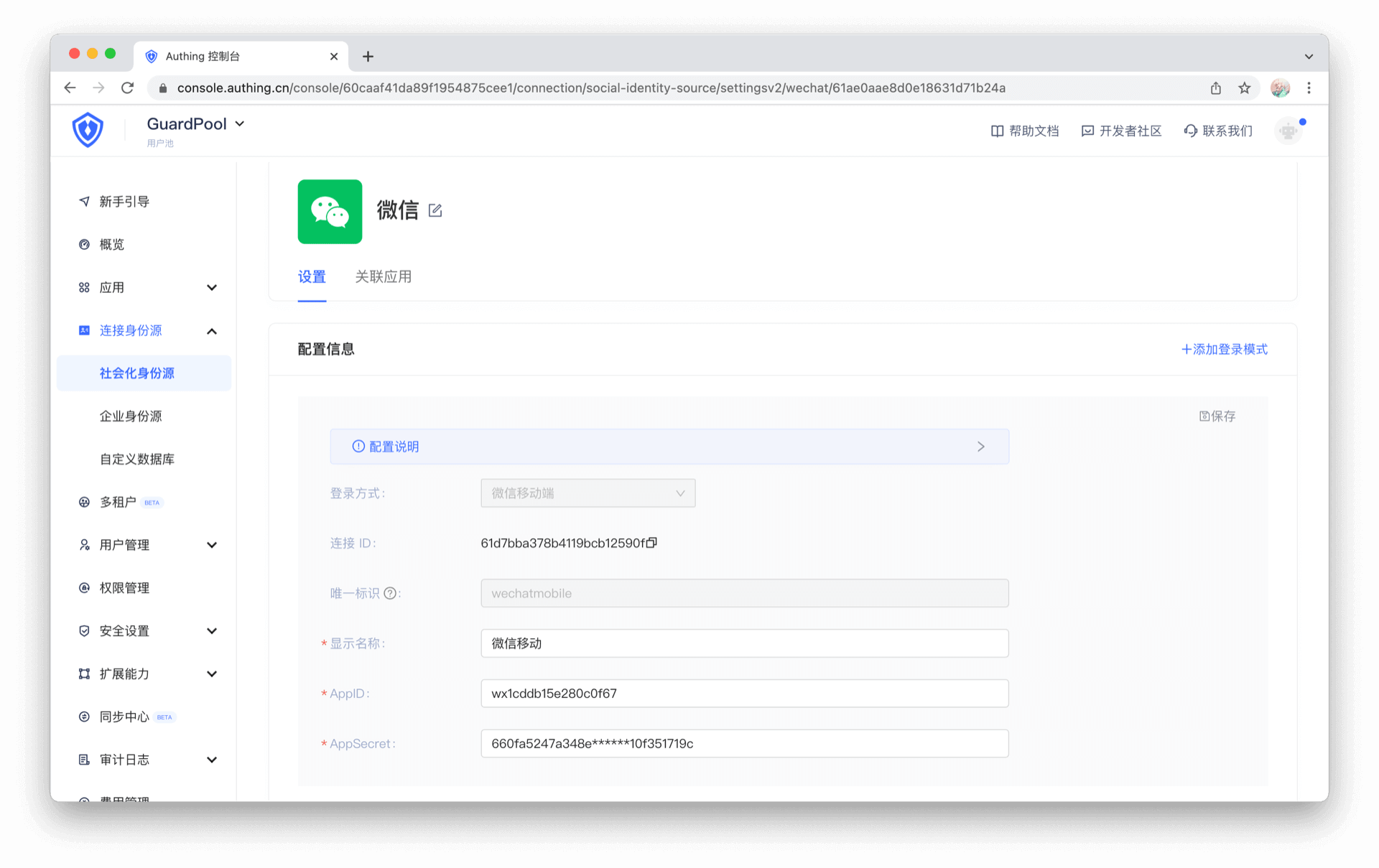
- 在控制台的 “连接身份源” 菜单选择 “创建社交身份源“
- 选择 “微信移动端”
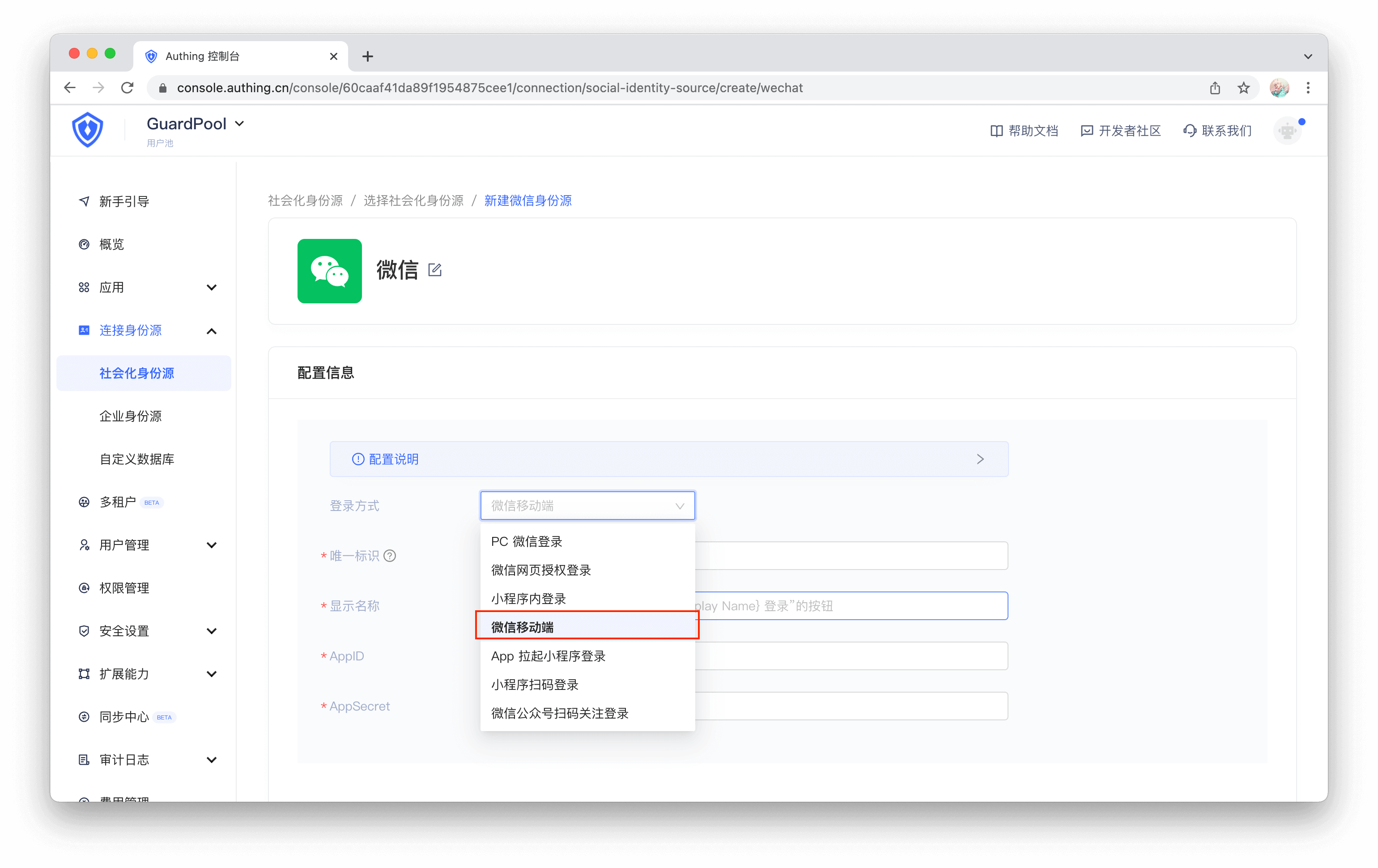
- 填入微信开放平台对应的 AppID 和 AppSecret
¶ STEP 3:集成 GenAuth iOS 微信登录
¶ 添加依赖
Guard-iOS-binary 依赖于 Guard 组件(Version 1.2.4 之后)
在 swift package 搜索栏输入:https://github.com/Authing/authing-binary
依赖规则选择 Up to Next Major Version 1.0.0
Add Package 后勾选 Wechat
¶ Info.plist 里面添加启动微信白名单
key: LSApplicationQueriesSchemes
value: weixin, weixinULAPI
注意大小写
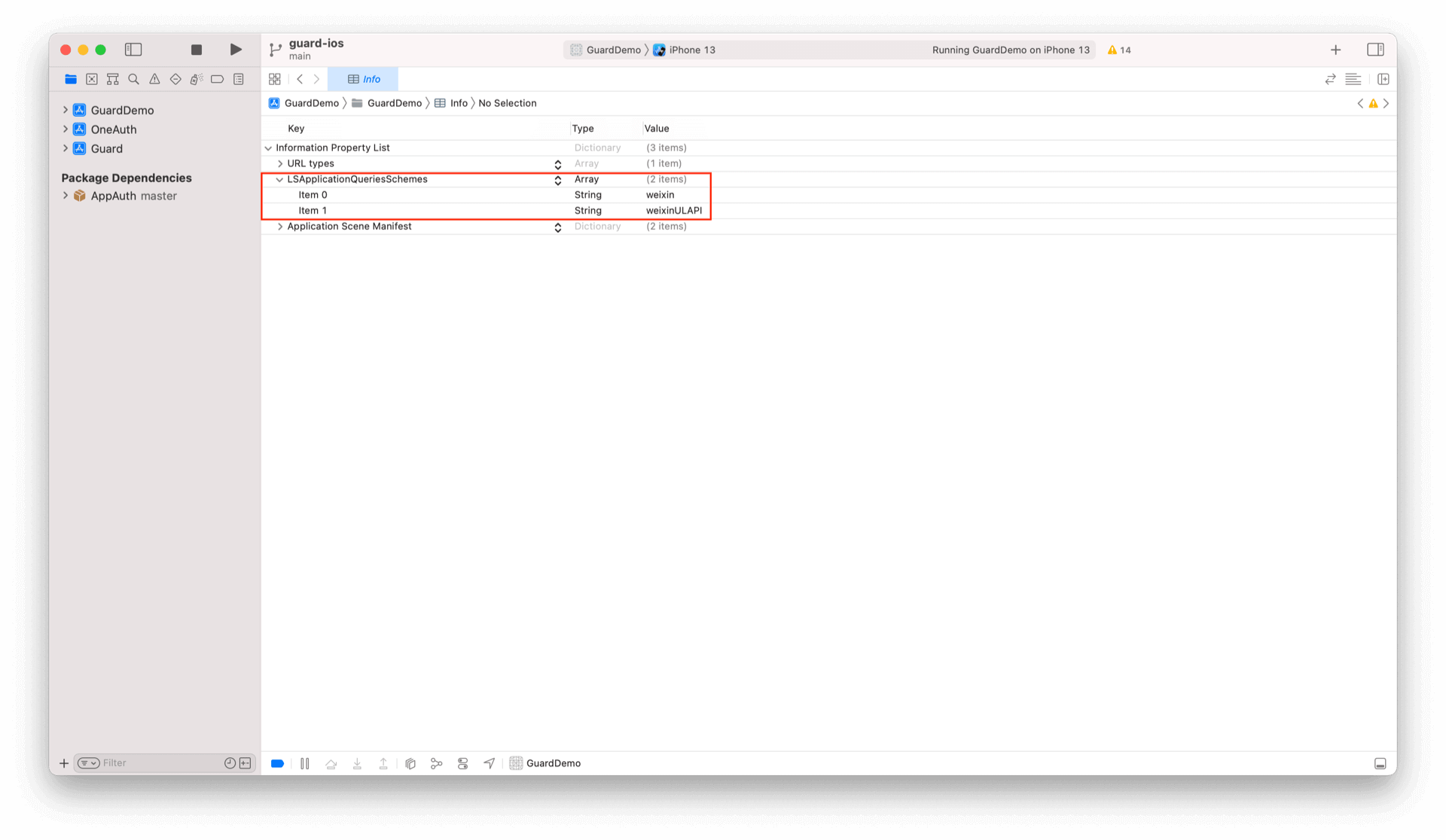
也可以通过 Source Code 方式打开 Info.plist,然后复制粘贴下面代码:
<plist version="1.0">
<dict>
    ...
    <key>LSApplicationQueriesSchemes</key>
	<array>
		<string>weixin</string>
		<string>weixinULAPI</string>
	</array>
    ...
</dict>
</plist>
¶ 在应用启动的时候设置微信:
import Guard
import Wechat
GenAuth.start(<#GenAuth AppId#>);
WechatLogin.registerApp(appId: <#your_wechat_appid#>, universalLink: <#your_deep_link#>)
第一个参数为微信应用 id;第二个参数为 iOS Universal Link (opens new window)
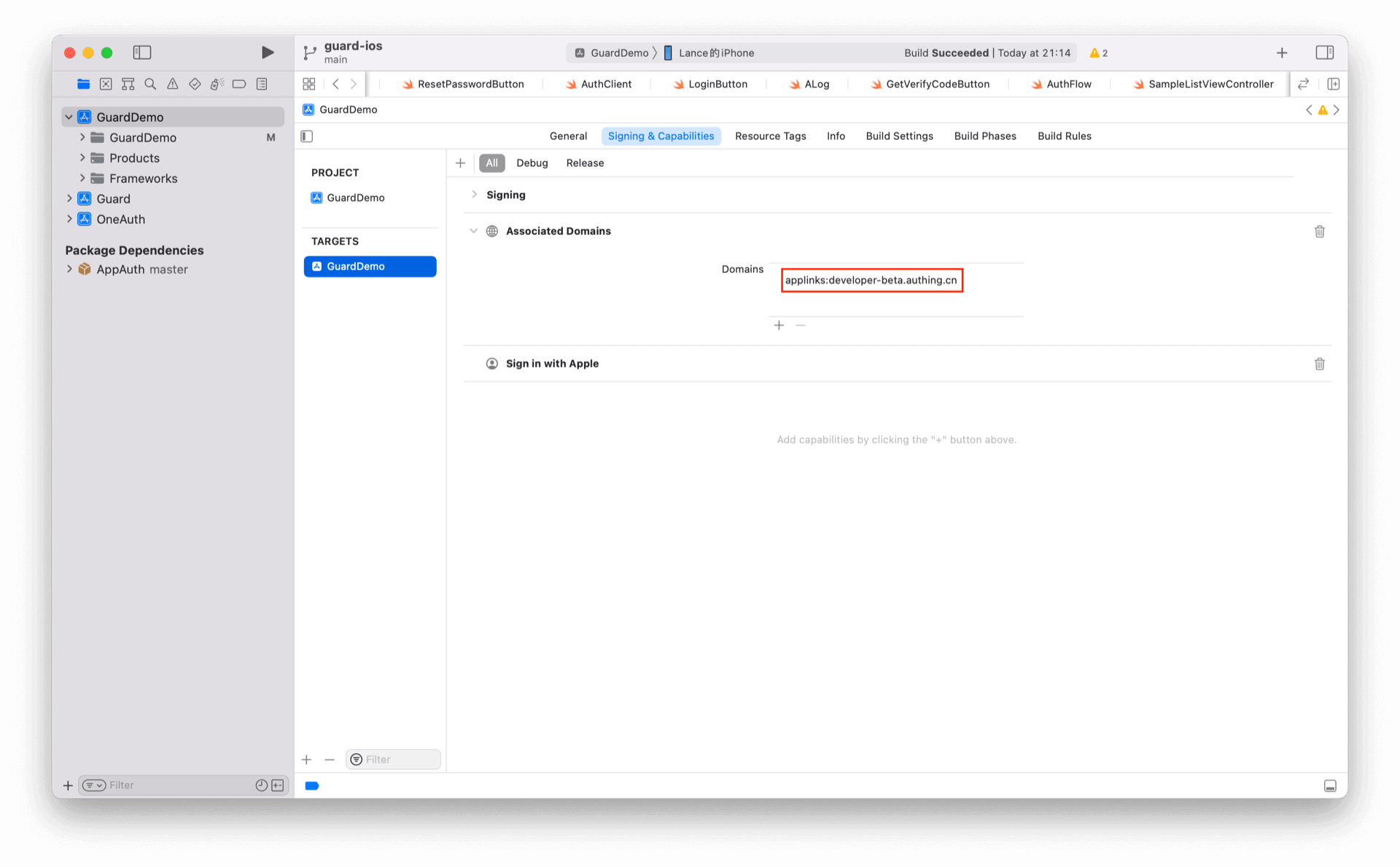
¶ 设置 Associated Domains:
替换为自己 Universal Link 对应的 host
¶ 处理微信回调
微信返回应用后,如果使用了 SceneDelegate,则需要在 SceneDelegate.swift 里面重载下面的函数:
func scene(_ scene: UIScene, continue userActivity: NSUserActivity) {
    NotificationCenter.default.post(name: NSNotification.Name(rawValue: "wechatLoginOK"), object: userActivity)
}
如果未使用 SceneDelegate,则需要在 AppDelegate 里面重载
func application(_ application: UIApplication, continue userActivity: NSUserActivity, restorationHandler: @escaping ([UIUserActivityRestoring]?) -> Void) -> Bool {
    NotificationCenter.default.post(name: NSNotification.Name(rawValue: "wechatLoginOK"), object: userActivity)
    return true
}
¶ 发起微信授权
推荐通过我们提供的语义化 Hyper Component,只需要在 xib 里面放置一个:
WechatLoginButton
设置 Module 为 Wechat 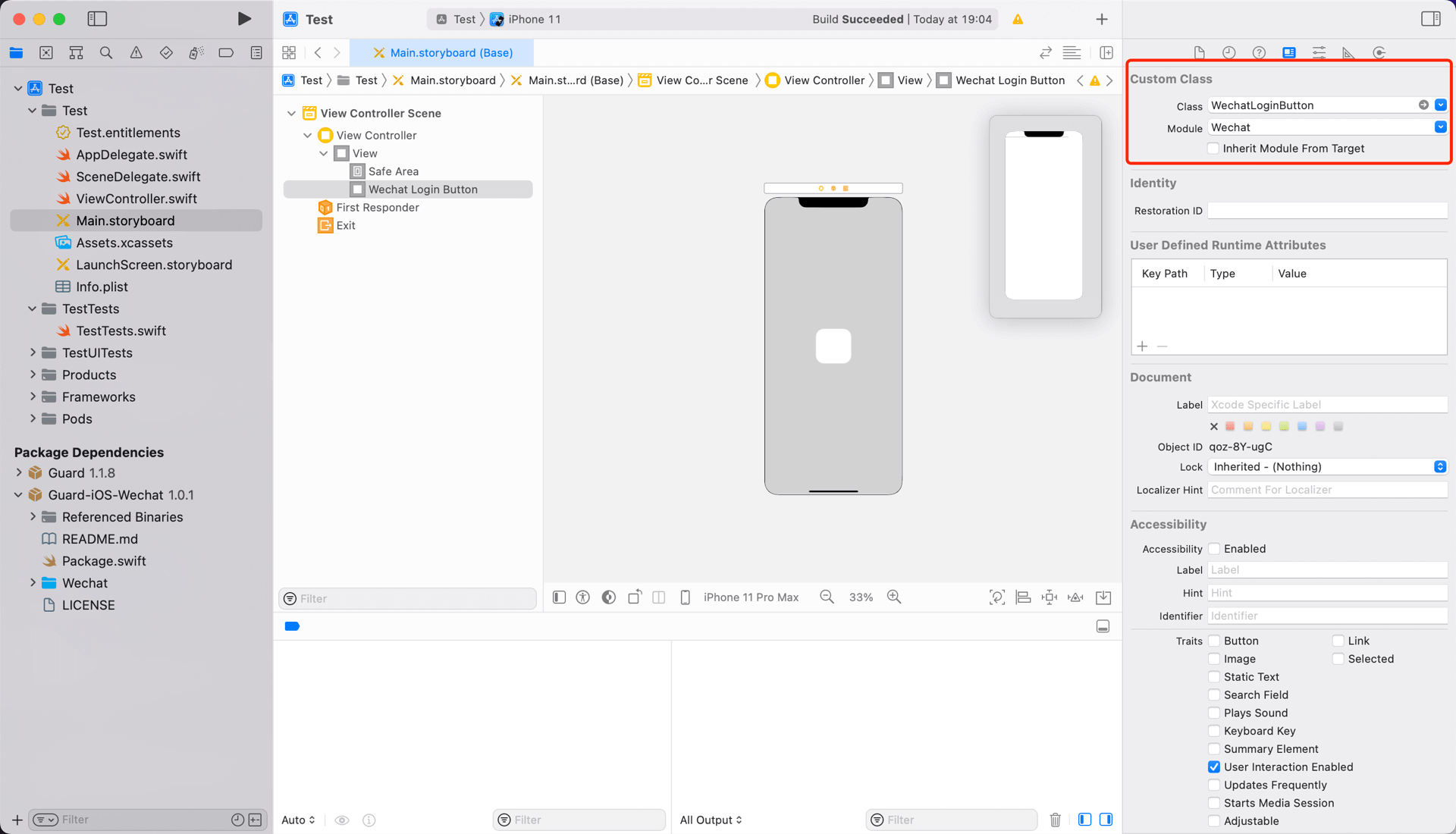
如果不想使用我们内置的按钮,则可以在自己按钮的点击事件里面调用 GenAuth 微信登录 API:
WechatLogin.login(viewController: <#承载视图的ViewController#>) { code, message, userInfo in
    if (code == 200) {
        // userInfo:用户信息
    }
}
所有的逻辑由我们语义化引擎自动处理。如果想自己实现微信登录,拿到授权码后,可以调用下面 API 换取 GenAuth 用户信息:
func loginByWechat(_ code: String, completion: @escaping(Int, String?, UserInfo?) -> Void)
参数
- authCode 微信授权码
示例
AuthClient().loginByWechat(authCode) { code, message, userInfo in
    if (code == 200) {
        // userInfo:用户信息
    }
}