GenAuth DocsDocuments
Concepts
User Guide
Development Integration
AgentAuth
Metadata
Development Integration
Multi-tenant (beta)
Console Documentation
Multi-tenant Console
Tenant Console
Saas Application Demo
Concepts
User Guide
Development Integration
AgentAuth
Metadata
Development Integration
Multi-tenant (beta)
Console Documentation
Multi-tenant Console
Tenant Console
Saas Application Demo
Old version
  • Single Page Web Application

  • Mobile and Client Applications

    • Android

    • C#

    • Flutter

    • iOS

      • Quick Start
      • Hosted Pages
      • Components

      • APIs

      • Social Login

        • 微信登录
        • 企业微信登录
        • 飞书登录
        • 苹果帐号登录
        • 手机号一键登录
      • Typical Scenarios

      • Private Deployment
    • React Native
  • Standard Web Application

  • Framework Integration

  • Others

  1. Development Integration
  2. /
  3. Mobile and Client Applications
  4. /
  5. iOS
  6. /
  7. Social Login
  8. /
  9. 企业微信登录

¶ 企业微信登录

Update time: 2025-07-23 07:34:21
Edit

集成企业微信录需要以下步骤:

  • 在企业微信管理后台进行配置

  • 在 GenAuth 管理控制台进行配置

  • 集成 GenAuth iOS 企业微信登录


¶ STEP 1:在企业微信管理后台 (opens new window)进行配置

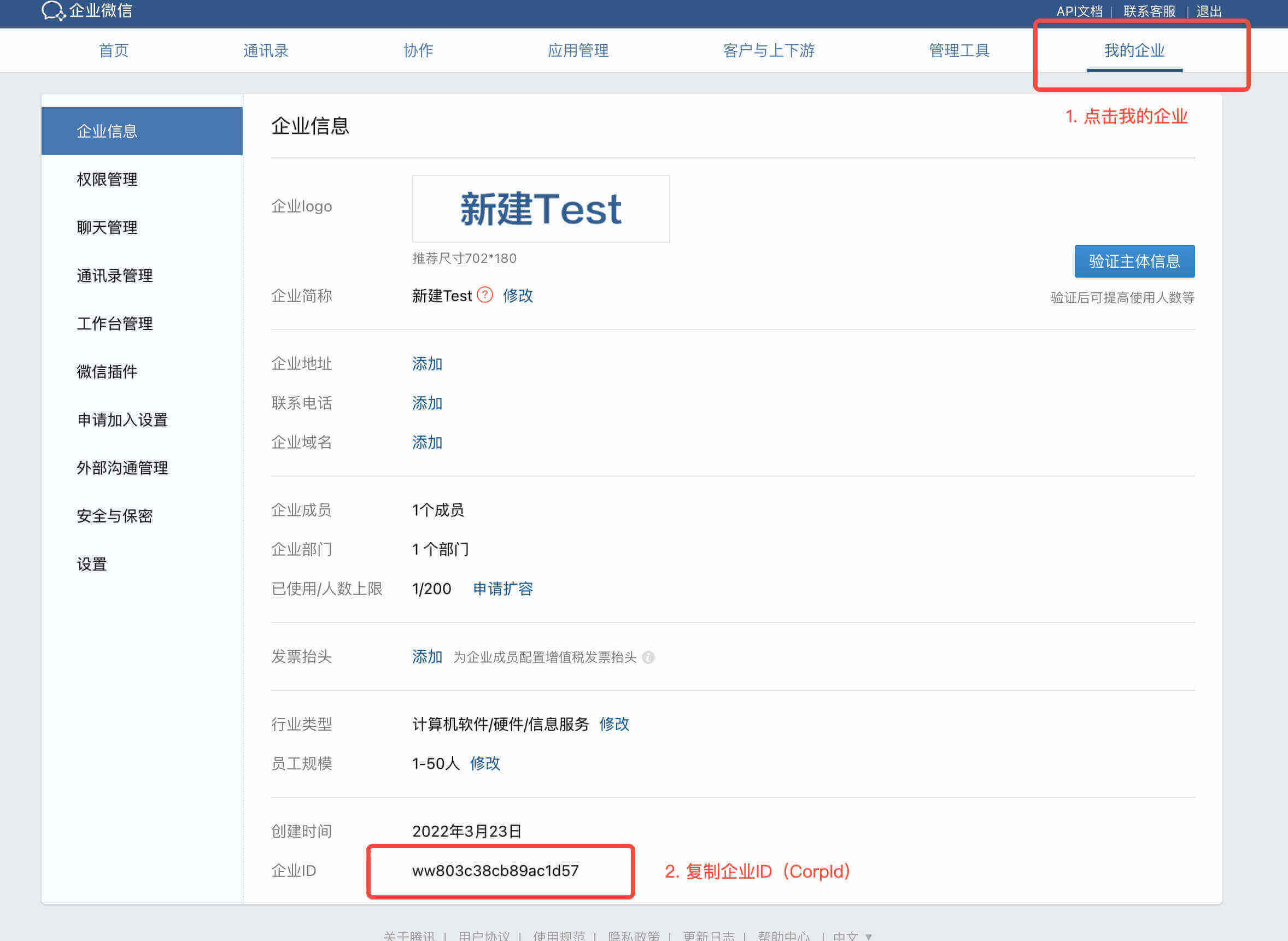
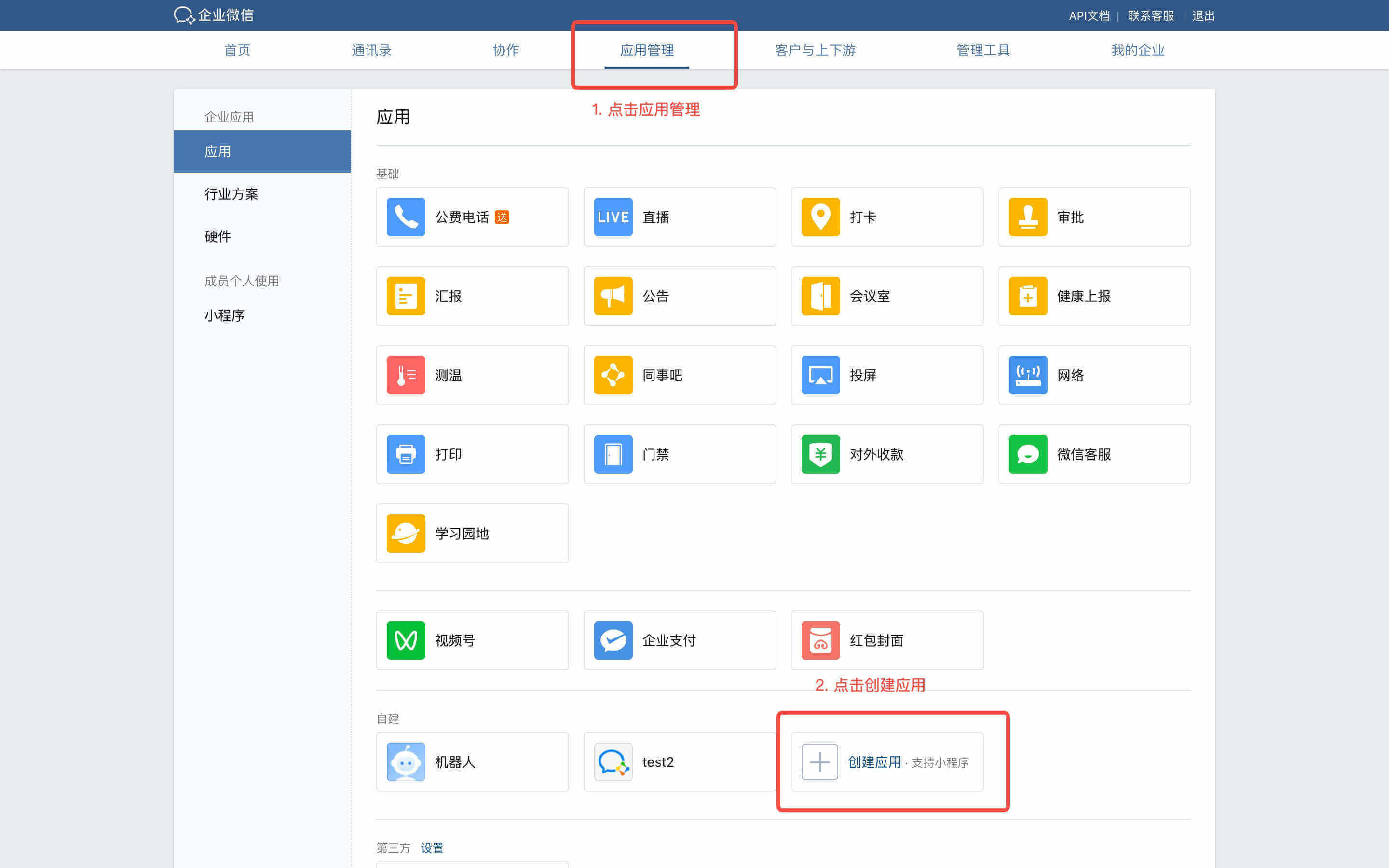
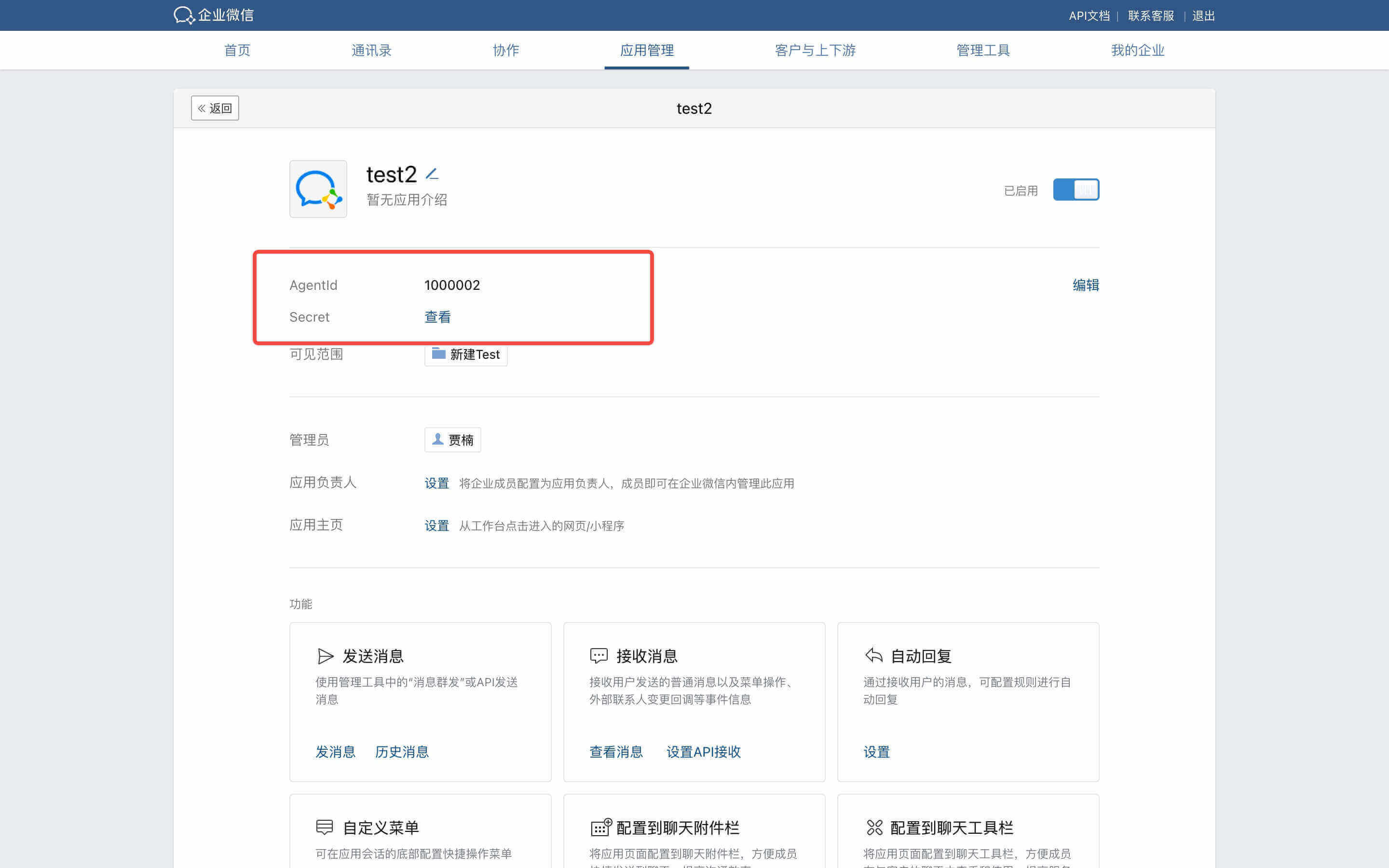
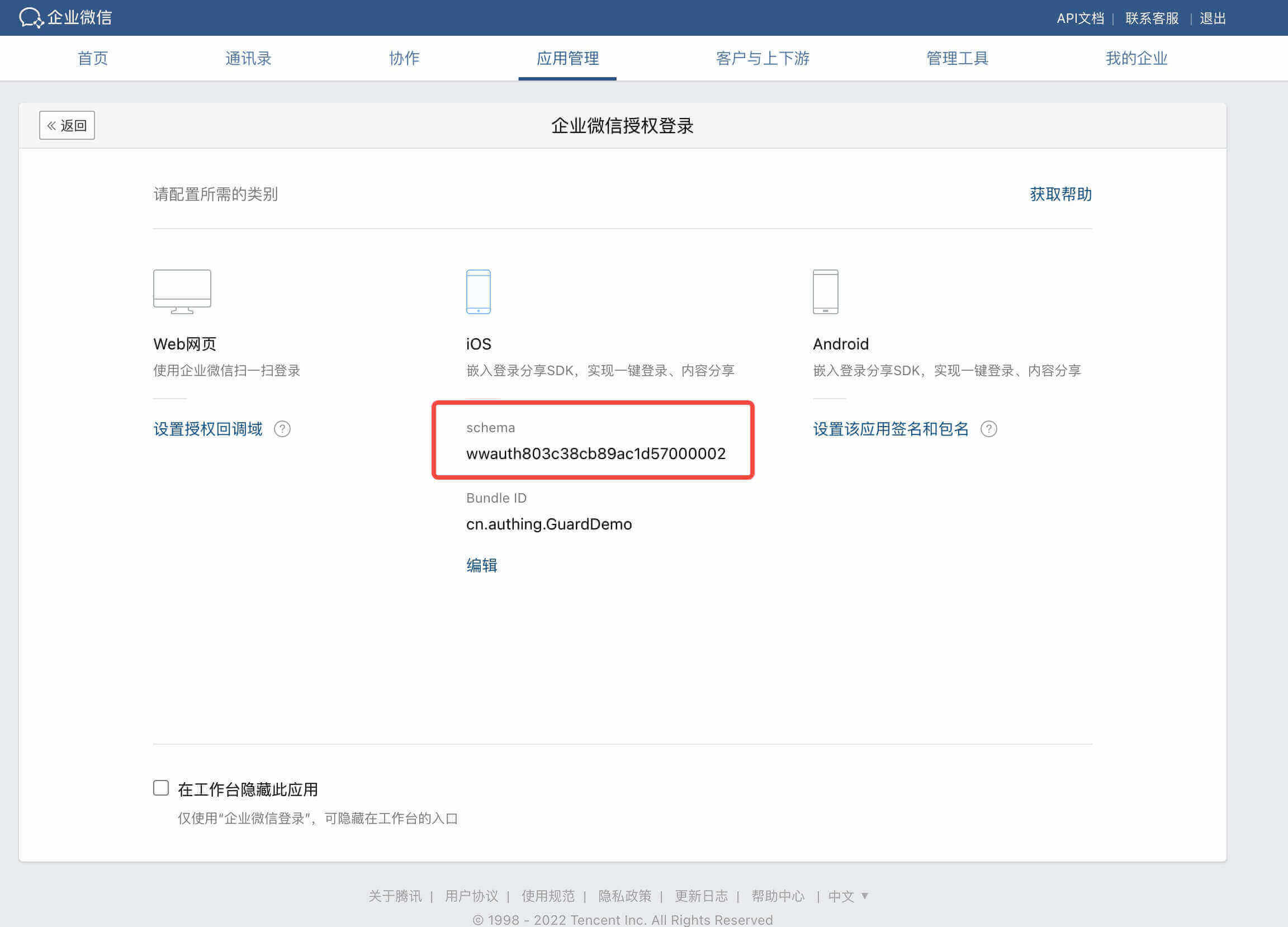
获取 CorpID AgentID Schema Secret 并填写 BundleID

  • 点击 “我的企业”

  • 页面底部复制企业 ID ( CorpID )

  • 点击 “应用管理“

  • 点击 “创建应用“

  • 复制 AgentID 和 Schema

  • 点击 “企业微信授权登录“

  • 选择 iOS 复制 Schema 并填写 BundleID


¶ STEP 2:在 GenAuth 管理控制台的操作步骤

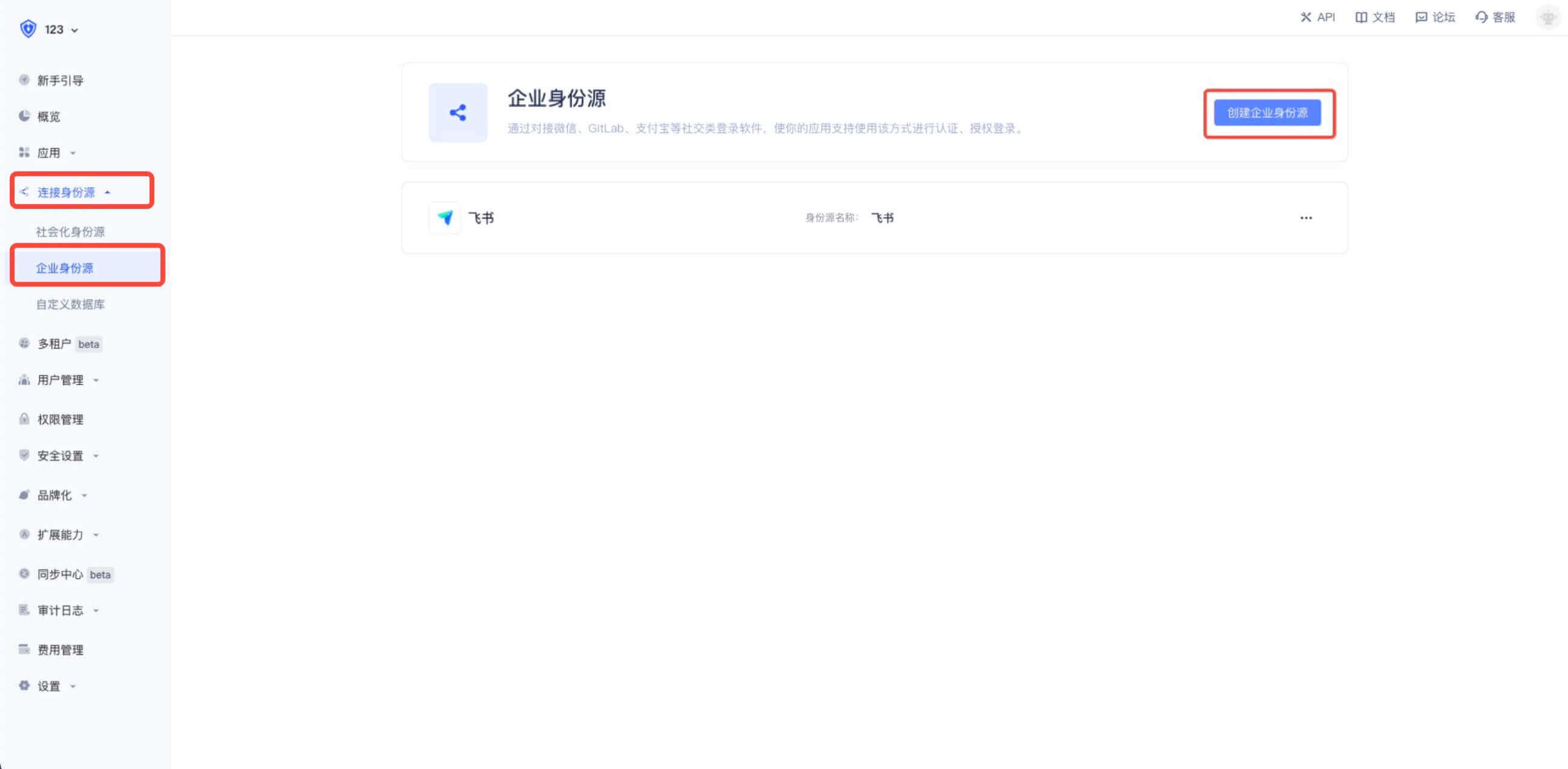
  • 在控制台的 “连接身份源” 菜单选择 “创建企业身份源“

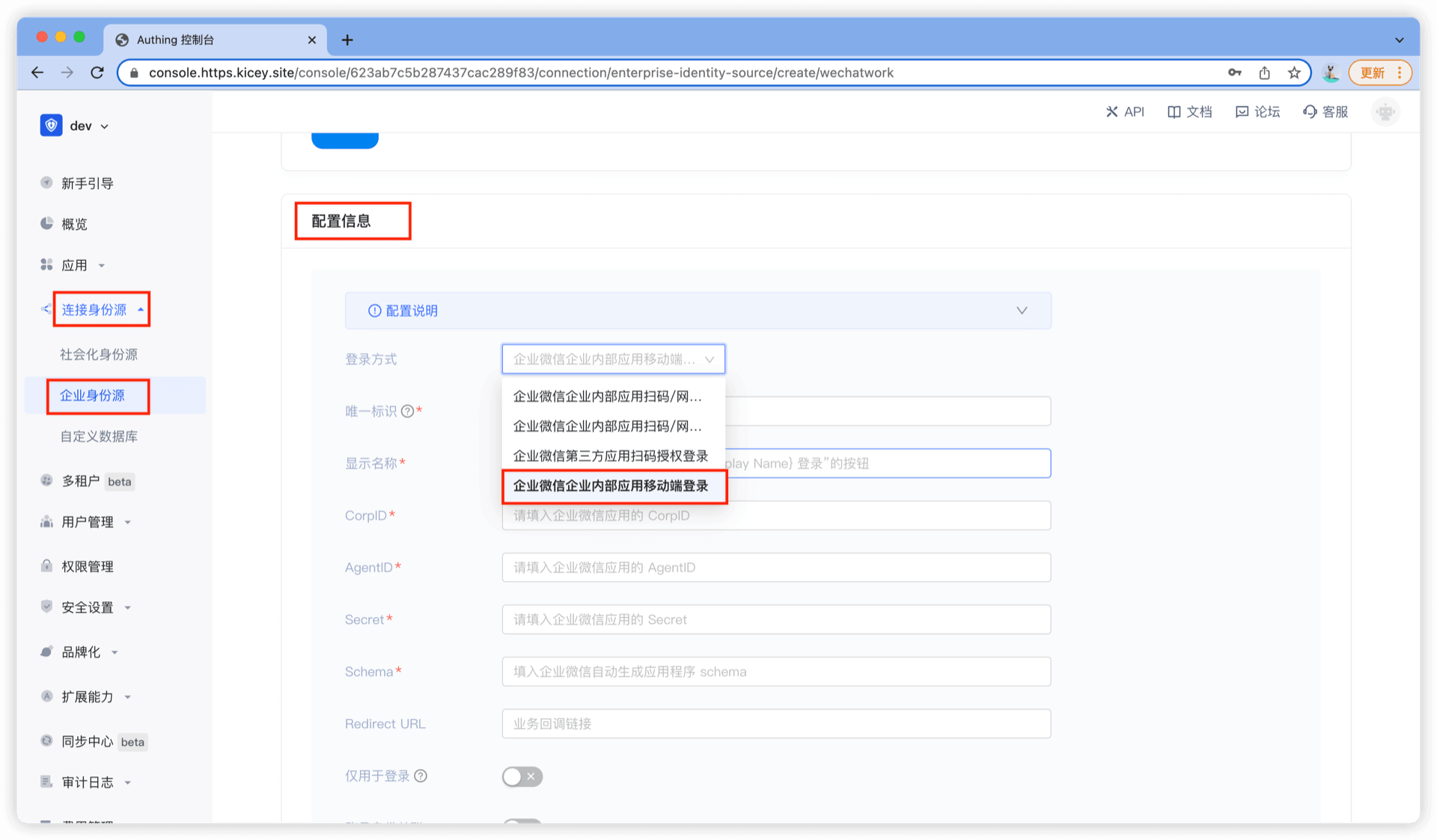
  • 选择 “企业微信”

  • 选择 “企业微信企业内部应用移动端登录”

  • 填入对应参数


¶ STEP 3:集成 GenAuth iOS 企业微信登录

¶ 添加依赖

Guard-iOS-binary 依赖于 Guard 组件(Version 1.2.4 之后)

  • 在 swift package 搜索栏输入:https://github.com/Authing/authing-binary

  • 依赖规则选择 Up to Next Major Version 1.0.0

  • Add Package 后勾选 WeCom


¶ 修改项目配置

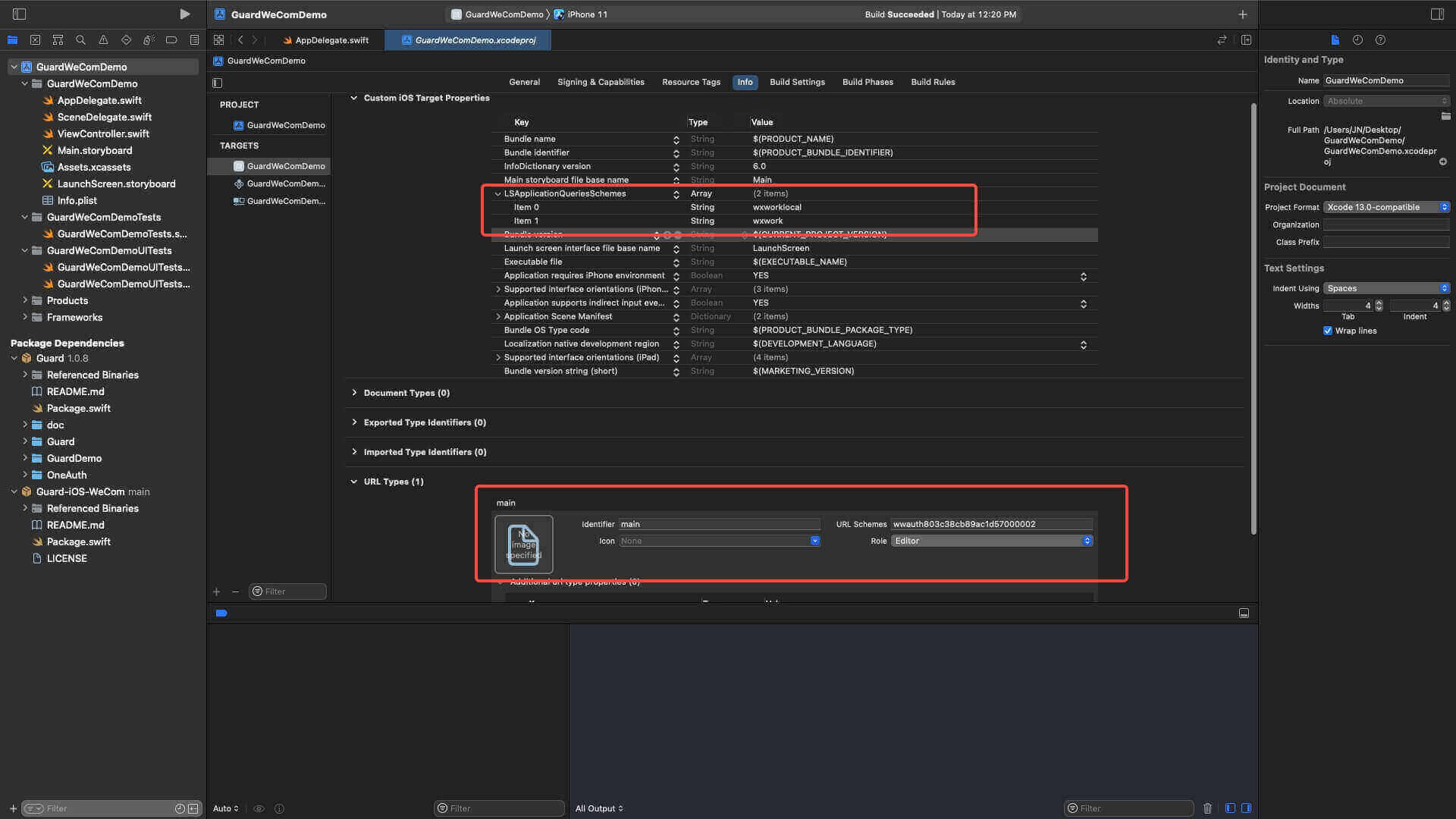
  • 配置跳转 Scheme: LSApplicationQueriesSchemes Key 下添加 wxwork 和 wxworklocal

  • 配置企业微信回跳 URL:URL types Key 下 添加企业微信管理后台申请到的 Schema (例如:wwauth803c38cb89ac1d57000002)

¶ 初始化 WeCom

  • 导入 Guard 和 WeCom

  • WeCom.registerApp 需要传入企业微信发放的 Scheme AgentID CorpID

import Guard
import WeCom

GenAuth.start(<#GenAuth AppId#>);
WeCom.registerApp(appId: <#Scheme#>, corpId: <#CorpID#>, agentId: <#AgentID#>)

¶ 添加回调

企业微信返回应用后,如果使用了 SceneDelegate,则需要在 SceneDelegate.swift 里面重载下面的函数:

func scene(_ scene: UIScene, openURLContexts URLContexts: Set<UIOpenURLContext>) {
    if let url = URLContexts.first?.url {
        _ = WeCom.handleOpenURL(url: url)
    }
}

如果未使用 SceneDelegate,则需要在 AppDelegate 里面重载

func application(_ app: UIApplication, open url: URL, options: [UIApplication.OpenURLOptionsKey : Any] = [:]) -> Bool {
    return WeCom.handleOpenURL(url: url)
}

¶ 发起企业微信授权

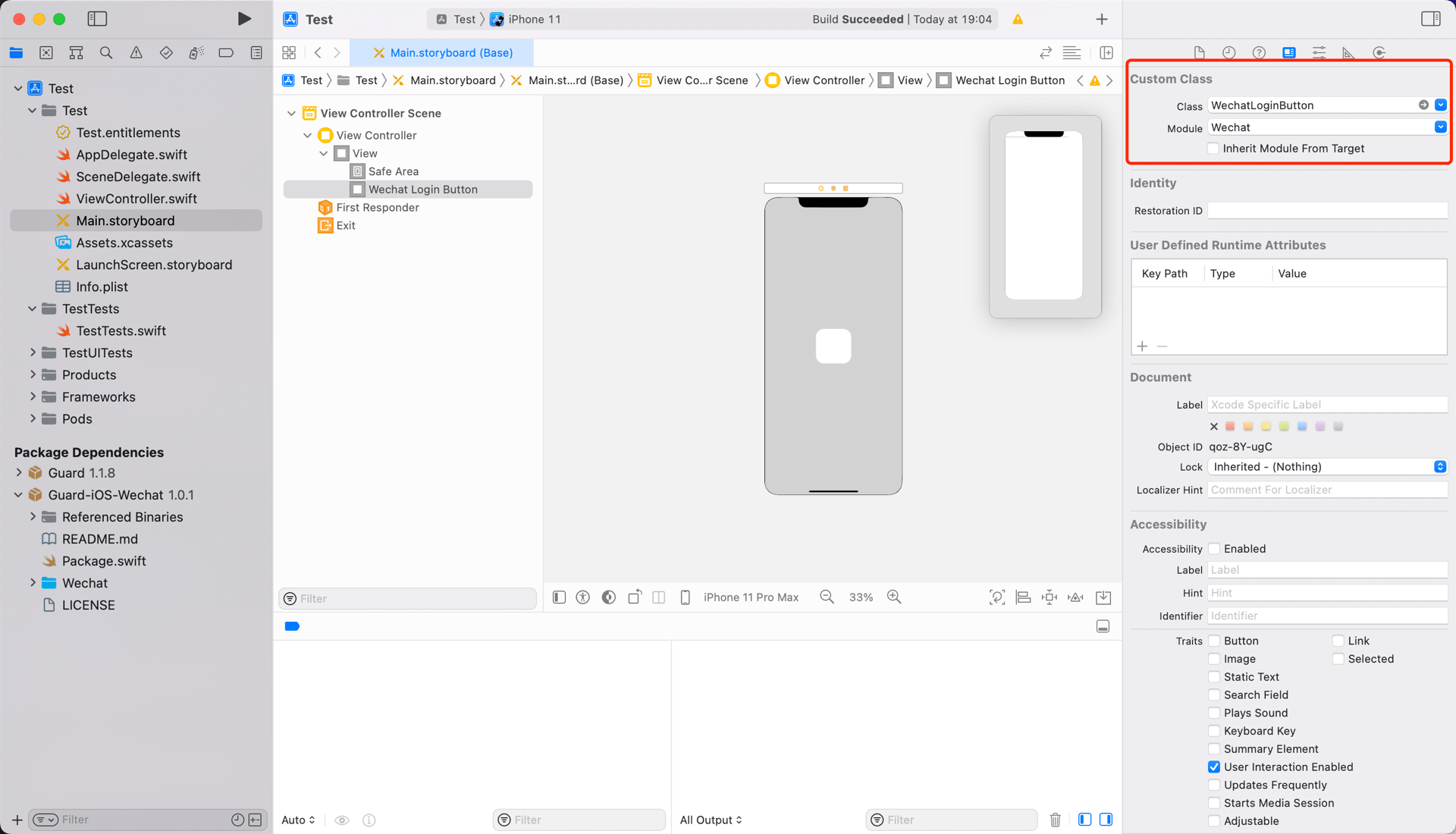
推荐通过我们提供的语义化 Hyper Component,只需要在 xib 里面放置一个:

WeComLoginButton

设置 Module 为 WeCom
如果不想使用我们内置的按钮,则可以在自己按钮的点击事件里面调用 GenAuth 企业微信登录 API:

WeCom.login { code, message, userInfo in
    if (code == 200) {
        // userInfo:用户信息
    }
}
Previous article: 微信登录 Next article: 飞书登录
  • STEP 1:在企业微信管理后台进行配置
  • STEP 2:在 GenAuth 管理控制台的操作步骤
  • STEP 3:集成 GenAuth iOS 企业微信登录

User identity management

Integrated third-party login
Customized authentication process

Enterprise internal management

Single sign-on
Multi-factor authentication
Permission management

Developer

Development Documentation
GitHub (opens new window)

Company

official@genauth.ai
16th Floor, Building B, Beichen Century Center, Chaoyang District, Beijing (Total)
Room 406, 4th Floor, Block B, No. 200, Tianfu Fifth Street, High-tech Zone, Chengdu (Branch)

© Beijing Steamory Technology Co., Ltd.