GenAuth DocsDocuments
Concepts
User Guide
Development Integration
AgentAuth
Metadata
Development Integration
Multi-tenant (beta)
Console Documentation
Multi-tenant Console
Tenant Console
Saas Application Demo
Concepts
User Guide
Development Integration
AgentAuth
Metadata
Development Integration
Multi-tenant (beta)
Console Documentation
Multi-tenant Console
Tenant Console
Saas Application Demo
Old version
User Guide
  • Quick Start

  • Authentication

  • Access Control

    • Choose the Right Access Control Model
    • Integrate RBAC Model
    • Integrate ABAC Model
    • Manage New Data Resource Permissions

      • Permission Space
      • Role Management
      • Data Resources
      • Data Policies and Authorization

      • Permission View
  • Authorization

  • Adaptive MFA

  • User Account Management

  • User Directory Management

  • Applications

  • Become a Federation Authentication Identity Provider

  • Connect External Identity Providers (IdP)

  • WeChat Ecosystem Full Scenario Capabilities

  • Migrate Users to GenAuth

  • Security Settings

  • Branding

  • Automation

  • Audit Logs

  • Setting

  • FAQ

  1. User Guide
  2. /
  3. Access Control
  4. /
  5. Manage New Data Resource Permissions
  6. /
  7. Data Policies and Authorization

¶ Data policy and authorization

¶ Data policy

Data policy: Packing together several resources, operations, authorization roles and restrictions is called a policy.

In the data policy list, you can view all data policy authorization subjects and related data resources, and support adding, editing, modifying and deleting data policies.
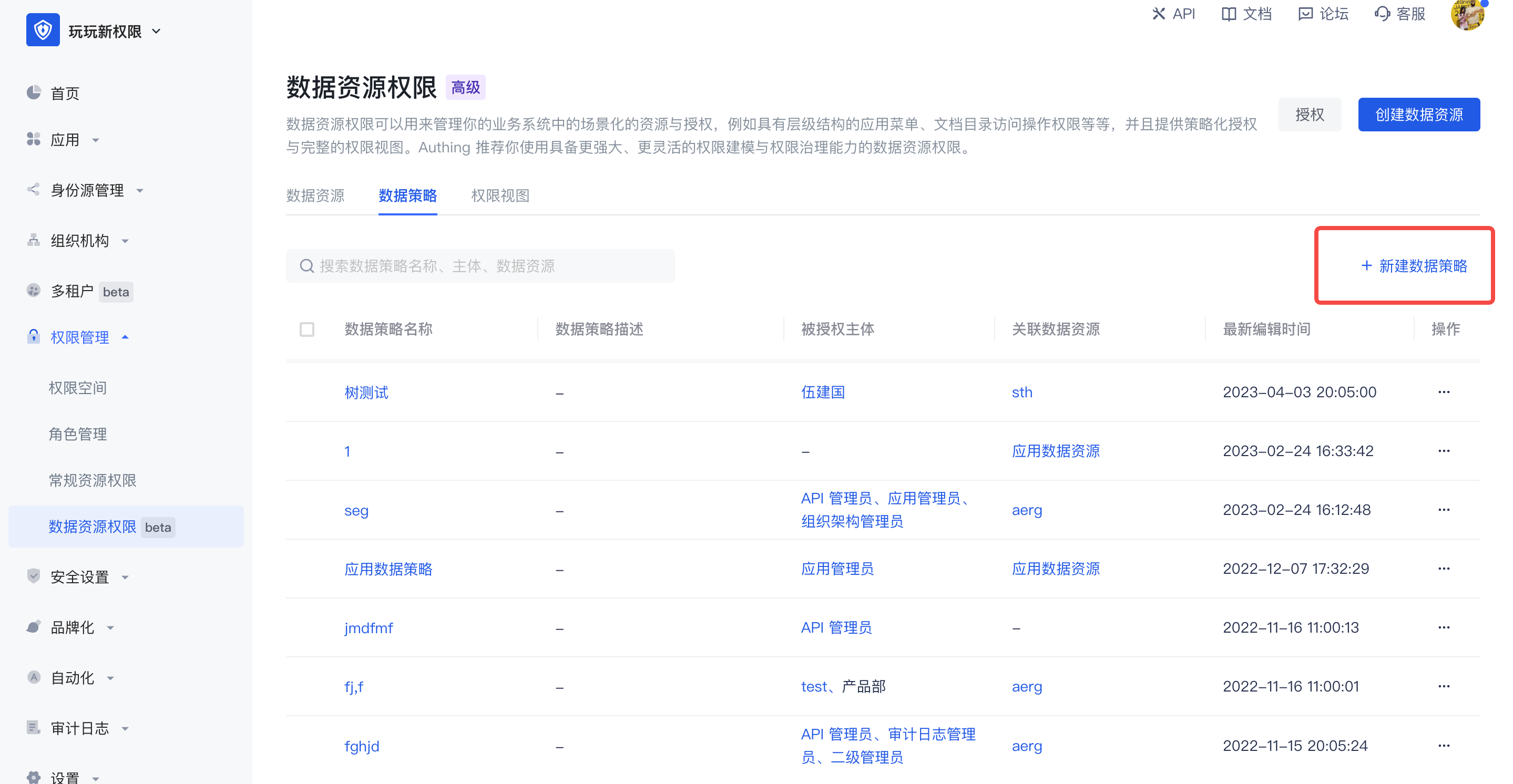
Data policy list

When creating a new data policy, there are two editing methods:

  • Visual editing policy

There can be multiple data permissions in a policy. For each data permission, you need to select the authorization role first, and then select the resources and related operations in the permission space. On this basis, you can also add permission restrictions, and finally package the resources together to form a data policy.

In the data policy, you can select resources across permission spaces. If the resource is a tree-structured data resource, select granularity refinement, or select a node at a certain level.
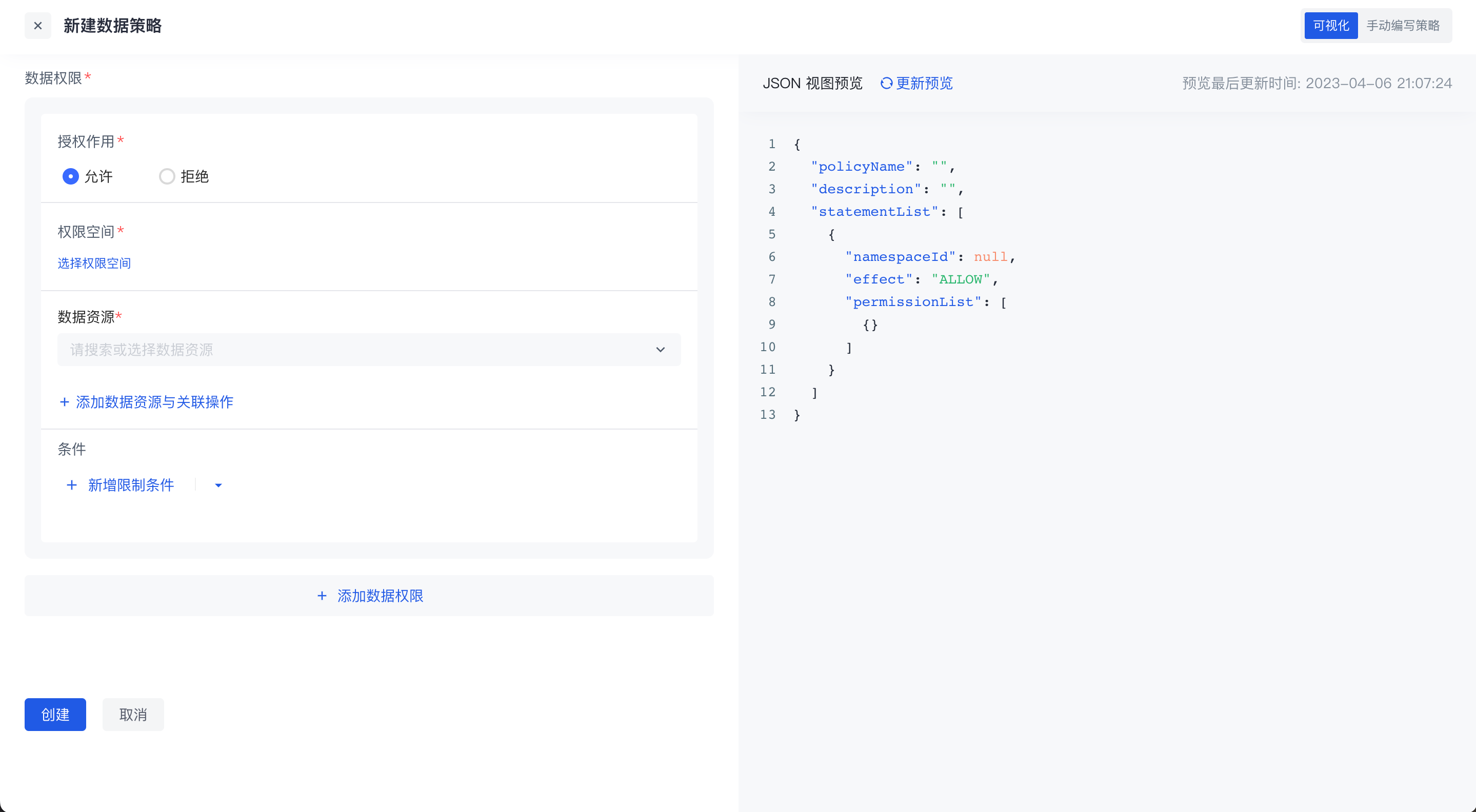
Data Policy Editing

  • Manually Write Policies

Switch to the manual writing policy in the upper right corner to write data permission policies through DSL.
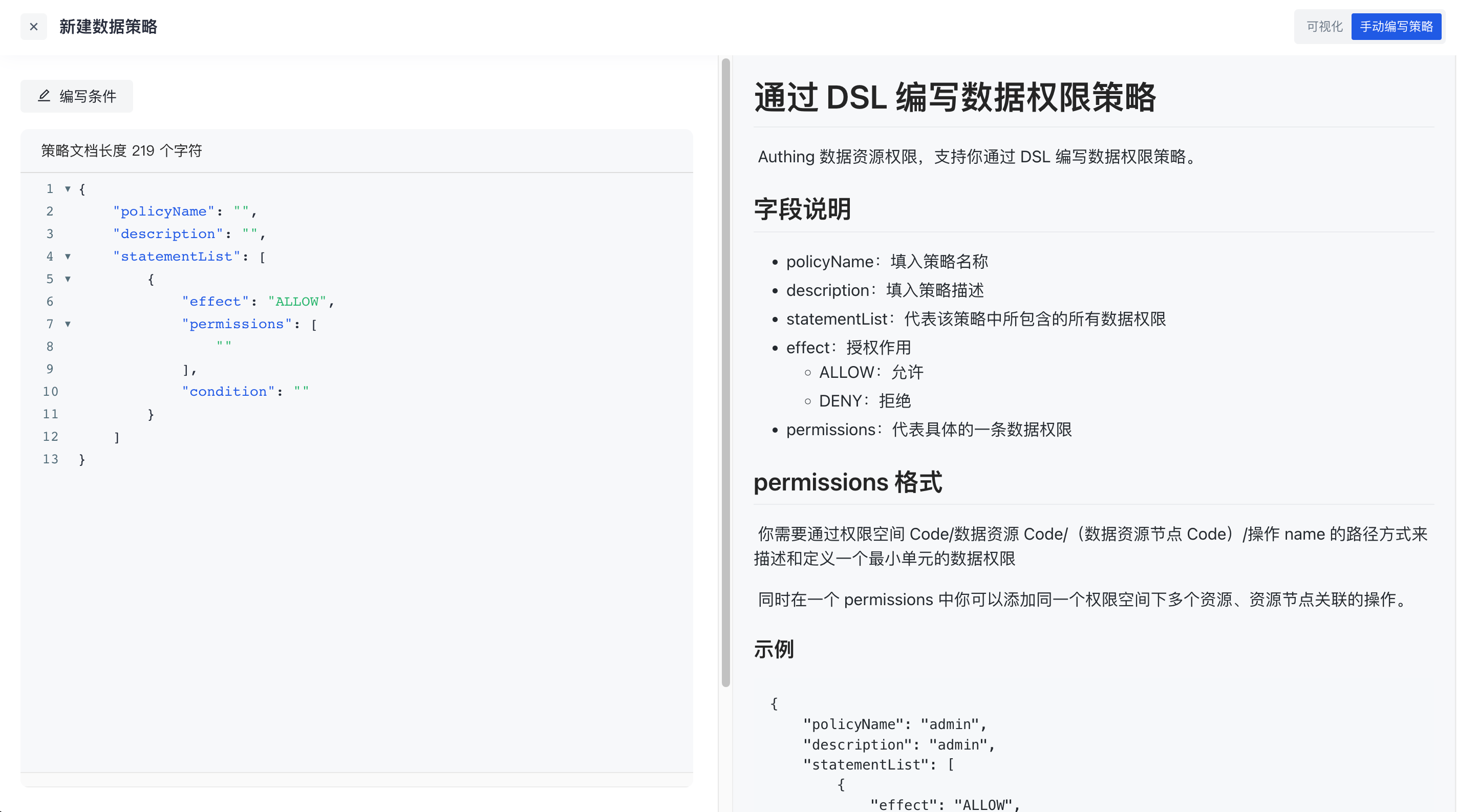
DSL Write Data Policy

Click the write condition in the upper left corner to support writing conditions in data permission policies through rego language. For details, see [Data Policy and OPA](link address)

¶ Authorization

After the policy is packaged, click the Authorize button in the upper right corner of the permission management page to authorize it to a subject. One or more data policies can be authorized to multiple authorized subjects across different types at the same time.
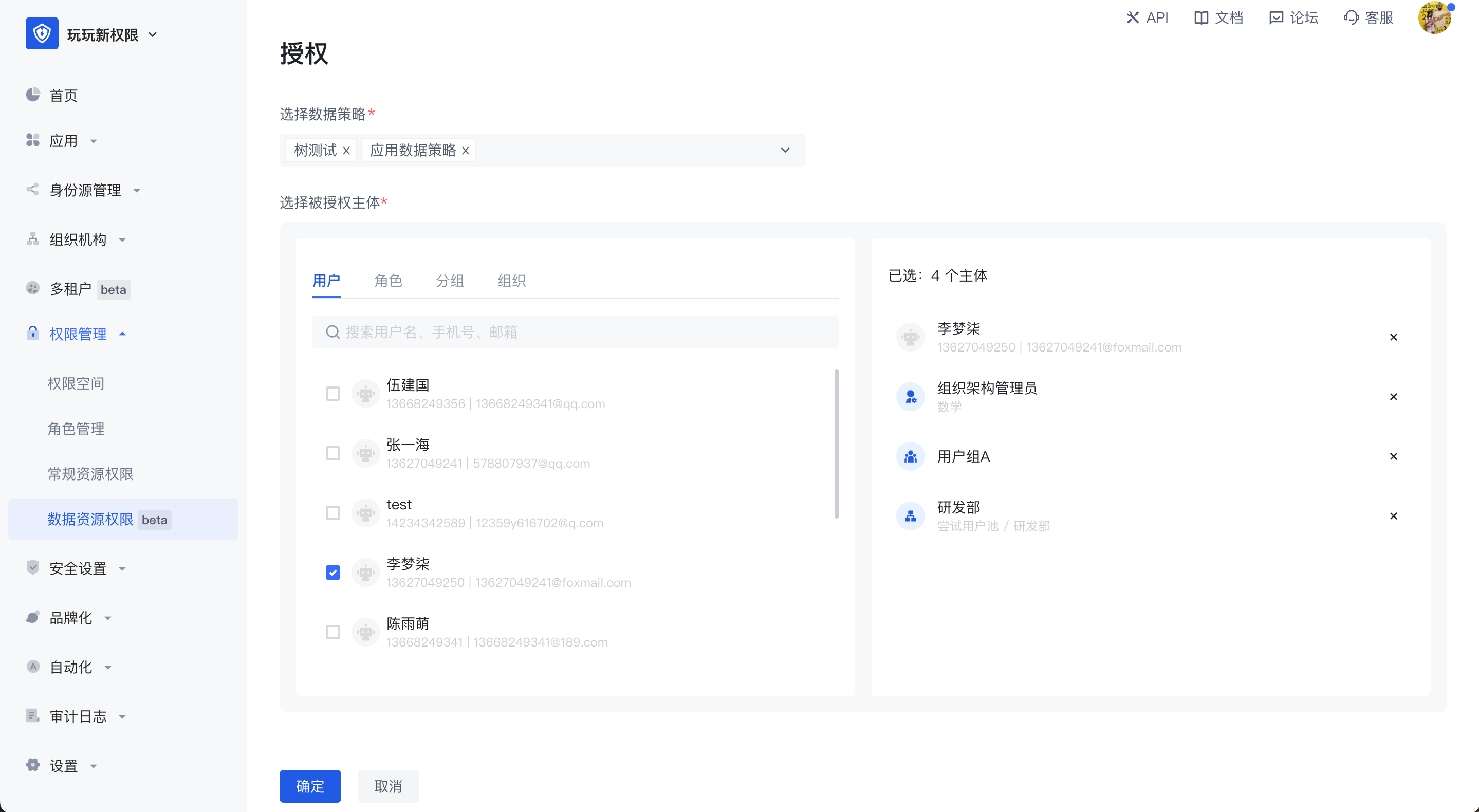
Data Policy Authorization

Previous article: Data Resources Next article: Data Policies and OPA
  • Data policy
  • Authorization

User identity management

Integrated third-party login
Customized authentication process

Enterprise internal management

Single sign-on
Multi-factor authentication
Permission management

Developer

Development Documentation
GitHub (opens new window)

Company

official@genauth.ai
16th Floor, Building B, Beichen Century Center, Chaoyang District, Beijing (Total)
Room 406, 4th Floor, Block B, No. 200, Tianfu Fifth Street, High-tech Zone, Chengdu (Branch)

© Beijing Steamory Technology Co., Ltd.