¶ PC WeChat QR code scanning
¶ Scenario introduction
- Overview: PC WeChat QR code scanning login allows users to use WeChat identity to securely log in to third-party applications or websites. After enabling WeChat QR code scanning login in GenAuth, you can quickly obtain WeChat user basic open information and help users realize basic open functions through GenAuth.
- Application scenario: PC website
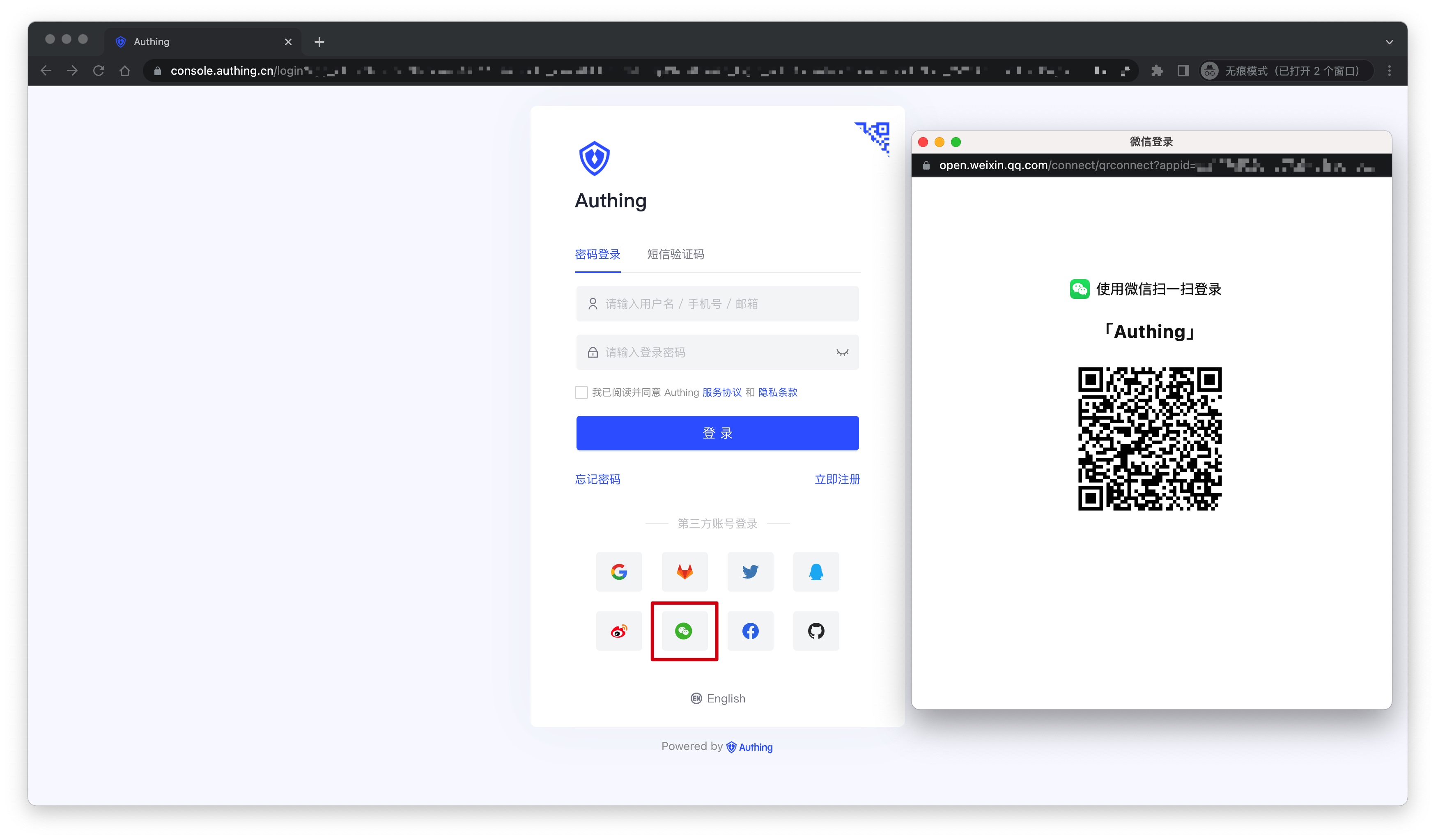
- Terminal user preview image:
¶ Notes
- If you have not opened a WeChat Open Platform account, please go to WeChat Open Platform (opens new window) to register and log in first.
- If you have not opened a GenAuth console account, please go to GenAuth console (opens new window) to register a developer account.
¶ Step 1: Create a website application
Go to WeChat Open Platform (opens new window), click Admin Center -> Website Application -> Create Website Application. After the creation is complete, you need to record the AppID and AppSecret of the application, which will be used later.
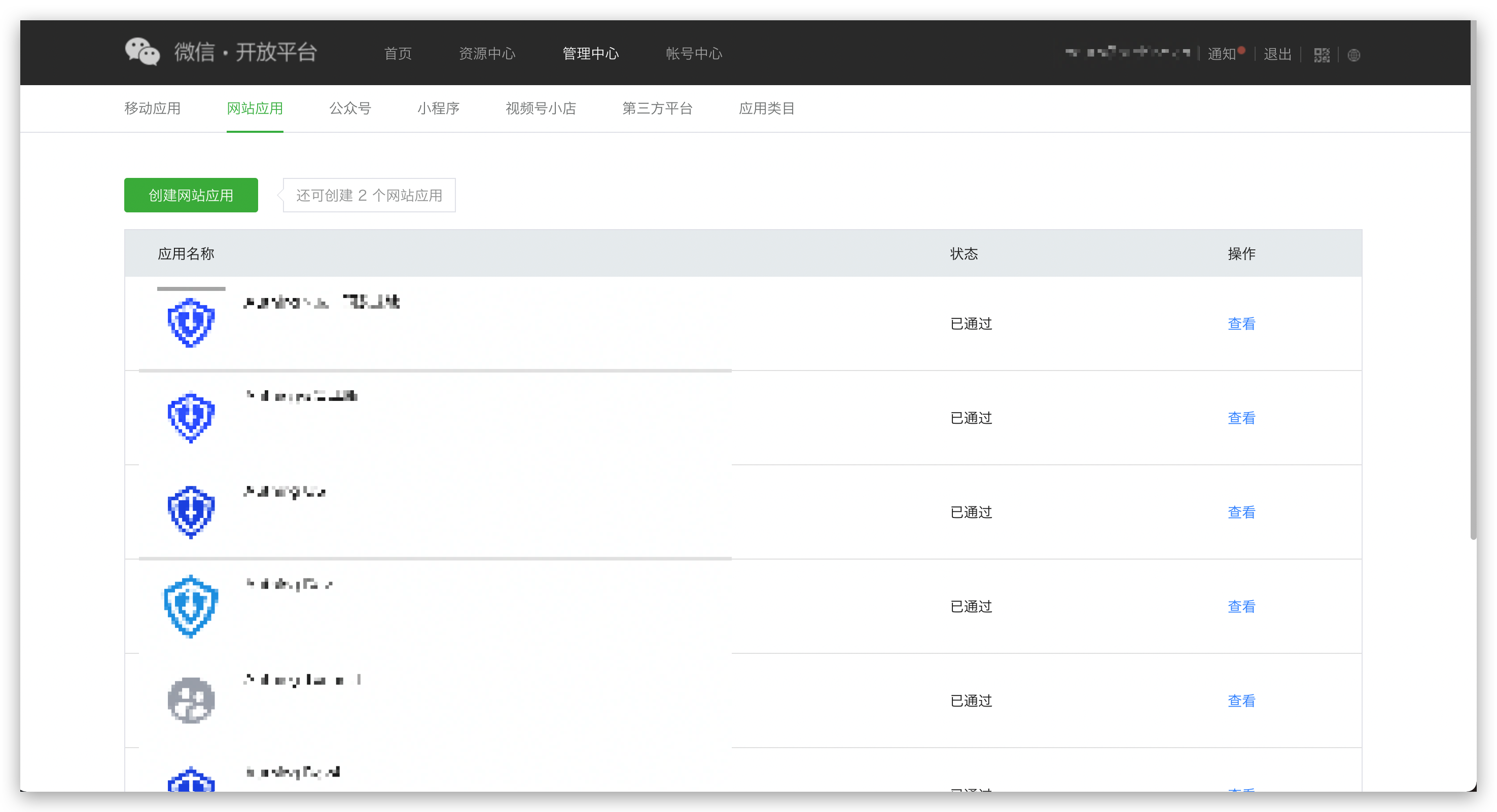
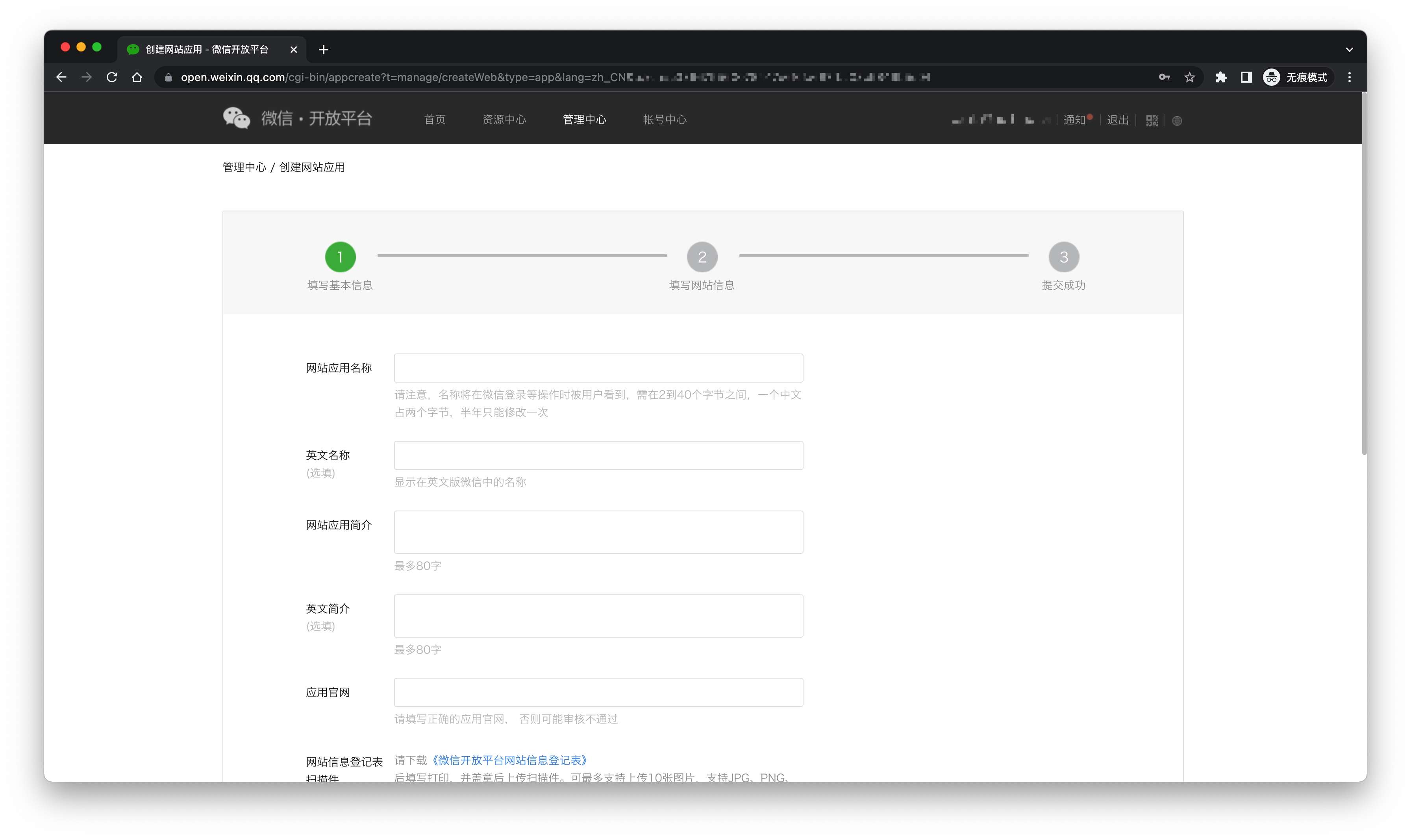
Please ensure that the application has obtained the permission for WeChat login and set the authorization callback domain to core.genauth.ai

¶ Step 2: Configure WeChat website application in the GenAuth console
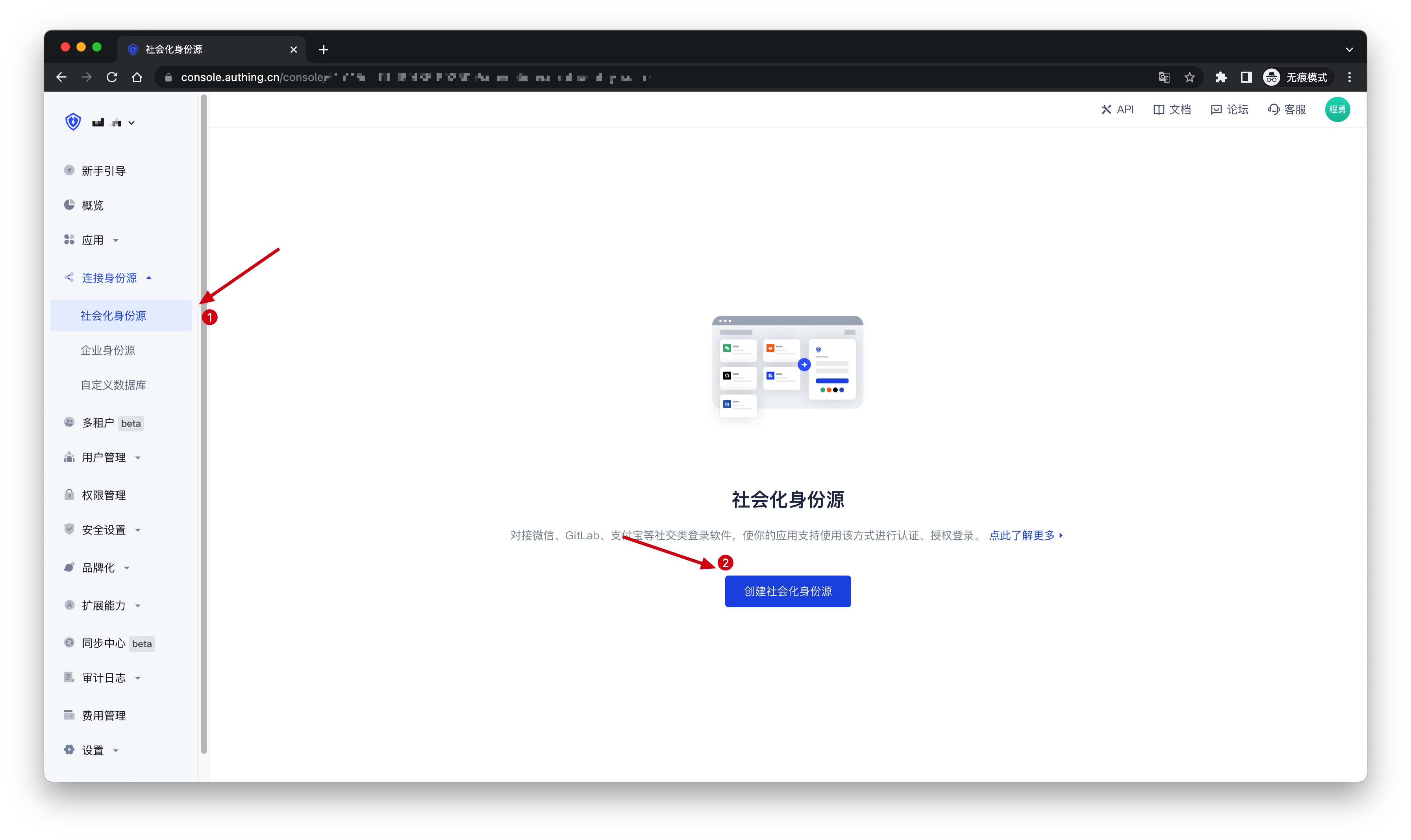
2.1 On the Social Identity Source page of the GenAuth console, click the Create Social Identity Source button to enter the Select Social Identity Source page.
2.2 On the Select Social Identity Source page, click the WeChat card to enter the WeChat Login Mode page. 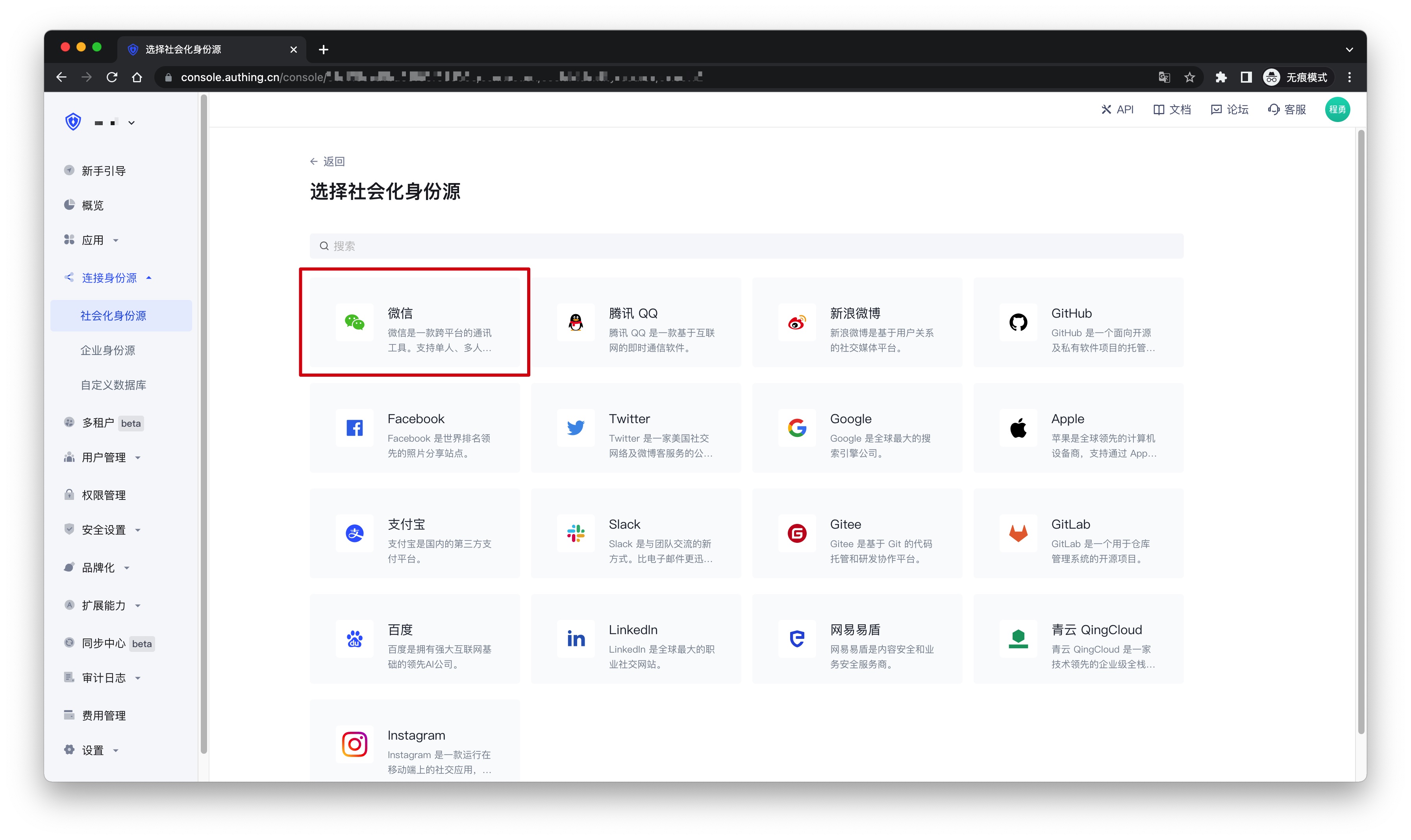
2.3 Continue to click PC WeChat Scan login mode, or click Add to open the PC WeChat Scan configuration page. 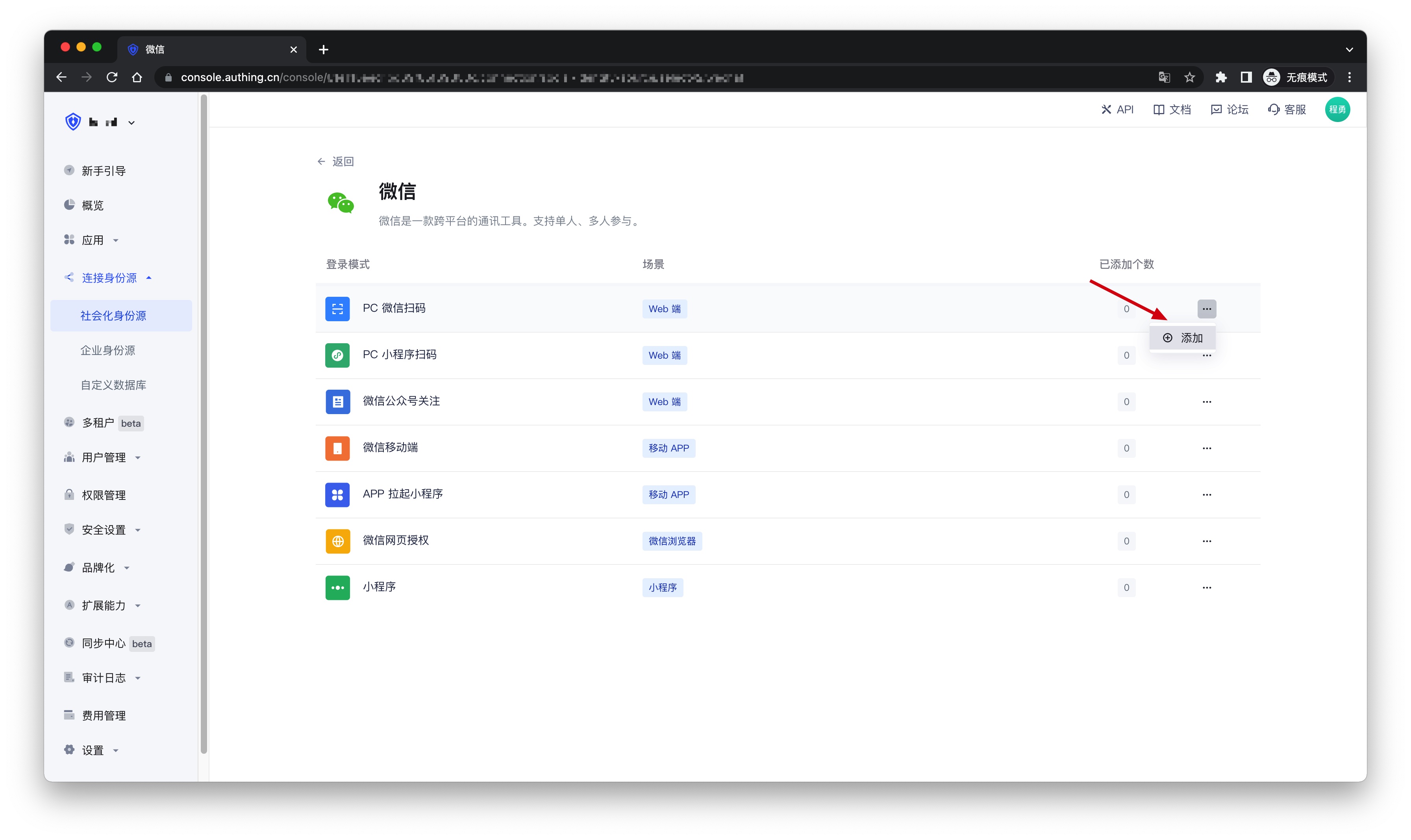
2.4 On the PC WeChat Scan configuration page, fill in the relevant field information. 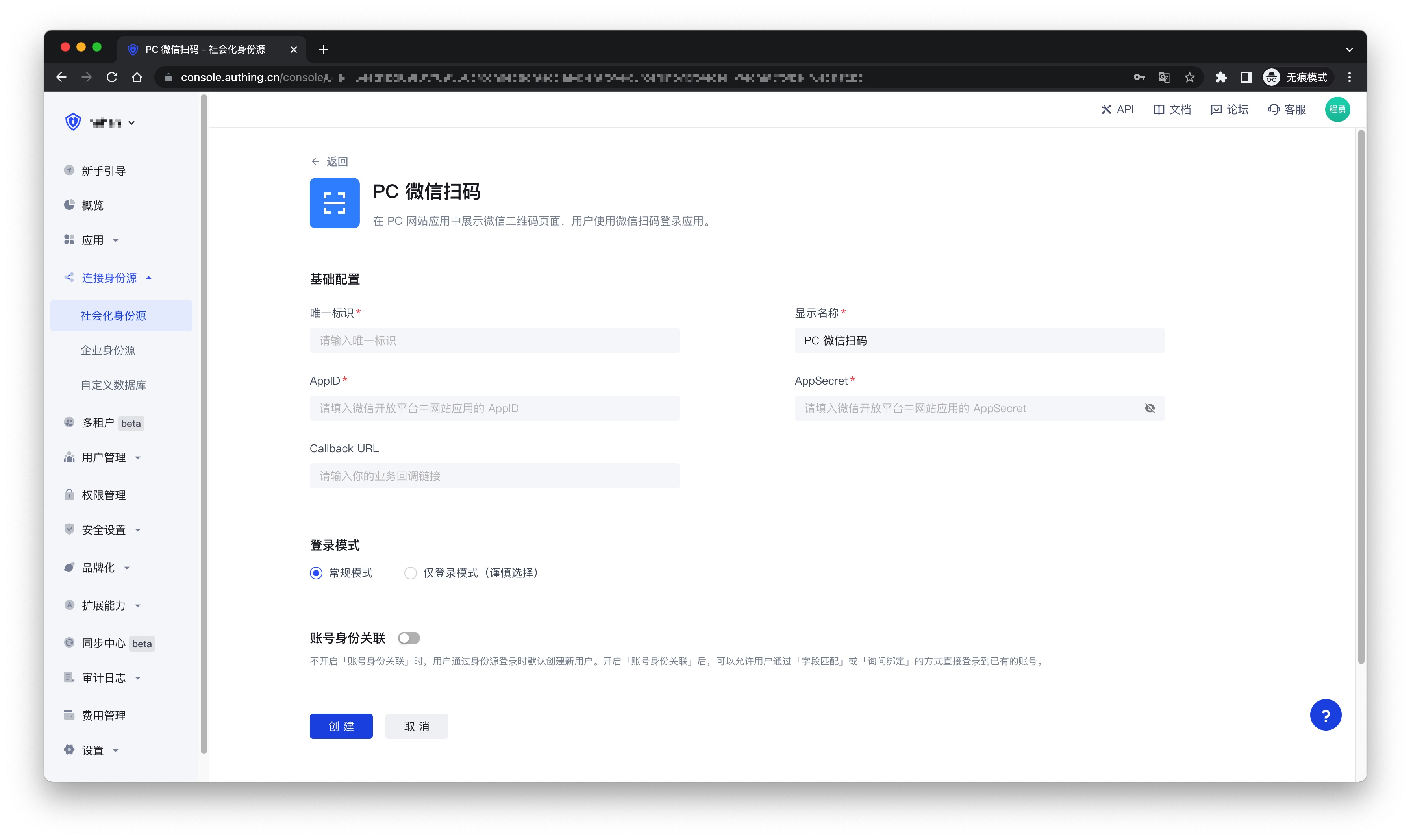
| Field | Description |
|---|---|
| Unique ID | a. The unique ID consists of lowercase letters, numbers, and -, and its length is less than 32 bits. b. This is the unique ID of this connection and cannot be modified after setting. |
| Display Name | This name will be displayed on the button of the terminal user's login interface. |
| AppID | WeChat application ID. |
| AppSecret | WeChat Application Key |
| Callback URL | If you want to jump directly to the social identity source for authentication without any GenAuth page in the middle, you can configure this parameter as the business callback address after successful authentication. GenAuth will send the user's ID Token to this URL. For example, if your website domain is https://example.com, and the url for processing the GenAuth callback request is /auth/callback, then you should fill it in as https://example.com/auth/callback. This parameter has nothing to do with the callback link in the application configuration. |
| Login Mode | After turning on Login Only Mode, you can only log in to existing accounts, and cannot create new accounts. Please choose carefully. |
| Account Identity Association | When Account Identity Association is not turned on, a new user is created by default when a user logs in through an identity source. After turning on Account Identity Association, you can allow users to log in to existing accounts directly through Field Match or Ask Binding. |
2.5 After the configuration is completed, click the Create or Save button to complete the creation.
¶ Step 3: Development Access
Recommended Development Access Method: Use Hosted Login Page
Pros and Cons: Simple operation and maintenance, which is handled by GenAuth. Each user pool has an independent secondary domain name; if you need to embed it into your application, you need to log in using the pop-up mode, that is: after clicking the login button, a window will pop up with the login page hosted by GenAuth, or redirect the browser to the login page hosted by GenAuth.
Detailed access method:
3.1 Create an application in the GenAuth console. For details, see: How to create an application in GenAuth
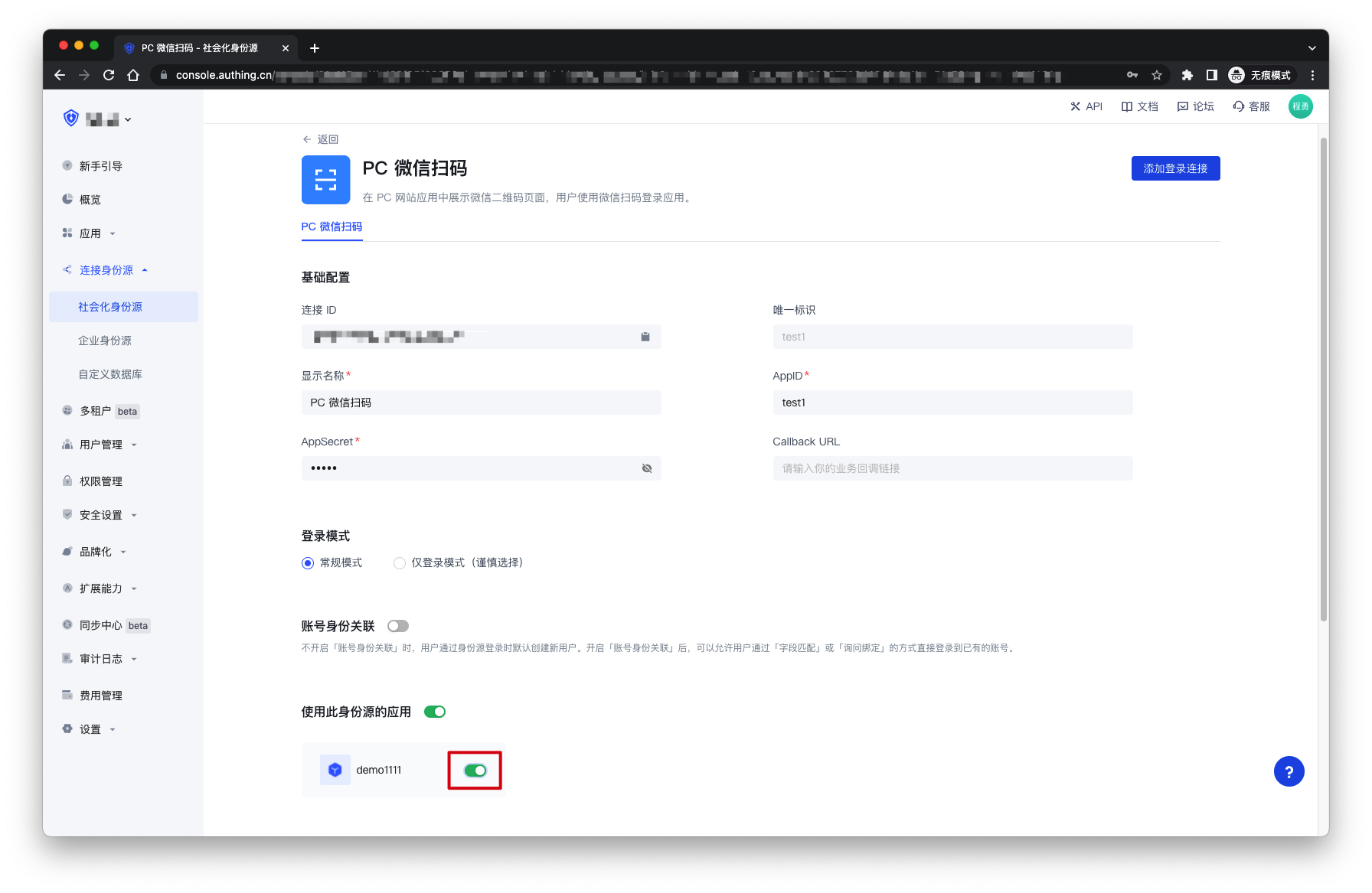
3.2 On the created PC WeChat QR code scanning identity source connection details page, open and associate an application created in the GenAuth console
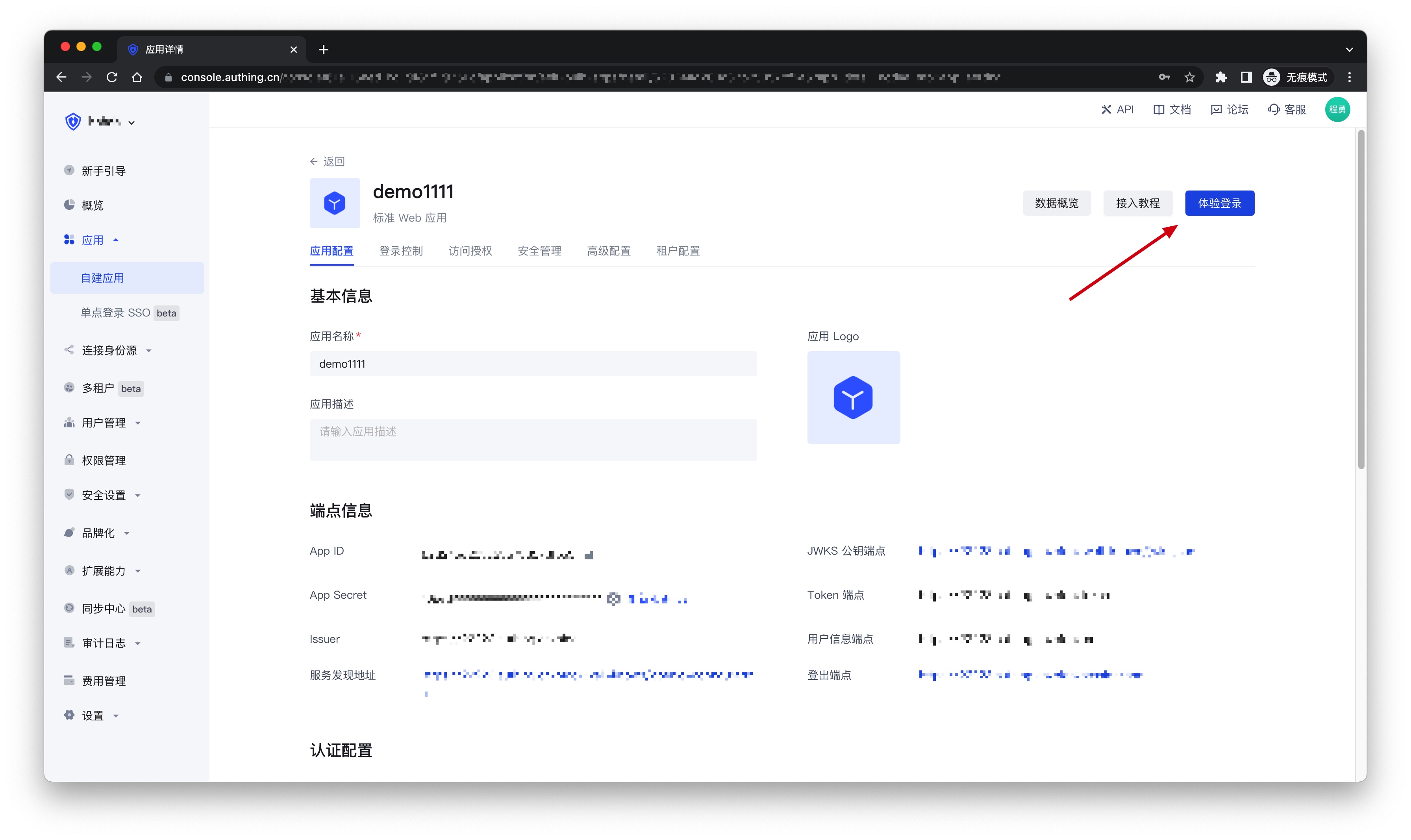
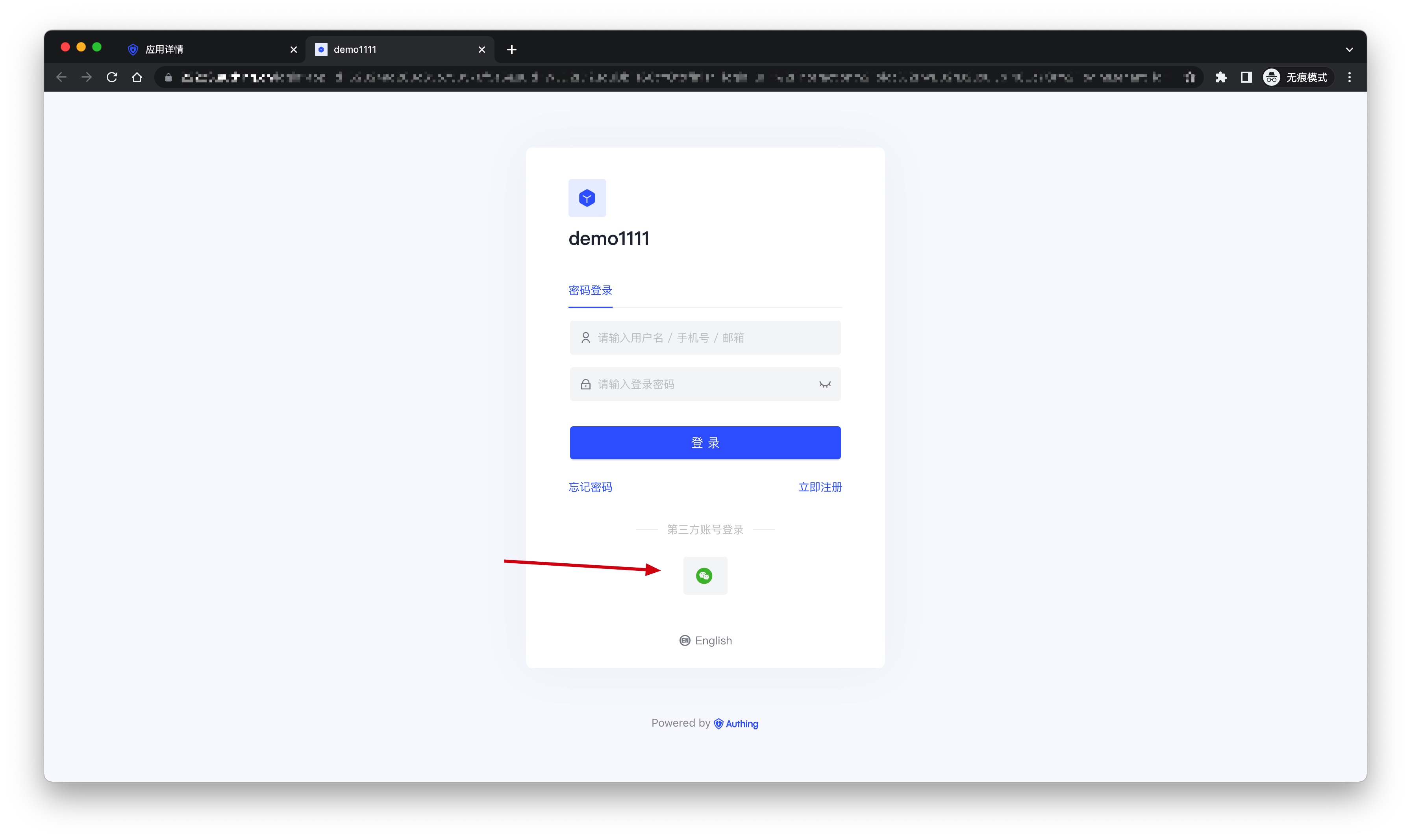
3.3 Click the Experience Login button in the GenAuth console application, and experience PC WeChat QR code scanning login in the pop-up login window