GenAuth DocsDocuments
Concepts
User Guide
Development Integration
AgentAuth
Metadata
Development Integration
Multi-tenant (beta)
Console Documentation
Multi-tenant Console
Tenant Console
Saas Application Demo
Concepts
User Guide
Development Integration
AgentAuth
Metadata
Development Integration
Multi-tenant (beta)
Console Documentation
Multi-tenant Console
Tenant Console
Saas Application Demo
Old version
  • Single Page Web Application

  • Mobile and Client Applications

    • Android

    • C#

    • Flutter

    • iOS

      • Quick Start
      • Hosted Pages
      • Components

        • Tutorial

          • 入门示例
          • 基础登录示例
          • 复杂登录示例
          • 完善登录界面
          • 基础注册示例
          • 复杂注册示例
          • 登录注册转场
          • 手机号码重置密码
          • 邮箱地址重置密码
          • 动态重置密码
        • Basic Components

        • Social Components

      • APIs

      • Social Login

      • Typical Scenarios

      • Private Deployment
    • React Native
  • Standard Web Application

  • Framework Integration

  • Others

  1. Development Integration
  2. /
  3. Mobile and Client Applications
  4. /
  5. iOS
  6. /
  7. Components
  8. /
  9. Tutorial

  10. /
  11. 基础登录示例

¶ 基础登录示例

Update time: 2025-07-23 07:34:21
Edit

阅读此教程之前,确保已经完成了 开发准备

¶ 在 xib 上放置超组件

放置一个 TextField,将其类型改为 AccountTextField
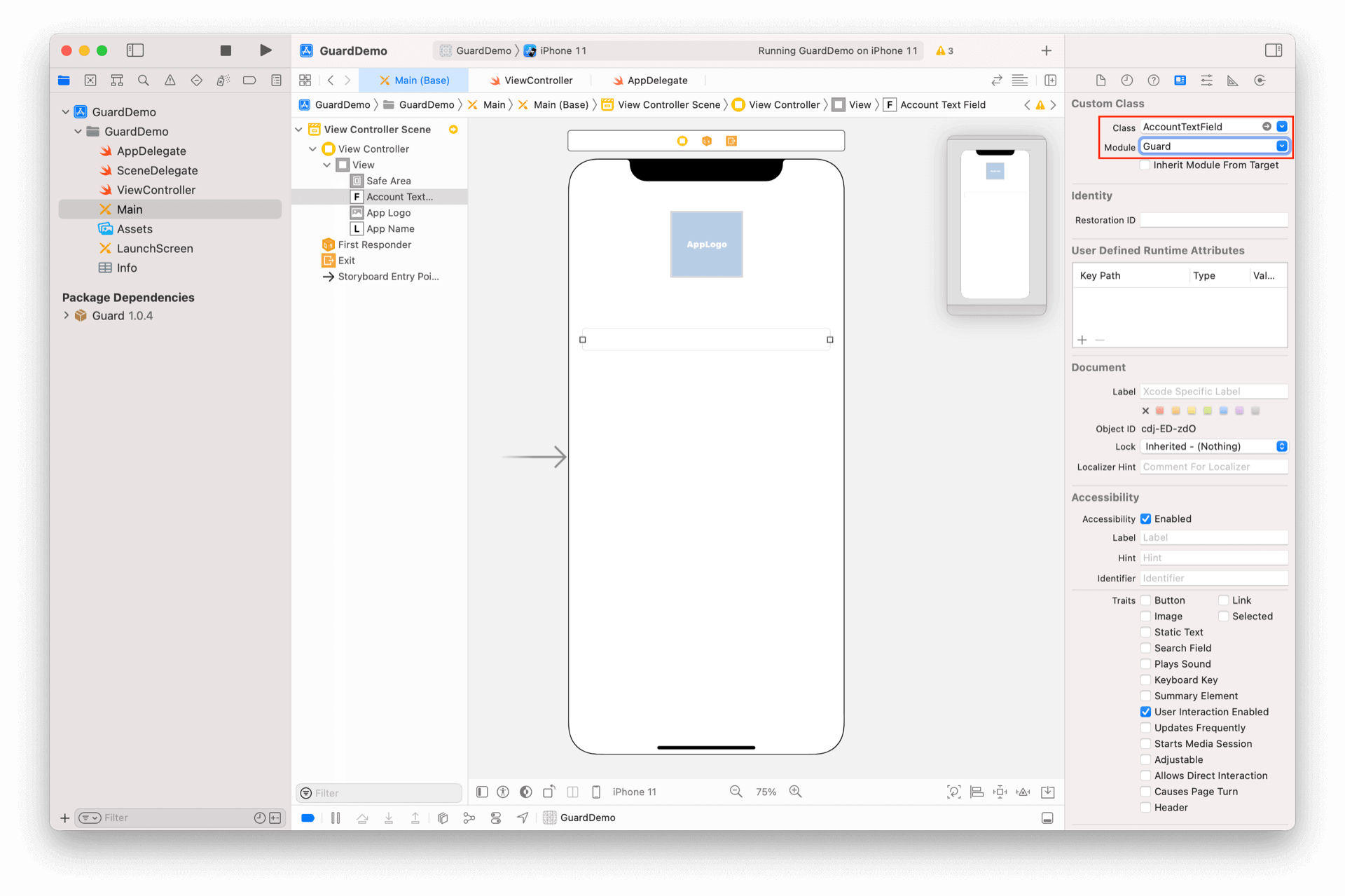
再放置一个 TextField,将其类型改为 PasswordTextField
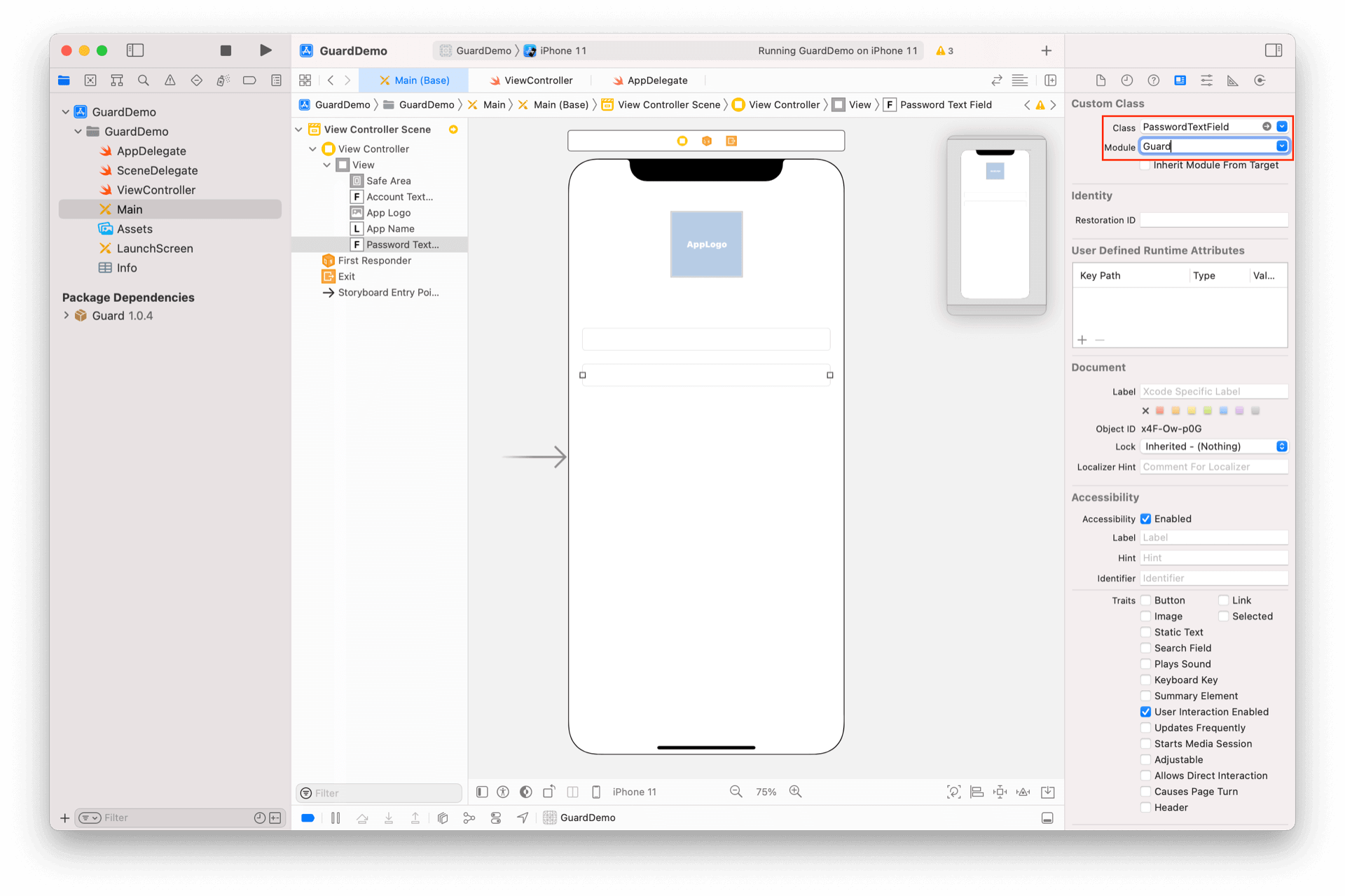
再放置一个 Label 将其类型改为 ErrorLabel
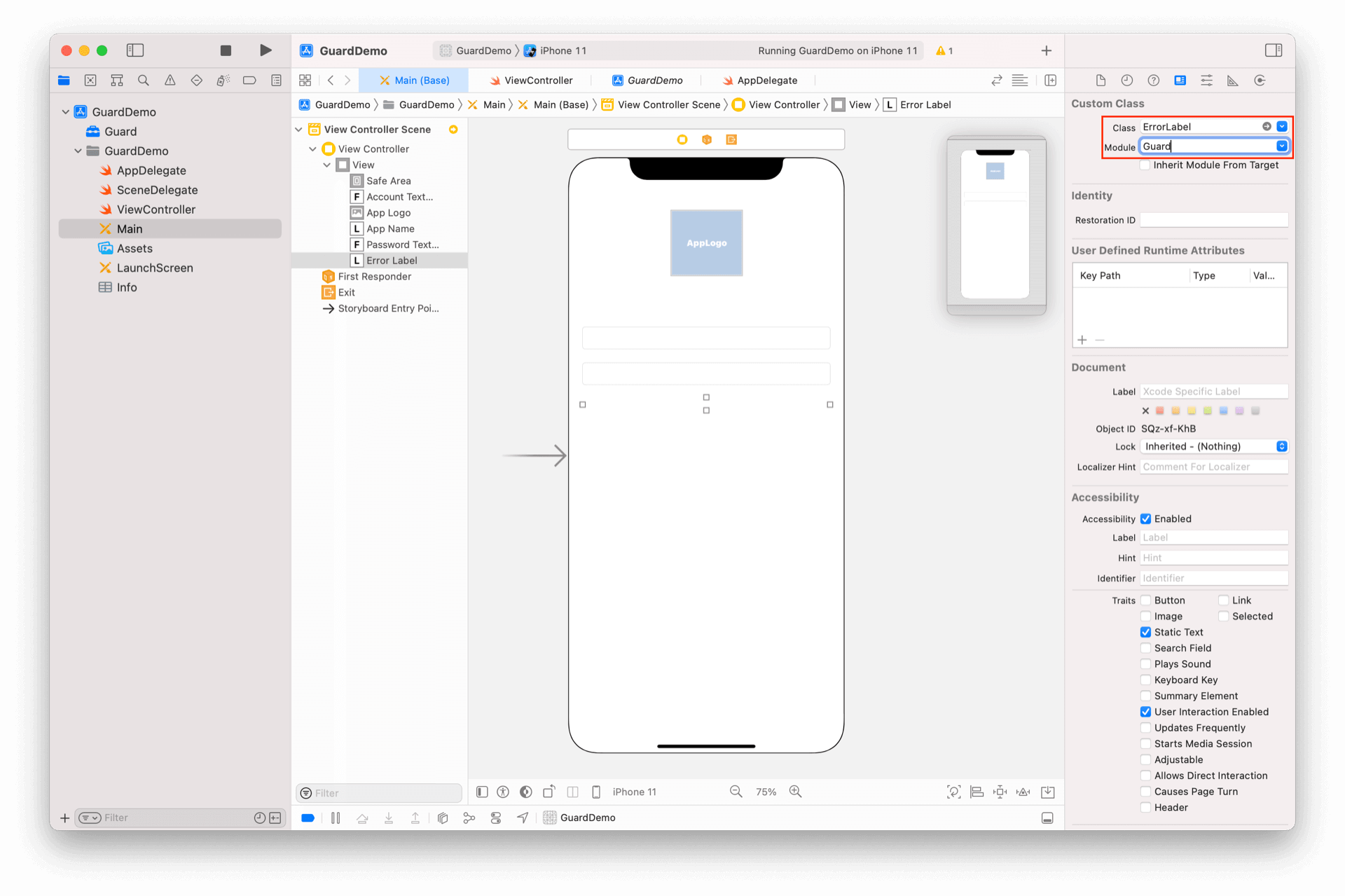
再放置一个 Button,将其类型改为 LoginButton
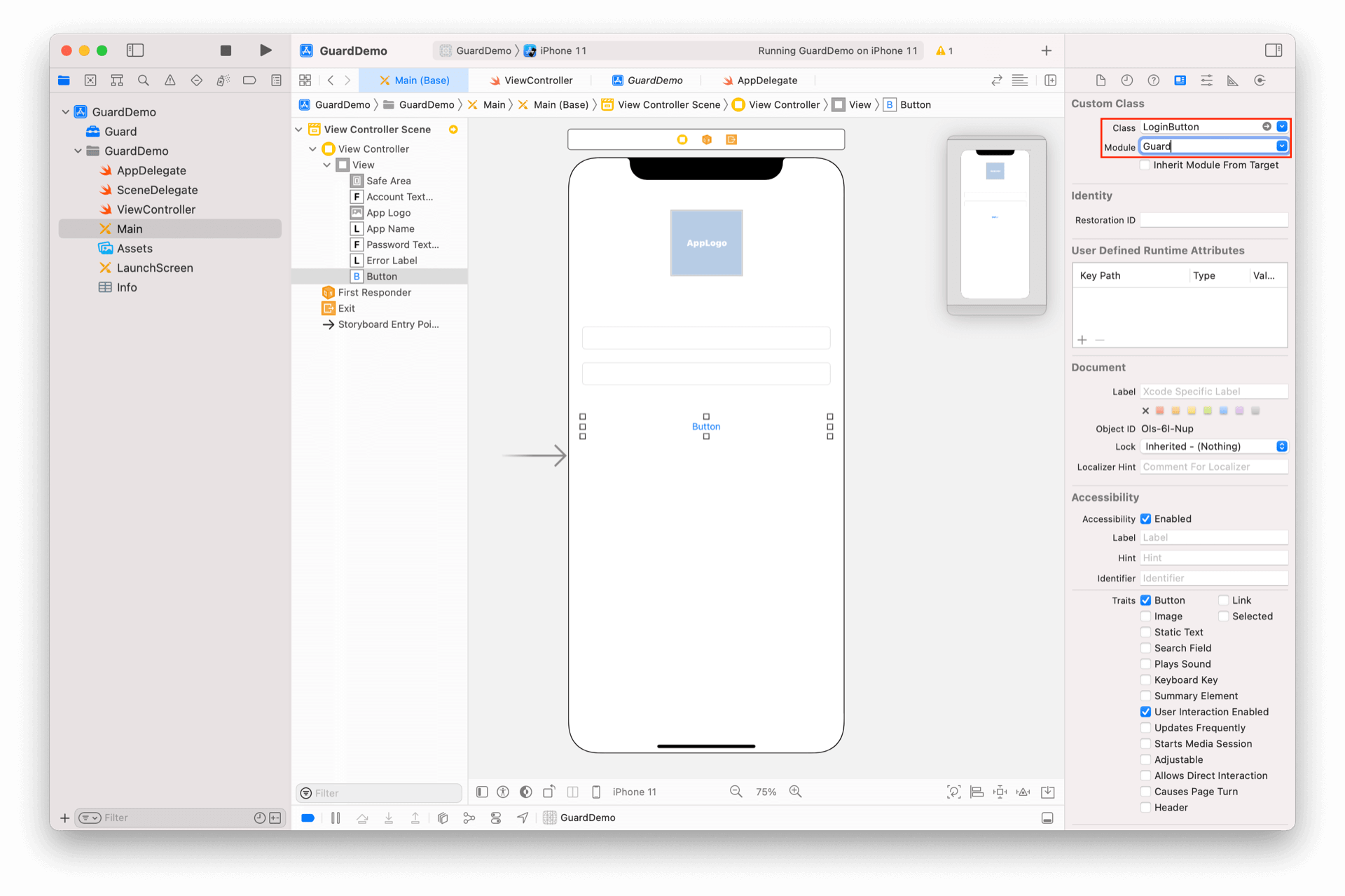
¶ 运行
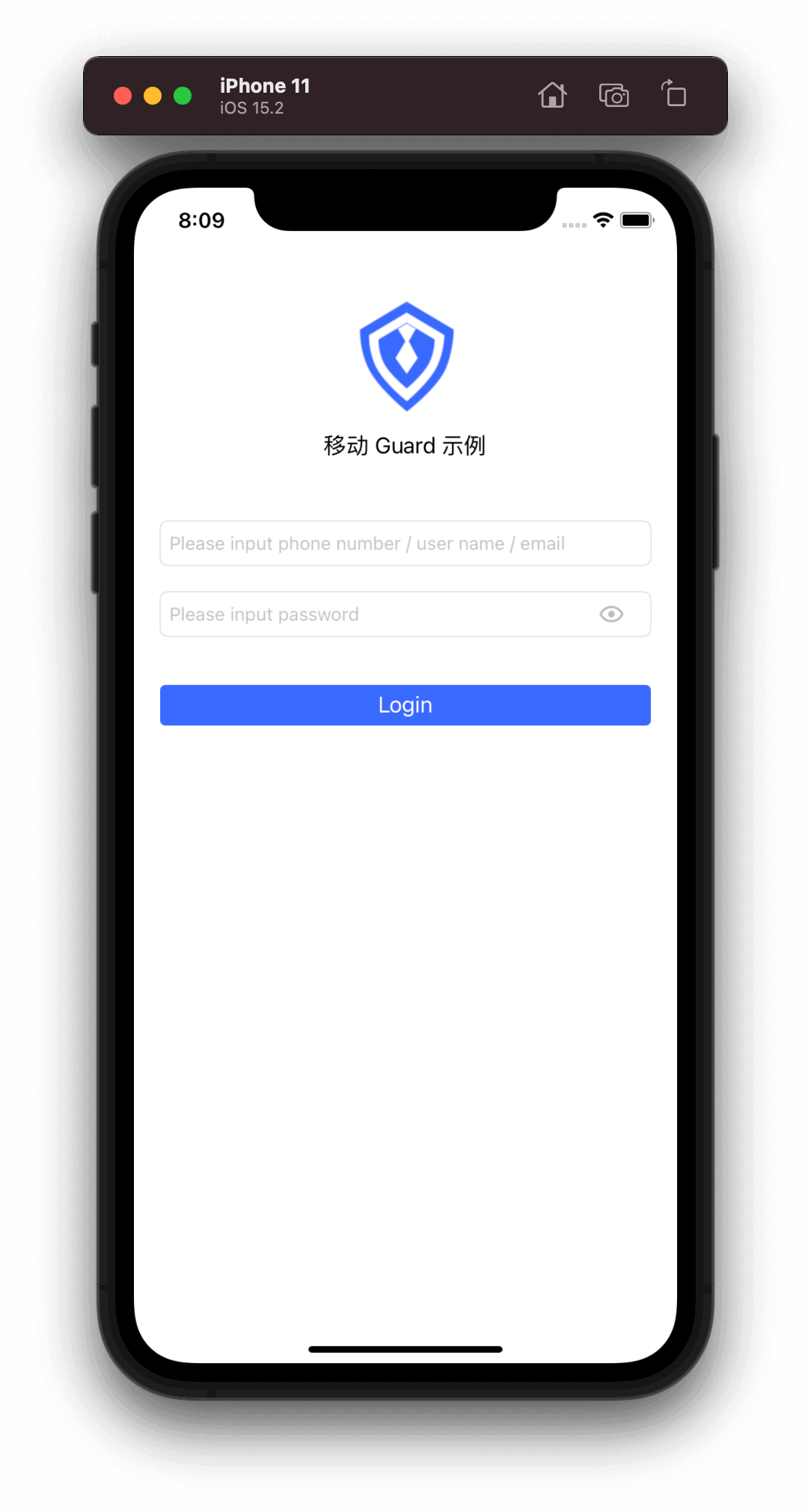
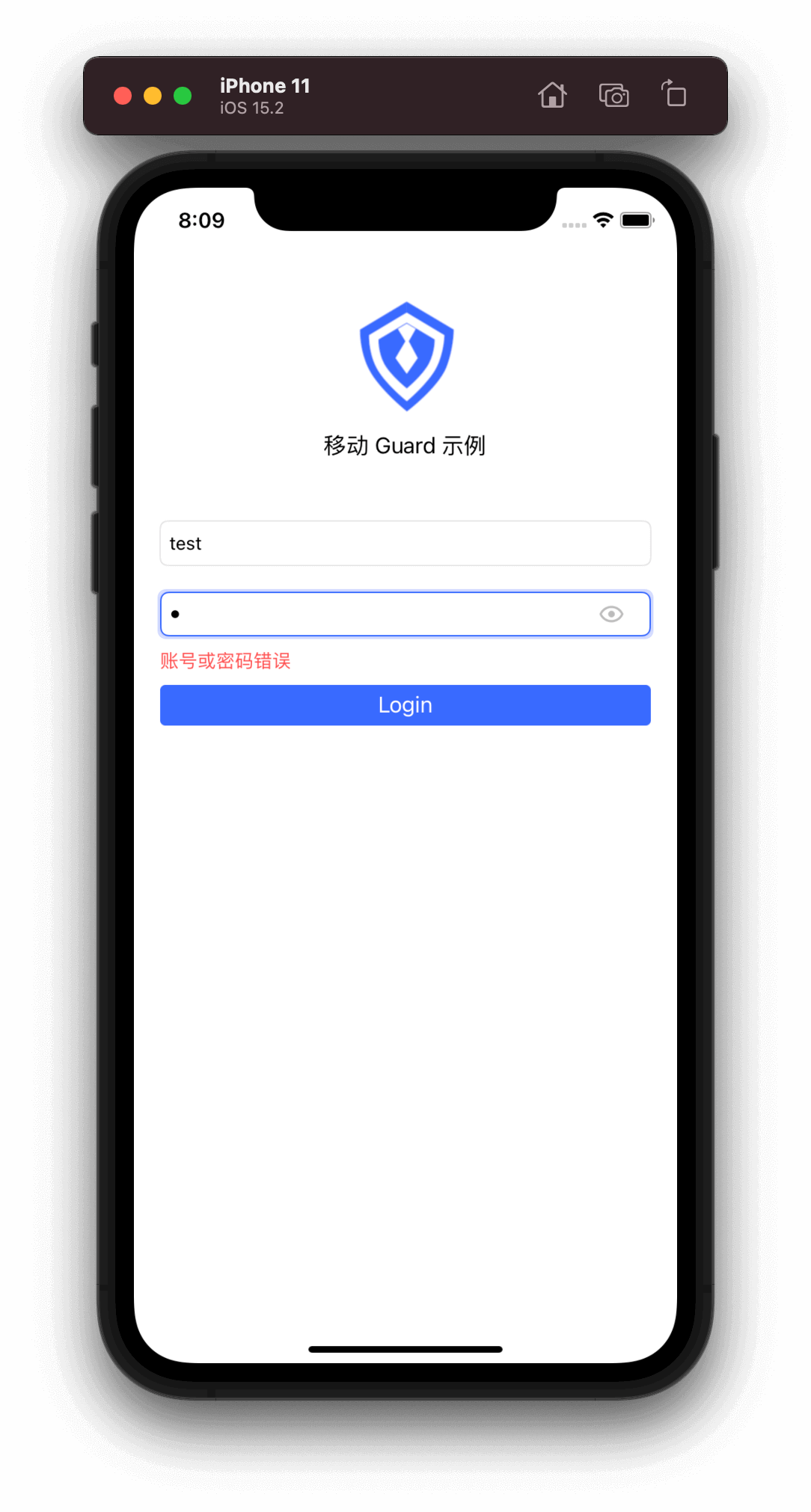
drawing drawing

一个具有登录业务能力的界面就开发完了,输入有效的用户名密码,点击登录就可以完成认证。如果登录出现错误,服务器返回的错误信息也能直接显示在 ErrorLabel 上。

Guard 超组件提供了一些默认的视觉效果,如输入框获取焦点时,会播放一个高亮边框的动画;输入框提示语跟随 GenAuth 控制台配置;密码输入框默认提供 “显示明文”按钮;点击登录按钮时,会播放加载动画等等。如果需要自定这些视觉效果,请参考每个组件的详细说明。

我们注意到界面是英文版本的,因为 iOS 默认只有英文版本的 Localization,并且模拟器默认也是英文版本的。Guard 支持中英文,我们只需要在项目配置里面添加中文即可:
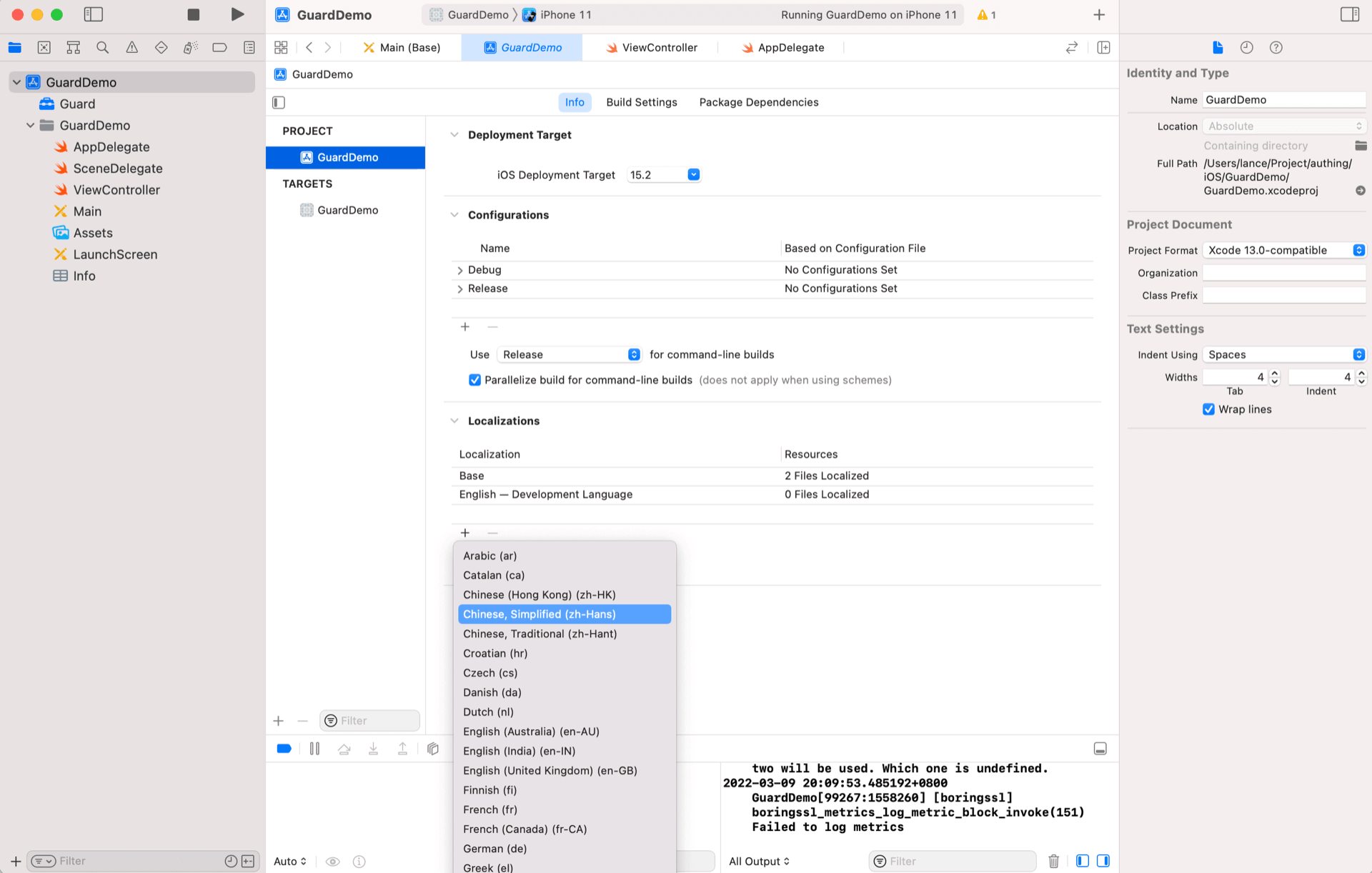
添加中文之后,Guard 语言会跟随系统。当我们把模拟器设置为中文后,效果如下:
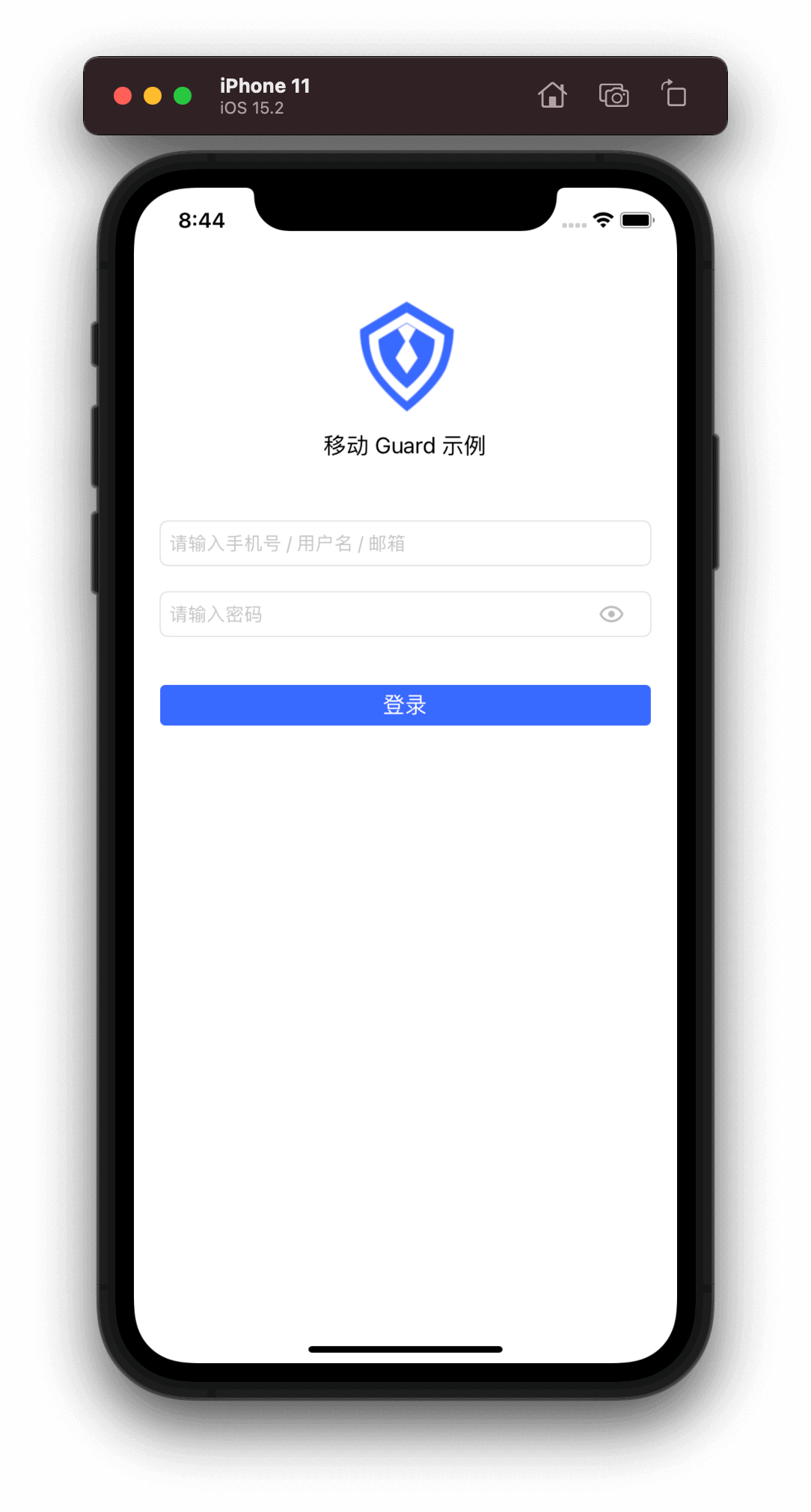
drawing

接下来,我们需要设置回调以获取用户信息:

import Guard
if let loginButton: LoginButton = Util.findView(view, viewClass: LoginButton.self) {
    loginButton.setAuthCompletion { code, message, userInfo in
        if (code == 200) {
            if let un = userInfo?.getUserName() {
                print("\(un) logged in")
            }
        }
    }
}

此教程展示了如何在 5 分钟左右的时间构建一个简单的登录界面。接下来,我们再构建一个更为复杂的登录界面。


复杂登录示例 →
Previous article: 入门示例 Next article: 复杂登录示例
  • 在 xib 上放置超组件
  • 运行

User identity management

Integrated third-party login
Customized authentication process

Enterprise internal management

Single sign-on
Multi-factor authentication
Permission management

Developer

Development Documentation
GitHub (opens new window)

Company

official@genauth.ai
16th Floor, Building B, Beichen Century Center, Chaoyang District, Beijing (Total)
Room 406, 4th Floor, Block B, No. 200, Tianfu Fifth Street, High-tech Zone, Chengdu (Branch)

© Beijing Steamory Technology Co., Ltd.