GenAuth DocsDocuments
Concepts
User Guide
Development Integration
AgentAuth
Metadata
Development Integration
Multi-tenant (beta)
Console Documentation
Multi-tenant Console
Tenant Console
Saas Application Demo
Concepts
User Guide
Development Integration
AgentAuth
Metadata
Development Integration
Multi-tenant (beta)
Console Documentation
Multi-tenant Console
Tenant Console
Saas Application Demo
Old version
  • Single Page Web Application

  • Mobile and Client Applications

    • Android

    • C#

    • Flutter

    • iOS

      • Quick Start
      • Hosted Pages
      • Components

        • Tutorial

          • 入门示例
          • 基础登录示例
          • 复杂登录示例
          • 完善登录界面
          • 基础注册示例
          • 复杂注册示例
          • 登录注册转场
          • 手机号码重置密码
          • 邮箱地址重置密码
          • 动态重置密码
        • Basic Components

        • Social Components

      • APIs

      • Social Login

      • Typical Scenarios

      • Private Deployment
    • React Native
  • Standard Web Application

  • Framework Integration

  • Others

  1. Development Integration
  2. /
  3. Mobile and Client Applications
  4. /
  5. iOS
  6. /
  7. Components
  8. /
  9. Tutorial

  10. /
  11. 登录注册转场

¶ 登录注册转场

Update time: 2025-07-23 07:34:21
Edit

阅读此教程之前,确保已经完成了 开发准备、基础登录示例、基础注册示例

¶ 修改入口以支持转场

我们以登录示例为基础工程,首先在入口 ViewController 前面增加 NavigationViewController
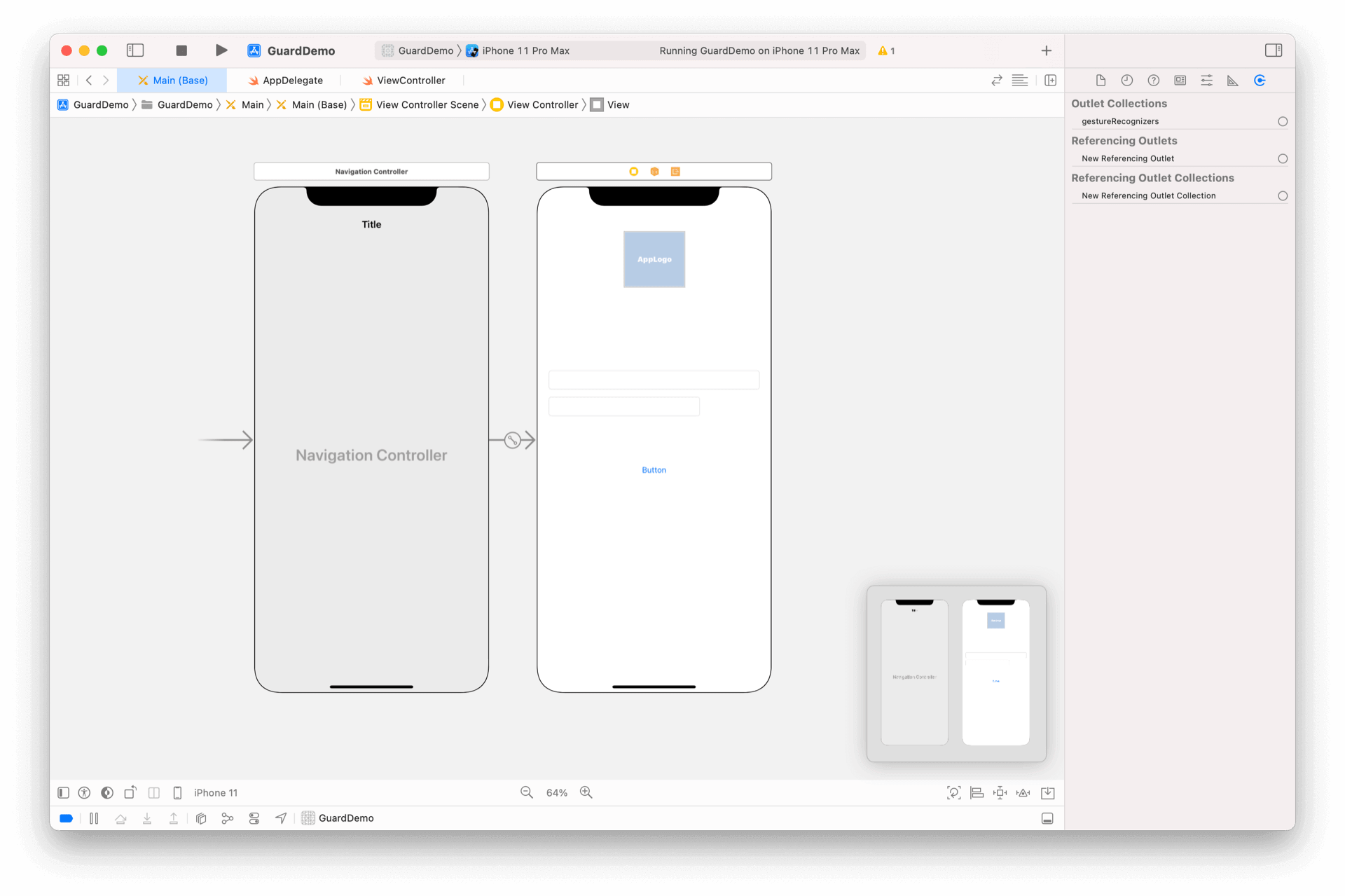
¶ 在 ViewController.swift 里面添加 IBOutlet

@IBOutlet weak var emailContainer: RegisterContainer?

¶ 在 viewDidLoad 里面设置类型

emailContainer?.type = 1

¶ 拷贝注册示例 ViewController

将注册示例中的 ViewController 复制粘贴过来
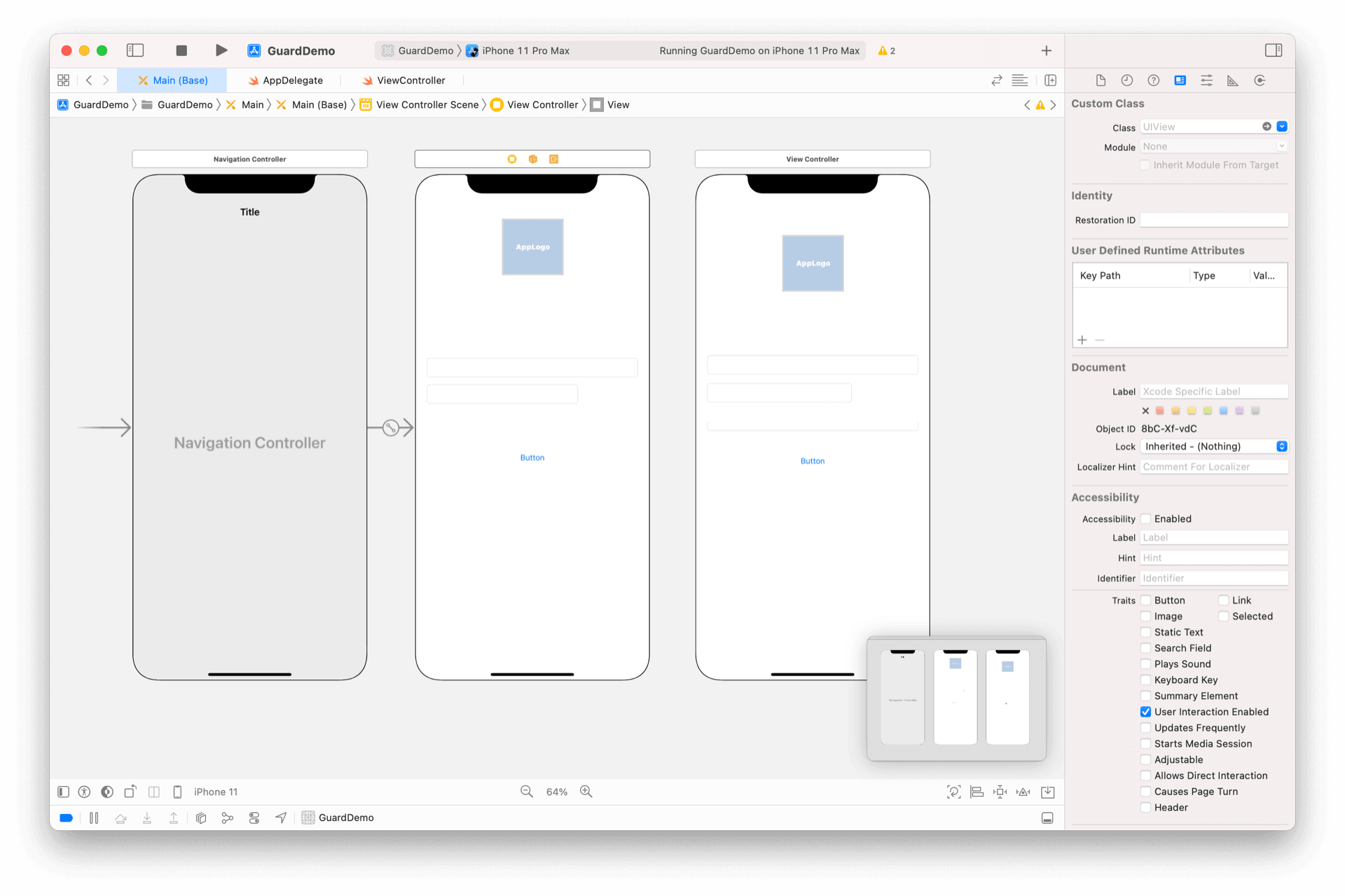
由于两个控制器都是 ViewController 类型,Xcode 能自动找到 IBOutlet,无需手动设置

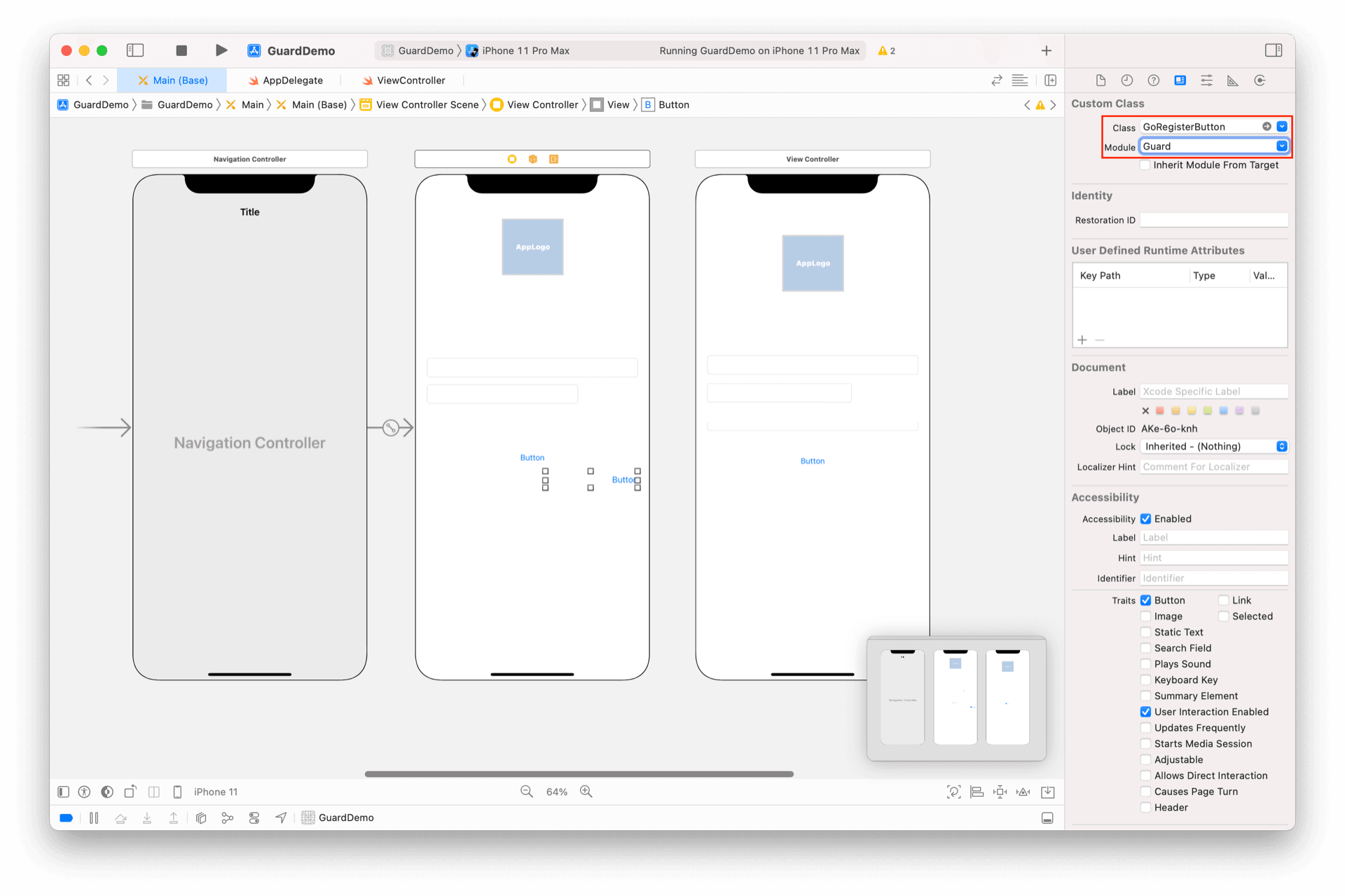
¶ 在 xib 上放置超组件

放置一个 Button,将其类型改为 GoRegisterButton
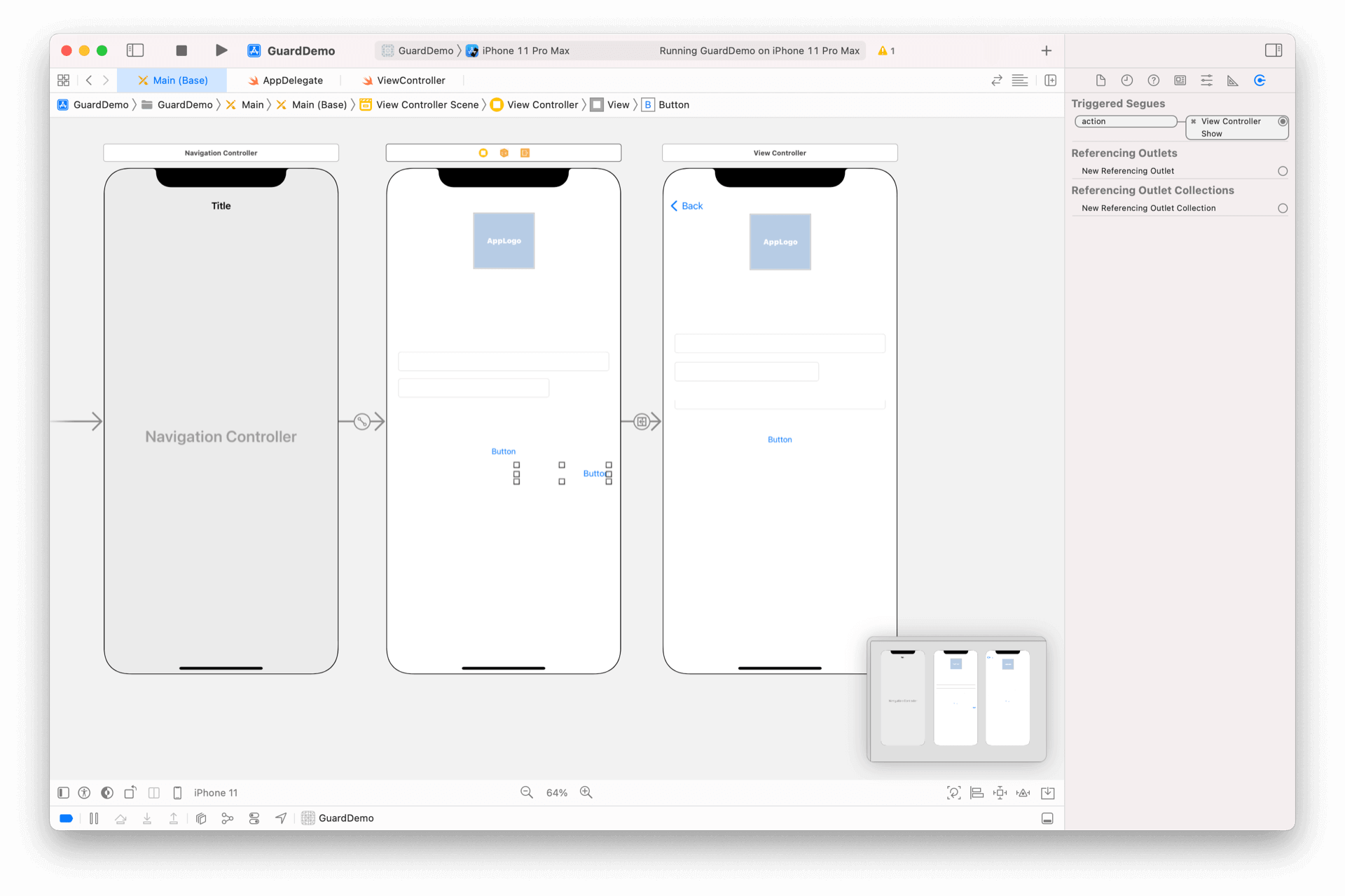
¶ 设置 Segue

按住 control,鼠标左键从 GoRegisterButton 拖到刚才拷贝的 ViewController 上,在弹出的对话框中选 Action Segue -> Show
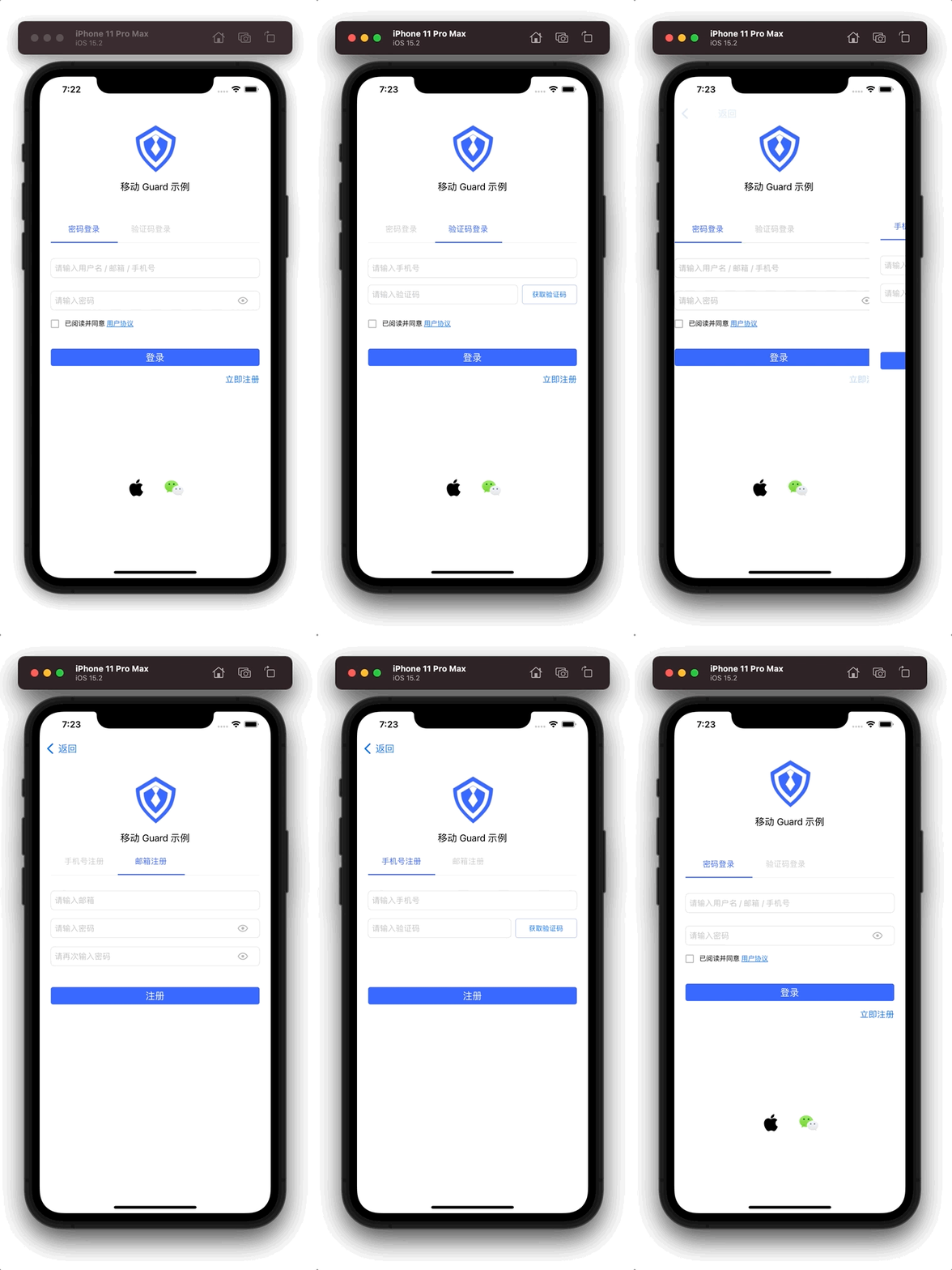
¶ 运行
drawing

此教程使用了也许是最简单的转场方式,应用可以根据需要自行设计任意转场效果。

GoRegisterButton 除了提供默认的视觉效果以及国际化的文字,还可以根据控制台设置自动隐藏。查看详情

Previous article: 复杂注册示例 Next article: 手机号码重置密码
  • 修改入口以支持转场
  • 在 ViewController.swift 里面添加 IBOutlet
  • 在 viewDidLoad 里面设置类型
  • 拷贝注册示例 ViewController
  • 在 xib 上放置超组件
  • 设置 Segue
  • 运行

User identity management

Integrated third-party login
Customized authentication process

Enterprise internal management

Single sign-on
Multi-factor authentication
Permission management

Developer

Development Documentation
GitHub (opens new window)

Company

official@genauth.ai
16th Floor, Building B, Beichen Century Center, Chaoyang District, Beijing (Total)
Room 406, 4th Floor, Block B, No. 200, Tianfu Fifth Street, High-tech Zone, Chengdu (Branch)

© Beijing Steamory Technology Co., Ltd.